iPECS eMG80 & eMG800 & UCP
Administration and Programming Manual Issue 1.6
265
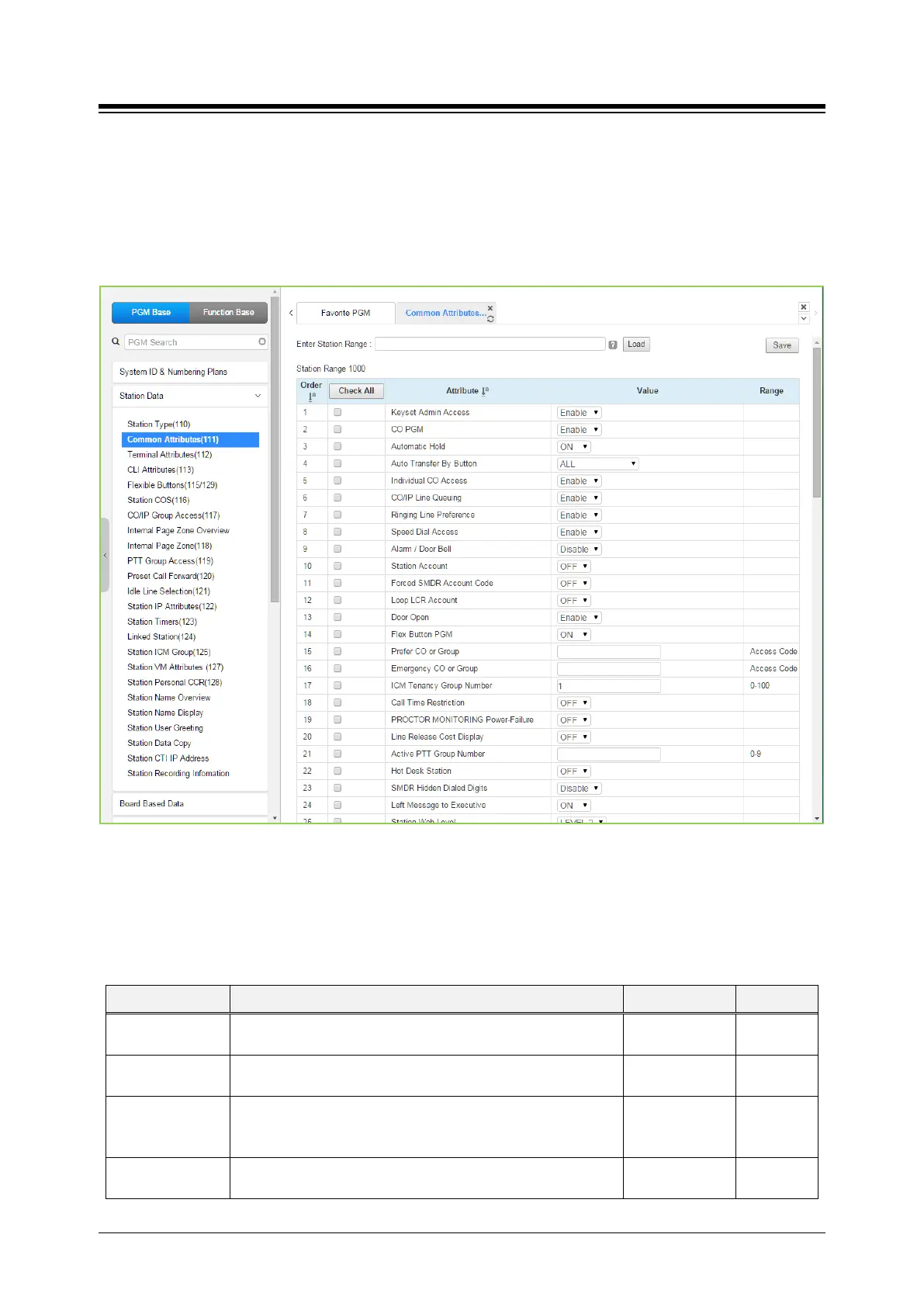
4.4.2.2 Common Attributes - PGM 111
Selecting Common Attributes will display the common attributes data input page. Enter a valid
station range and click the [Load] button to enter Common Attributes data.
Use the check boxes to indicate which attributes to define; data for checked attributes is stored
for the entire range of stations by clicking [Save] button after changing Value.
Figure 4.4.2.2-1 Common Attributes
Common Attributes define features and functions available to the station. Generally, the entry will
turn the feature ON (enable) or OFF (disable). Refer to the following table for a description of the
features and the input required.
Table 4.4.2.2-1 Common Attributes
ATTRIBUTE DESCRIPTION RANGE DEFAULT
Keyset Admin
When enabled, the station can access the system Database.
Disable
Enable
CO PGM
A station can be permitted to change the CO/IP Line numbers
(ports) associated with a Flexible button.
Disable
Disable
Automatic Hold
Enables Auto Hold for the station. With Auto Hold enabled, the
system will place an active external call on hold if the user
presses a CO/IP Line or DSS button.
OFF
ON
ATD: ON
Others:
Auto Transfer By
Transfer a talking call to a new making call by pressing Station
(DSS)/CO (Loop)/U-Loop flexible button.
OFF
ALL





 To Next Page