iPECS eMG80 & eMG800 & UCP
Administration and Programming Manual Issue 1.6
256
4.4.1.7 Flexible Station Numbering Plan - PGM 105
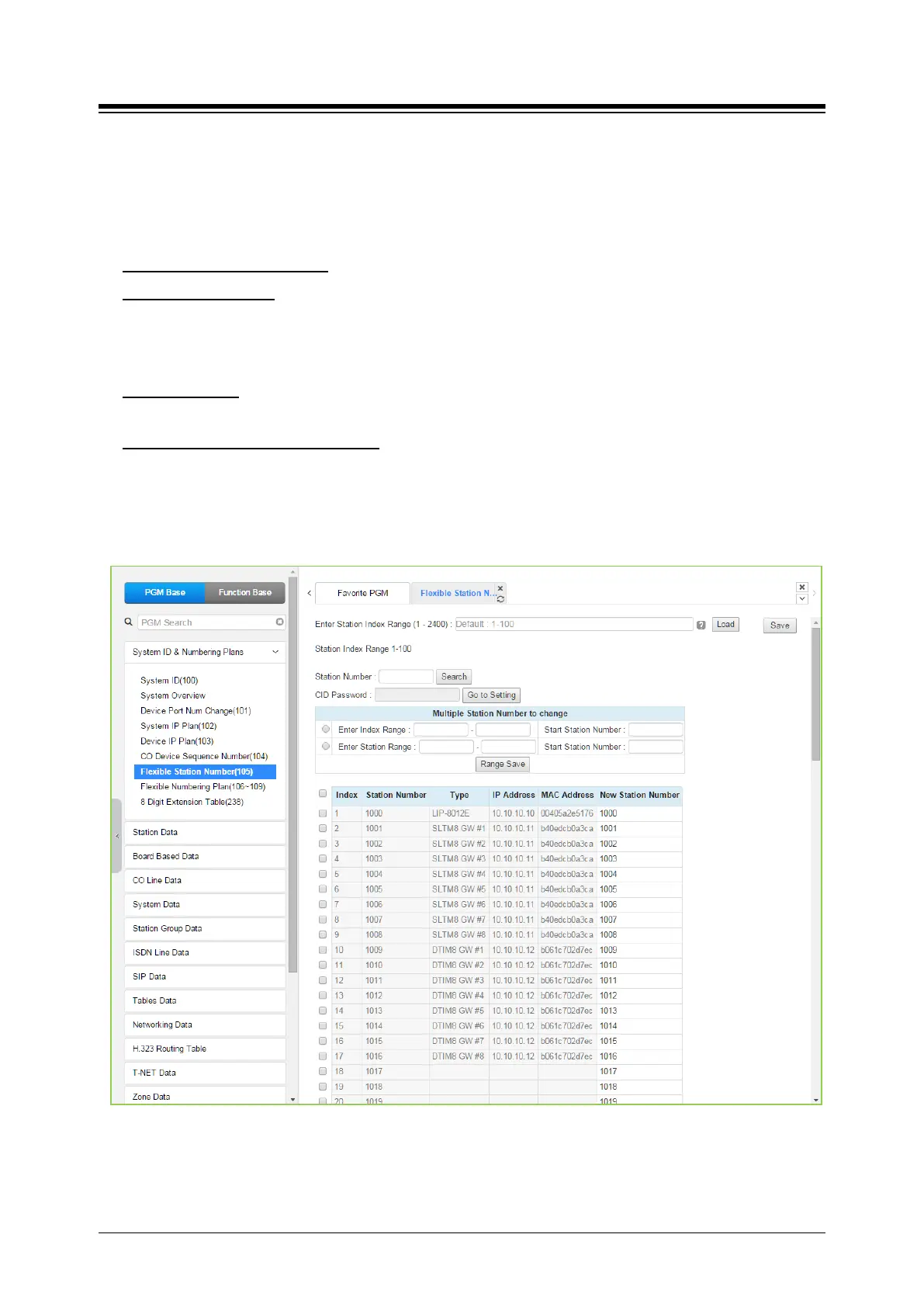
Selecting Flexible Station Number will return the data entry page. For convenience, the copy,
paste, and drag is available to enter or modify data.
This page permits changes in the Station Numbering Plan using one of three methods:
Enter Station Index Range: eMG80: 1-140 / eMG800: 1-1200 / UCP: 1-2400
Station Index Range: use to change the station numbers associated with a range of “Order
Numbers” (the indexes). The “Start Station Number” is assigned to the station with the first
index then the station number is incremented by one and assigned to the next station in the
range. The process is repeated until the station number with the last index is changed.
Station Number: enter the station number to search. The station number is displayed and then
you can change the new station number as you wish.
Multiple Station Number to change
You can change station numbers over a range of stations using the “Start Station Number” as
the first station number for the range. The station number is incremented by one for each
successive station in the range.
: there are two ways to search the station number for
change; Enter Index Range or Enter Station Range.
Figure 4.4.1.7-1 Flexible Station Number
Each iPECS IP and LDP Phone and SLT is assigned a logical order number, shown as the “Index”
number on the Web page, during the registration process. The station Index number is





 To Next Page