iPECS eMG80 & eMG800 & UCP
Administration and Programming Manual Issue 1.6
475
4.4.8.10 VMEX Station Data - PGM 215
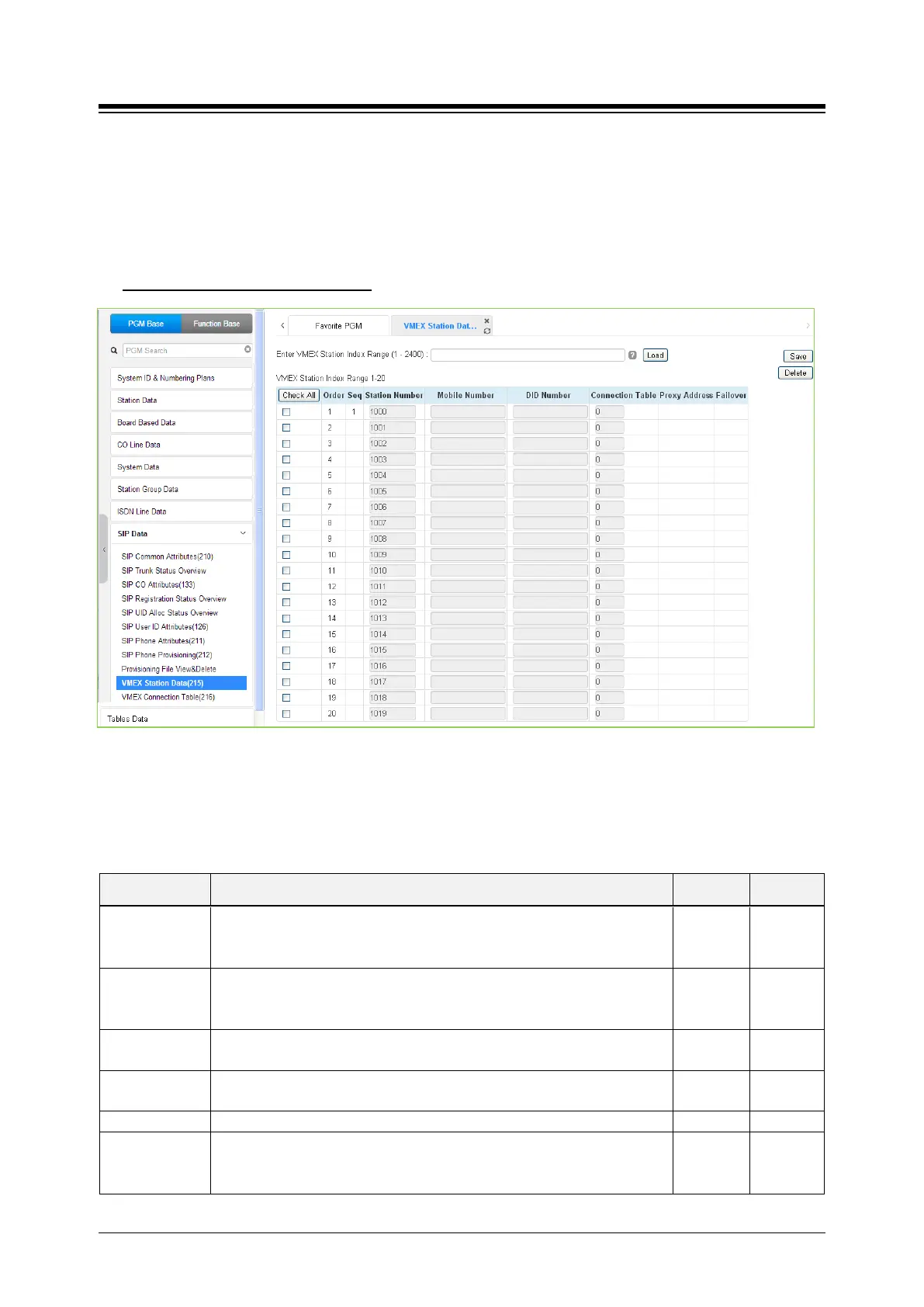
Selecting VMEX Station data will display the VMEX Station Data input page as shown in the
following figure. Enter a range, and click [Load] to view the VMEX Data for all stations in the
range. Use the check boxes to indicate the VMEX Station Data to modify. After modifying the
data, click [Save] to store the VMEX Station Data.
Enter VMEX Station Index Range
: eMG80: 1-140 / eMG800: 1-1200 / UCP: 1-2400
Figure 4.4.8.10-1 VMEX Station Data
The Virtual Mobile Extension feature permits a remote mobile phone to act as a station within the
system employing SIP. For proper operation, various parameters as shown in the following table
must be configured for the Station data.
Table 4.4.8.10-1 VMEX Station Data
ATTRIBUTE DESCRIPTION RANGE DEFAULT
Station Number
The station number of the VMEX can be modified. The VMEX station
number must not conflict with other numbering plans. The station number
can be modified here or in PGM 105 and is affected by the 8 Digit Table
Station
Number
Mobile Number
The Caller Id of the Mobile phone must be entered to allow the system to
recognize the VMEX phone. The mobile number here must match the
number in the SIP From header.
DID Number
The DID number associated with the VMEX must be configured to allow
for recognition of calls to the VMEX.
Connection
An index to the Connection Table PGM 216 must be entered. One of ten
indices can be assigned permitting the use of multiple SIP Call servers.
0 ~ 10
The SIP Proxy for the VMEX must be configured for access to the VMEX.
Fail-over
The index (Station Number) of the Mobile Extension Table (PGM 236)
can be assigned for Fail-over operation. In this case, the Table entry
must be configured for fail-over operation.
Station
Number





 To Next Page