iPECS eMG80 & eMG800 & UCP
Administration and Programming Manual Issue 1.6
294
4.4.2.16 Station ICM Group - PGM 125
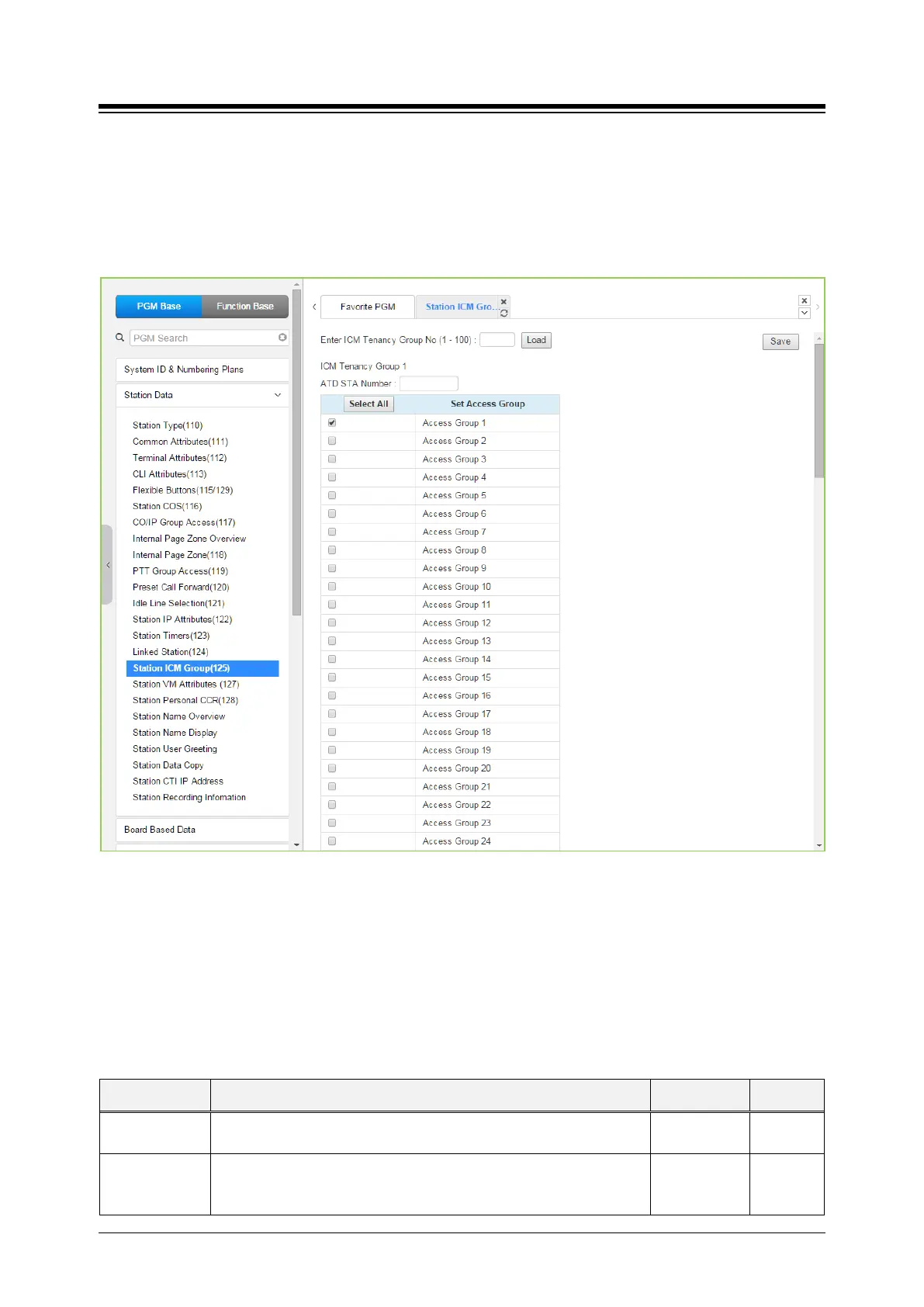
Selecting Station ICM Tenancy Group displays the Station ICM Tenancy Group input page.
Select ICM Tenancy Group and click [Load], the system will display the ICM Tenancy Group
Characteristics. Enter the Station number of the group Attendant and check the appropriate box
to allow calling to the group. Click [Save] button after changing Value to apply.
Figure 4.4.2.16-1 Station ICM Group
Stations can be assigned to an ICM group under ‘Common Attributes section’. Up to 15 Tenant
groups for eMG80 (up to 32 for eMG800 and up to 100 for UCP) can be defined. Each group is
configured to allow or deny placing intercom calls, including transfers, to stations in other groups
and an Attendant station can be defined for each group. The Attendant will receive “dial 0” calls
and controls Day/Night mode for the group.
Table 4.4.2.16-1 STATION ICM GROUP ATTRIBUTES
ATTRIBUTE DESCRIPTION RANGE DEFAULT
Tenancy ATD
Attendant station for the ICM Tenant group. ATD receives dial ‘0’ calls
and controls Day/Night Service.
Station No.
Group Access ICM tenancy groups allowed access by stations of the selected group.
eMG80:1~15
eMG800:1~32
1





 To Next Page