iPECS eMG80 & eMG800 & UCP
Administration and Programming Manual Issue 1.6
464
4.4.8.7 SIP Phone Attributes - PGM 211
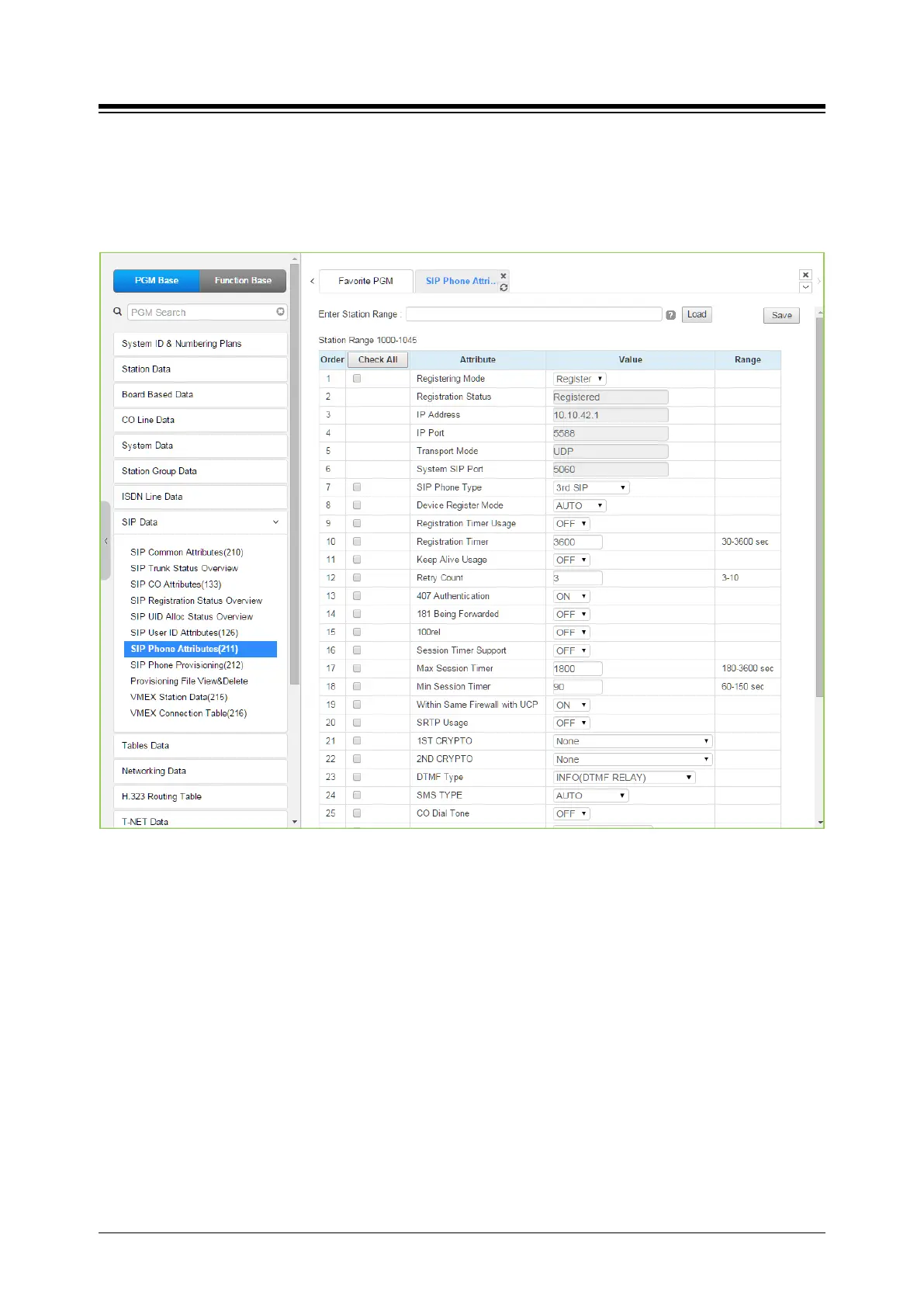
Selecting SIP Phone Attributes will display the SIP Phone input page. Enter a valid SIP Station
Number or range, and click [Load] to view the SIP Phone Attributes for the first Station Number
in the range. Enter new data and click [Save] to modify the attributes for a Station or range.
Figure 4.4.8.7-1 SIP Phone Attributes
< Registration >
For a new registration of SIP station, input ID/PWD & Desired Station Number in PGM 443 of
Station User Login Table. This SIP Phone Attributes are for Stations that are already registered to
system.
− Register Mode - Register/ Manual: Set Registration Time Out or Not
− Registration Status: View connection status (Disconnected or Not) for a station
− IP Address: SIP Phone‘s IP address
− IP Port: SIP Phone‘s IP Port Number
− Transport Mode: SIP signaling method
− SIP Phone Type: Automatically Assigned by System
− Device NAT Usage: Automatic Detection
− Registration Timer Usage: OFF – Assign (Re-) Registration Timer by Provisioning
(212), ON – Assign (Re-) Registration Timer by SIP Phone Attributes (211).
− Registration Timer: more than 10 minute recommended.
− 407 Authentication: Authentication of Registration (and Call Setup). To implement





 To Next Page