iPECS eMG80 & eMG800 & UCP
Administration and Programming Manual Issue 1.6
303
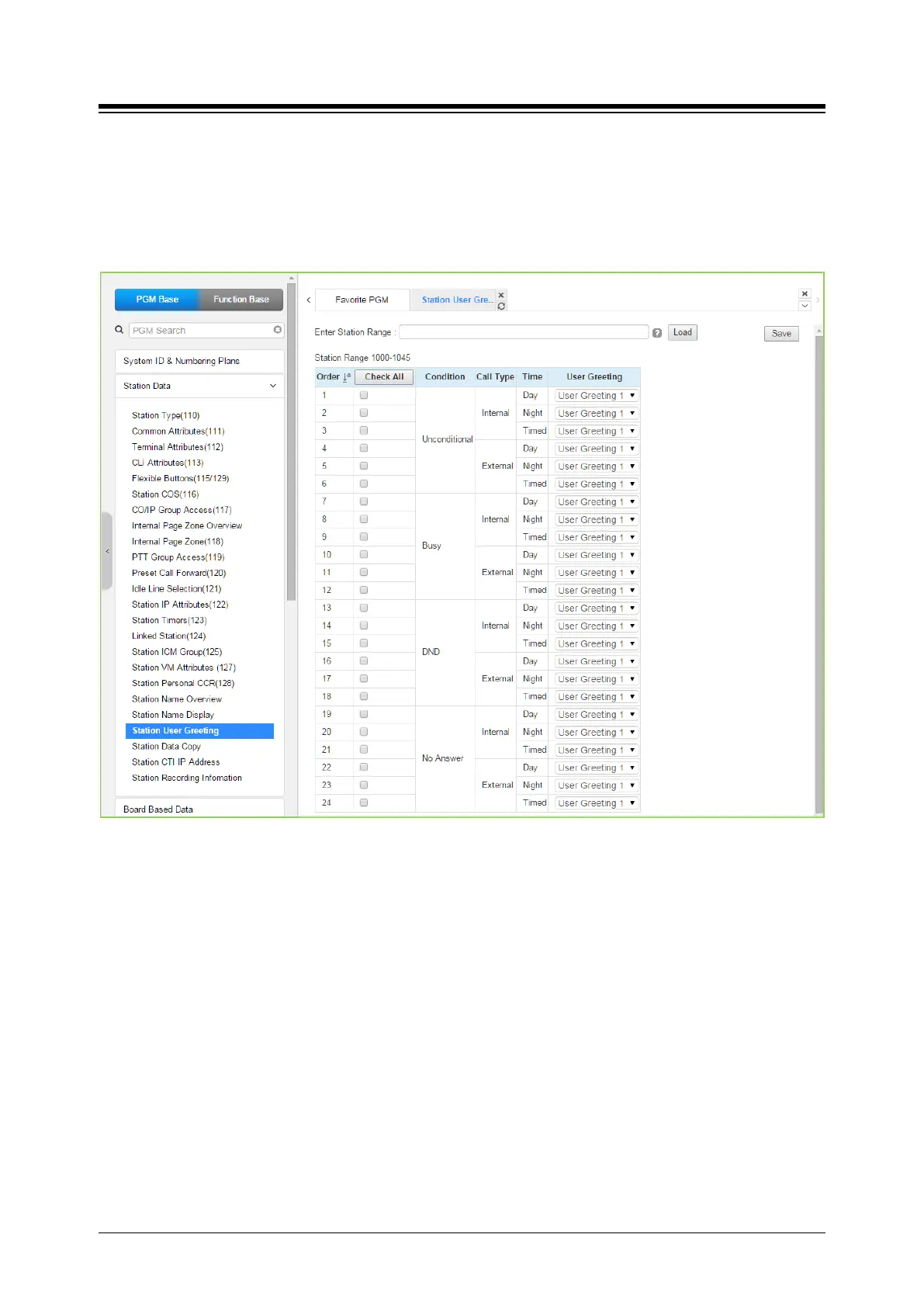
4.4.2.20 Station User Greeting
Selecting Station User Greeting will display the Station User Greeting data input page. Enter a
valid Station range and click [Load] to enter the Station Voice Mail Attributes data. Use the check
mark to indicate which attributes to modify; data for checked attributes is stored by clicking [Save]
button.
Figure 4.4.2.20-1 Station User Greeting
There are 4 User greeting for each station.
User can select multi user greeting depending on the condition, call type, and time.
-. Condition: unconditional, busy, DND, No answer
-. Call Type: Internal, External
-. Call Time: Day, Night, Timed





 To Next Page