iPECS eMG80 & eMG800 & UCP
Administration and Programming Manual Issue 1.6
500
4.4.9.14 Auto Ring Mode Table - PGM 233
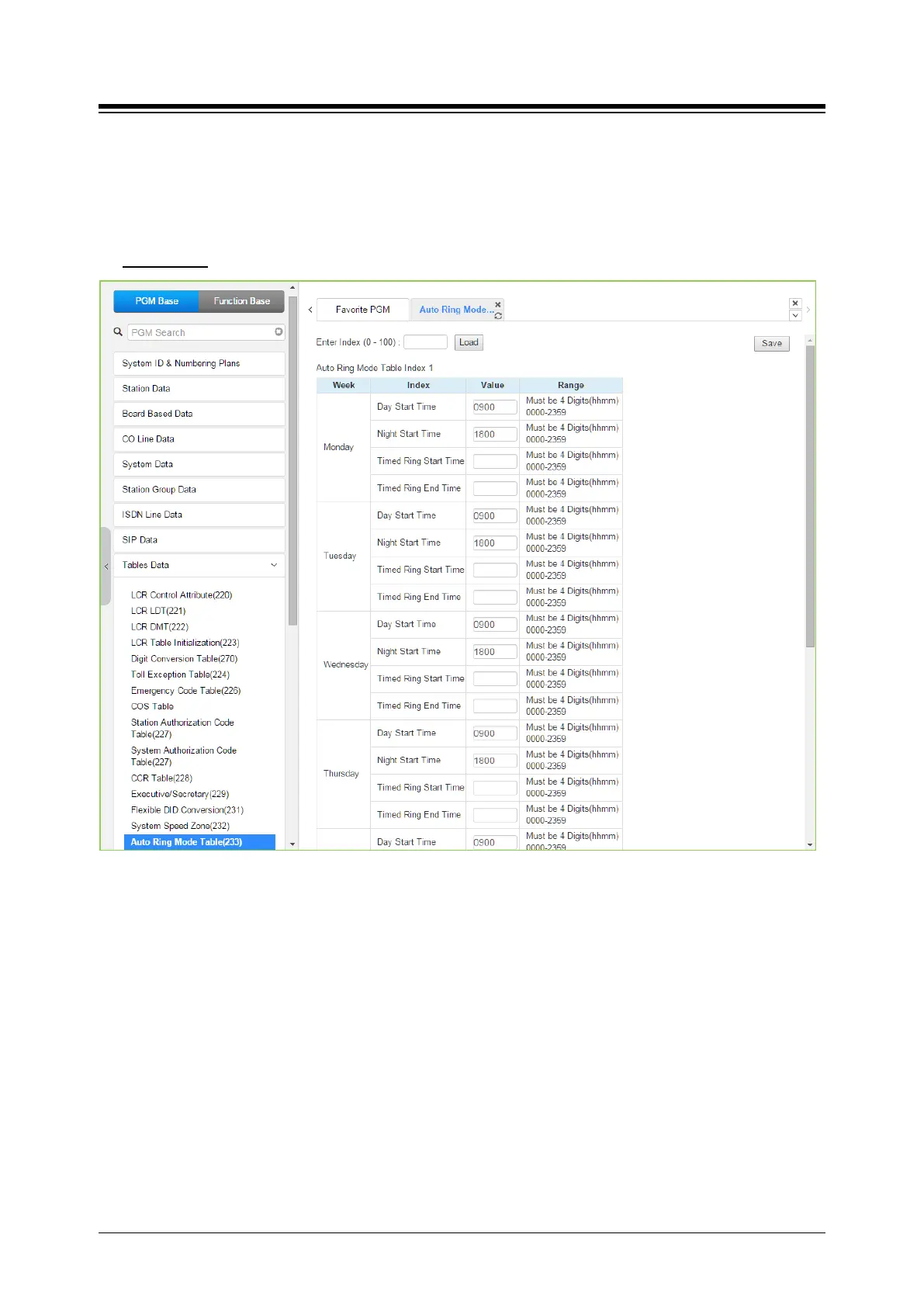
Selecting Auto Ring Mode Table will display the Auto Ring Mode Table data entry page. Enter the
desired index (Tenancy Group) and click [Load] to enter data. Click [Save] button after changing
Value.
Enter Index
: eMG80: 0-15 / eMG800: 0-32 / UCP: 0-100
Figure 4.4.9.14-1 Auto Ring Mode Table
The system can be programmed to automatically select the Ring and COS based on time of day
and day of the week. Three Ring & COS modes are available, Day, Night, and Timed. The Ring
assignments are as defined in CO Ring Assignments. COS assignments are made in the Station
COS and DISA COS programs discussed in sections, respectively.
The start times for Day, Night and start and end times for Timed modes are entered for each day
of the week. After the Timed end time the mode returns to day if time is not in the Night mode.
The Attendant can override the Automatic selection and select the desired mode (Day, Night, and
Timed) manually. A separate Auto Ring Table can be established for each ICM Tenancy Group in
section (indices 1 ~ 15 for eMG80 & indices 1~32 for eMG800 & 1~100 for UCP) and for the
system (index 00).





 To Next Page