iPECS eMG80 & eMG800 & UCP
Administration and Programming Manual Issue 1.6
289
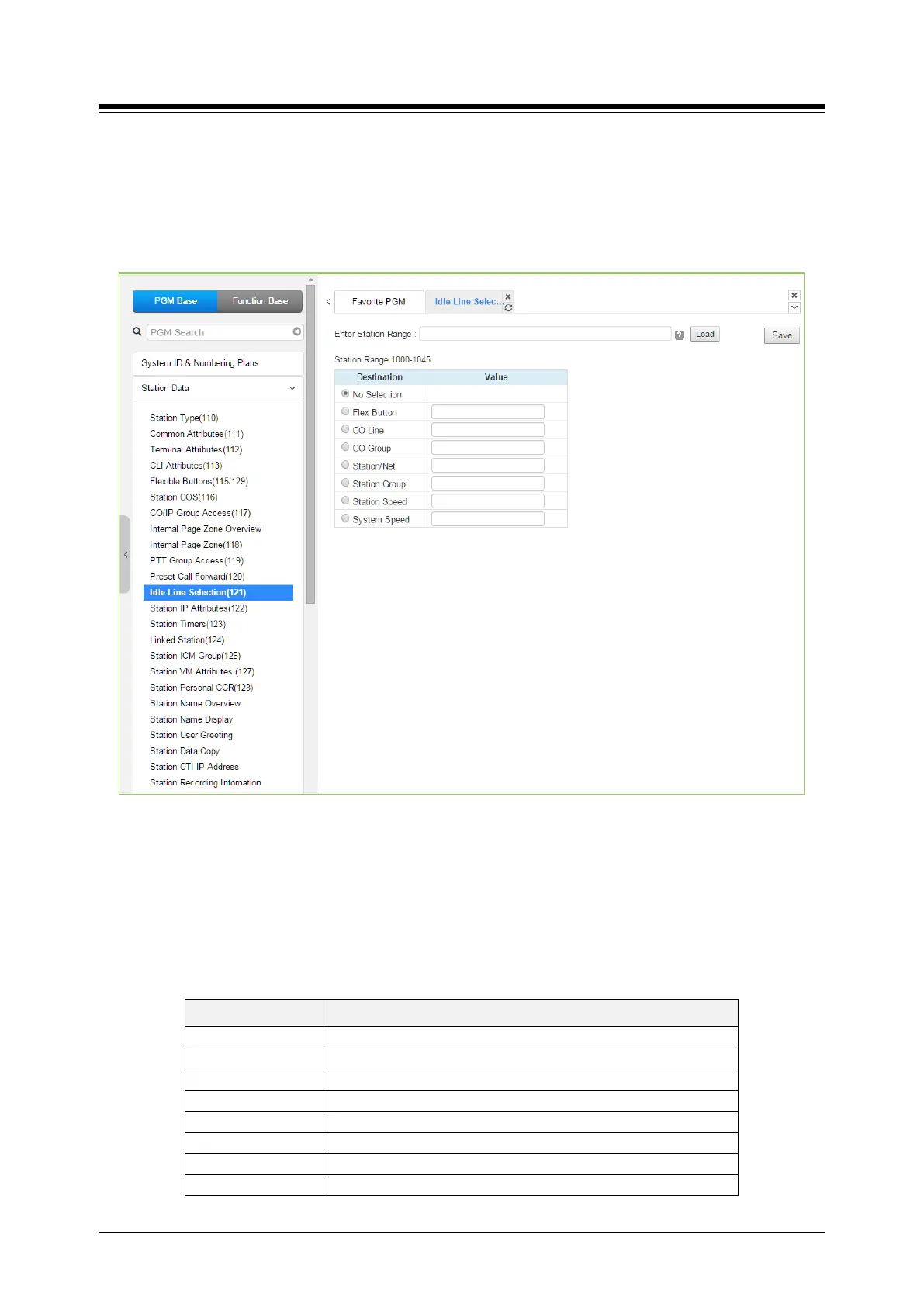
4.4.2.12 Idle Line Selection - PGM 121
Selecting Idle Line Selection will display the Idle Line Selection data input page. Enter a valid
Station range and click [Load] to enter the Idle Line Selection data. Check the appropriate radial
button and enter the value for the Idle Line Selection. Click [Save] button after changing Value to
apply.
Figure 4.4.2.12-1 Idle Line Selection
When a station goes to an off-hook condition (lifts handset or presses [SPEAKER] button), the
system normally provides intercom dial tone. In place of dial tone, the station can be programmed
to access a CO Line, CO/IP Group or call a Station or Station Group as described in Table
4.4.2.12-1 when the station goes off-hook. The Idle Line Selection (Prime Line) can be either
immediate or delayed after going off-hook. The immediate/delay selection is based on the
Hot/Warm assignment in ‘Common Attributes - Prime Line’.
Table 4.4.2.12-1 IDLE LINE SELECTION TYPE & VALUE
TYPE DESCRIPTION
Returns Intercom dial tone.
Flex Button Flex button, activates Flex button as if pressed.
CO/IP path seizes CO line.
CO/IP Group CO/IP Group, seizes CO line from the CO/IP Group.
Station, calls the assigned station.
Station group Station group, calls the assigned station group.
Station speed, calls the assigned station speed.
System speed System speed, calls the assigned system speed.





 To Next Page