iPECS eMG80 & eMG800 & UCP
Administration and Programming Manual Issue 1.6
238
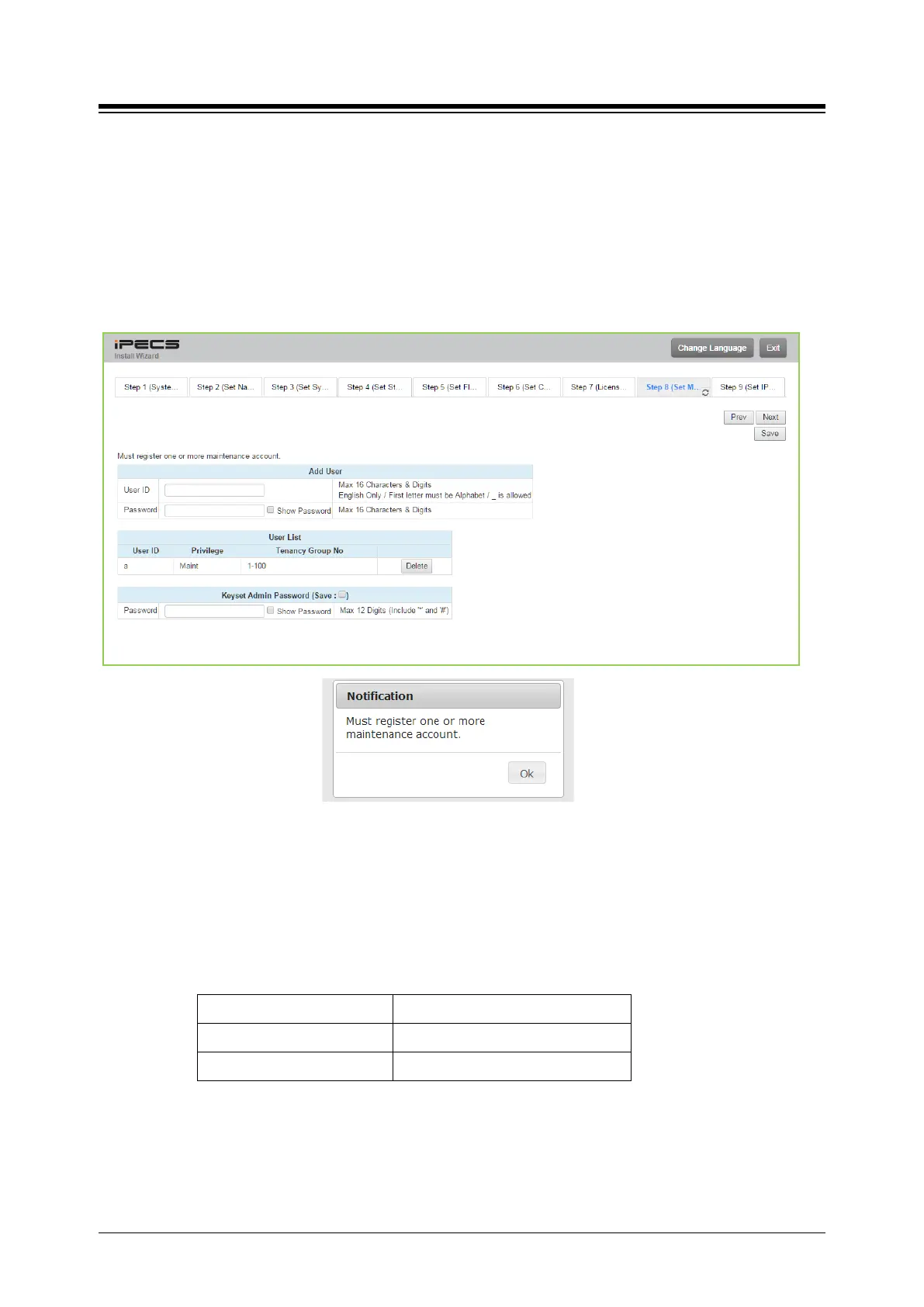
4.3.5.8 Set Maintenance ID & Password
The Wizard includes a password entry page. It is strongly recommended that a unique User
ID and strong password be entered to minimize the risk of admin and maintenance access
by unauthorized personnel.
In order to finish the final step, you should register at least a maintenance ID. If not so, the Wizard
can’t go on to the next.
Also, Keyset admin password can be registered in this page.
Figure 4.3.5.6-1 Set Maintenance Password
NOTE
1. The new information will be in effect immediately upon saving the information. When
a new Admin User ID and Password are saved, the Web login screen appears. A
new Admin session will be required using the new login credentials.
2. The number of Tenancy group for each system is as below:
UCP100/600/2400 100 groups
eMG80 15 groups





 To Next Page