iPECS eMG80 & eMG800 & UCP
Administration and Programming Manual Issue 1.6
229
4.3.2 Using Function Base
Function Base is designed to customize the feature or PGM by configuring the Function base so
that customer can be easy to use the desired and frequent feature.
There are two buttons: Common Function List and User Function List. The feature or PGM can
register up to 20 as Favorite function.
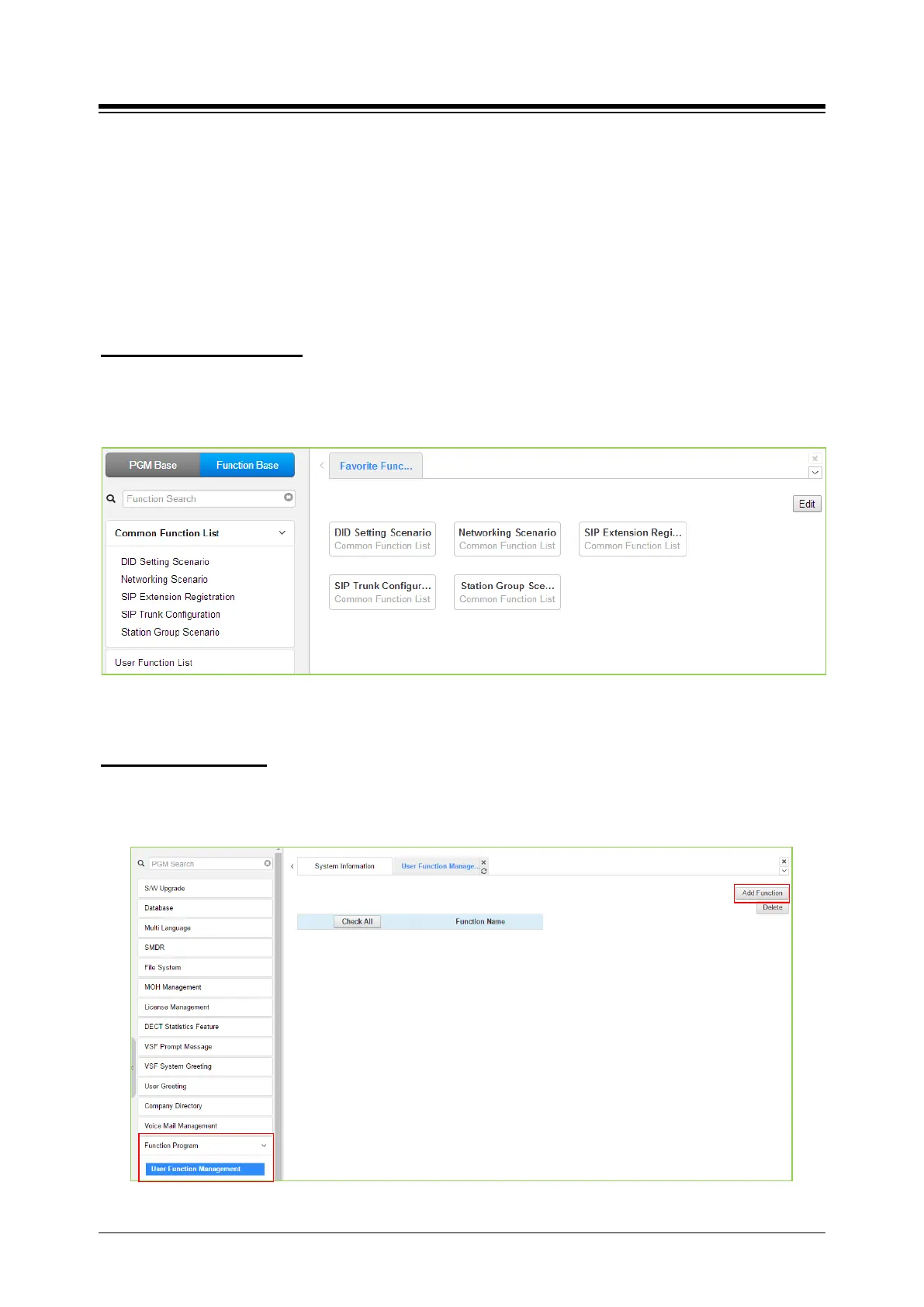
Generally, iPECS system supports the basic function list as default. The available function is 5
(DID Setting Scenario, Network Scenario, SIP Extension Registration, SIP Trunk Configuration,
Station Group Scenario). The 5 functions can’t be deleted or editable.
1) Common Function List
Figure 4.3.2-1 Common Function List
To configure the user function list, click Maintenance button and then you can see the Function
Program in the left frame and click the sub menu ‘User Function Management’ as the following
figure. On this web page, you can add or delete the function.
2) User Function List
Figure 4.3.2-2 User Function Management





 To Next Page