iPECS eMG80 & eMG800 & UCP
Administration and Programming Manual Issue 1.6
447
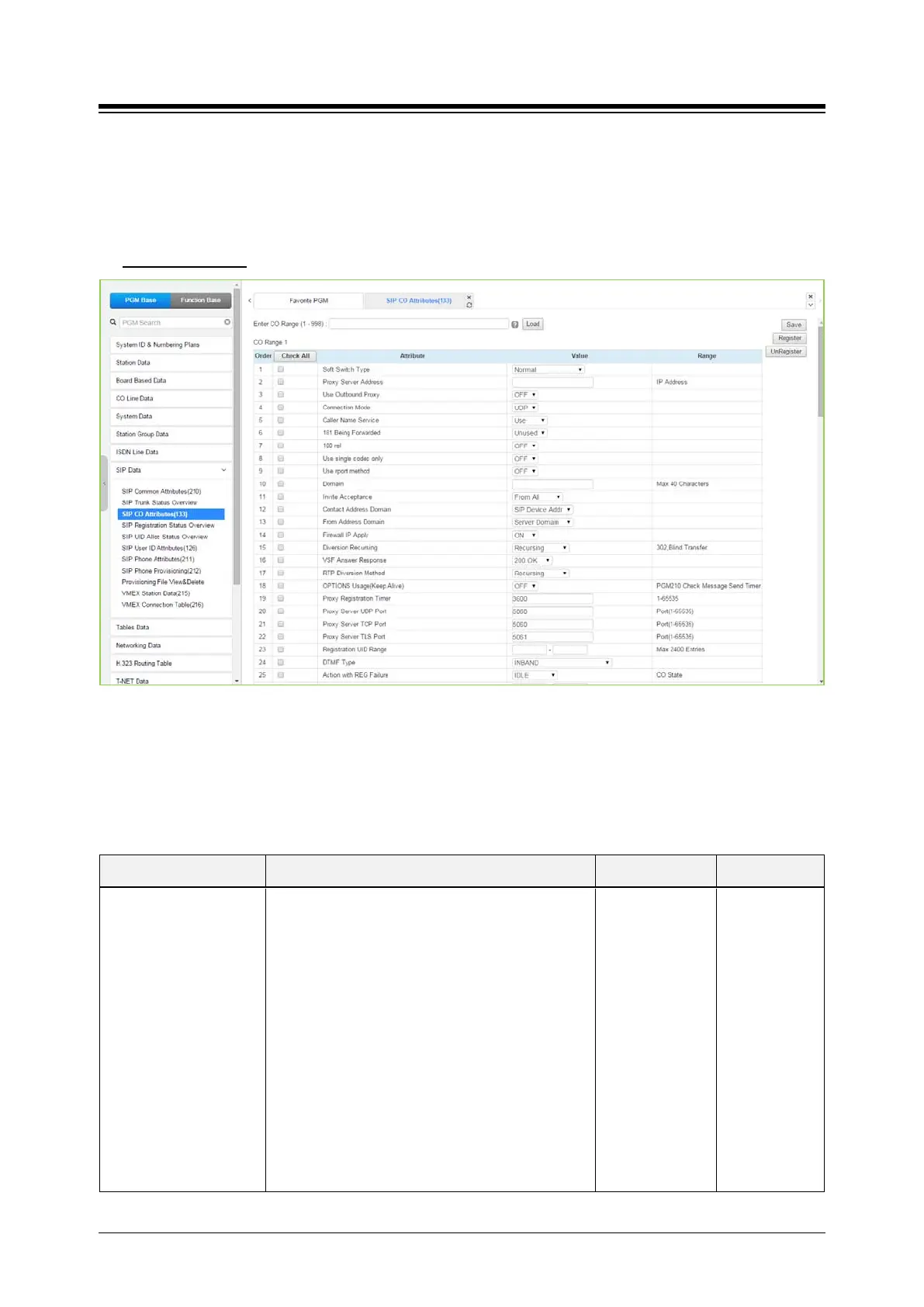
4.4.8.3 SIP CO Attributes - PGM 133
Selecting SIP CO Attributes returns the SIP CO Attributes data input page. Enter the CO Range
and click [Load] to enter attribute values. Use the check mark to indicate which attributes to
modify; data for checked attributes is stored by clicking [Save] button.
Enter CO Range
: eMG80: 1-74 / eMG800: 1-600 / UCP: 1-998
Figure 4.4.8.3-1 SIP CO Attributes
Various parameters must be entered for proper operation of SIP Trunk including the SIP proxy
and Registrar as outlined in the following table.
Table 4.4.8.3-1 SIP CO ATTRIBUTES
ATTRIBUTE DESCRIPTION RANGE DEFAULT
Soft Switch Type
Allows identification of soft-switch to support
extended soft-switch capabilities.
KT, SK TELINK, etc.: Service Provider.
Normal/
Broadsoft/
KT/
SK TELINK/
KT-C/
MS OCS/
SKYPE
CONNECT/
SIP-CC/
TI PK0/
ERICSSON IMS/
DNS
REDUNT(Tele2)/
MS LYNC
Normal





 To Next Page