iPECS eMG80 & eMG800 & UCP
Administration and Programming Manual Issue 1.6
596
4.5.10 VSF System Greeting
The System Greetings (Announcements) can be downloaded from the system or Uploaded to the
system. Individual announcements can be recorded externally and then uploaded to the system.
Like prompts, the individual announcement files must be in a .wav format using the g.711 codec.
Individual greetings for each Language position can be uploaded as well as downloaded.
Clicking on the message will download the message to the browser, which will play the message.
To save the message, right click and select save as. Locate a directory and change the file
name, if desired and click save.
All announcements can be downloaded from the system as a back-up file and uploaded to the
VSF memory as required.
UCP2400 doesn’t support VSF system greeting.
4.5.10.1 Individual Upload
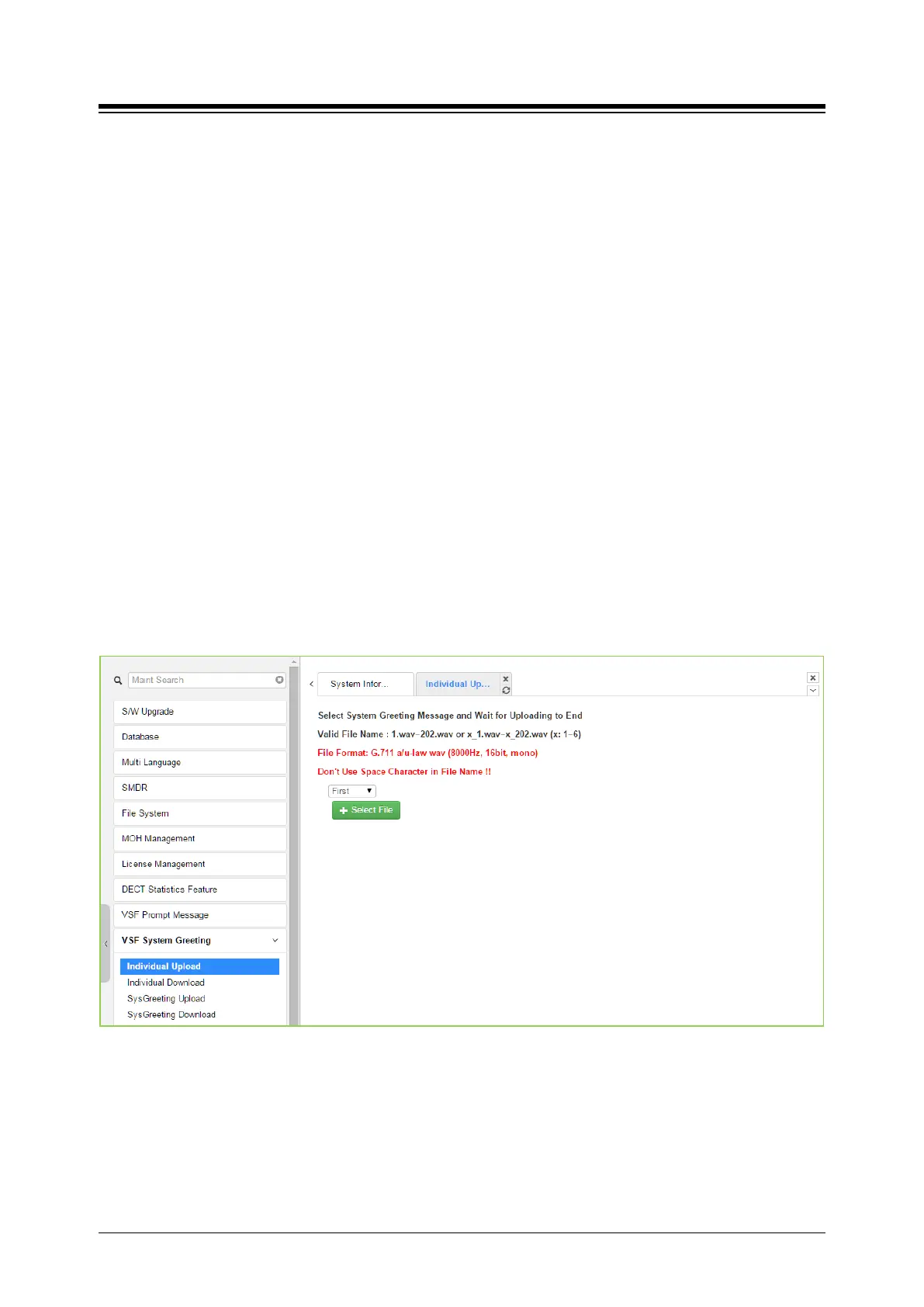
Selecting Individual Upload displays the page shown in Figure 4.5.10.1-1. From this page,
individual pre-recorded announcements for each language position can be uploaded from the PC
to the VSF gateway. Select the language position and assure the file name matches the
appropriate System Announcement number. The file format must be shown on the page.
Figure 4.5.10.1-1 Individual Upload





 To Next Page