iPECS eMG80 & eMG800 & UCP
Administration and Programming Manual Issue 1.6
514
4.4.10.4 Network CO Line Attributes - PGM 322
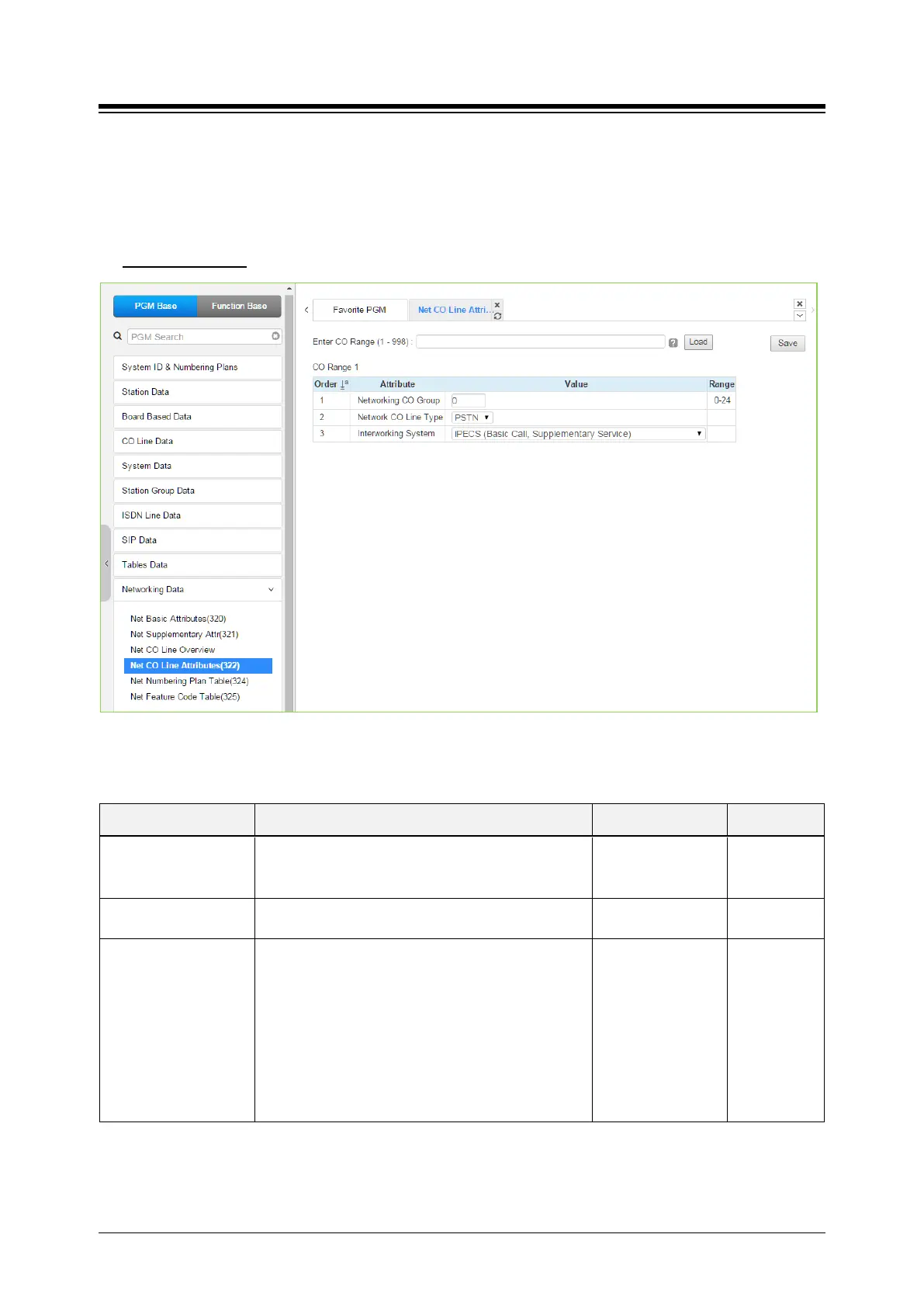
Selecting Network CO Line Attributes will display the Network CO Line Group entry page. Enter a
valid CO/IP Line range and click [Load] to enter the Network CO Line data. Click [Save] button
after changing Value.
Enter CO Range
: eMG80: 1-74 / eMG800: 1-600 / UCP: 1-998
Figure 4.4.10.4-1 Network CO Line Attributes
Table 4.4.10.4-1 NETWORK CO LINE ATTRIBUTES
ATTRIBUTE DESCRIPTION RANGE DEFAULT
Networking CO Group
The CO/IP Lines in the assigned group are employed
as Network CO Lines, connecting to other systems in
00-24 00
Network CO Line Type
The CO/IP Line is assigned for use by the network as
a PSTN (carrier) or connection to the network.
NET/
PSTN
Interworking System
Select Qsig interworking system among the below
type.
- iPECS (Basic call, Supplementary service)
- Nortel (Basic call, Name service)
- Panasonic (Basic call, Name service-Tunneled
message)
- Cisco (Basic call, Name service-Display IE)
- Simens (Basic call, Name service)
Refer to Description
iPECS (Basic
call,
Supplementar
y service)





 To Next Page