iPECS eMG80 & eMG800 & UCP
Administration and Programming Manual Issue 1.6
295
4.4.2.17 Station Voice Mail Attributes – PGM 127
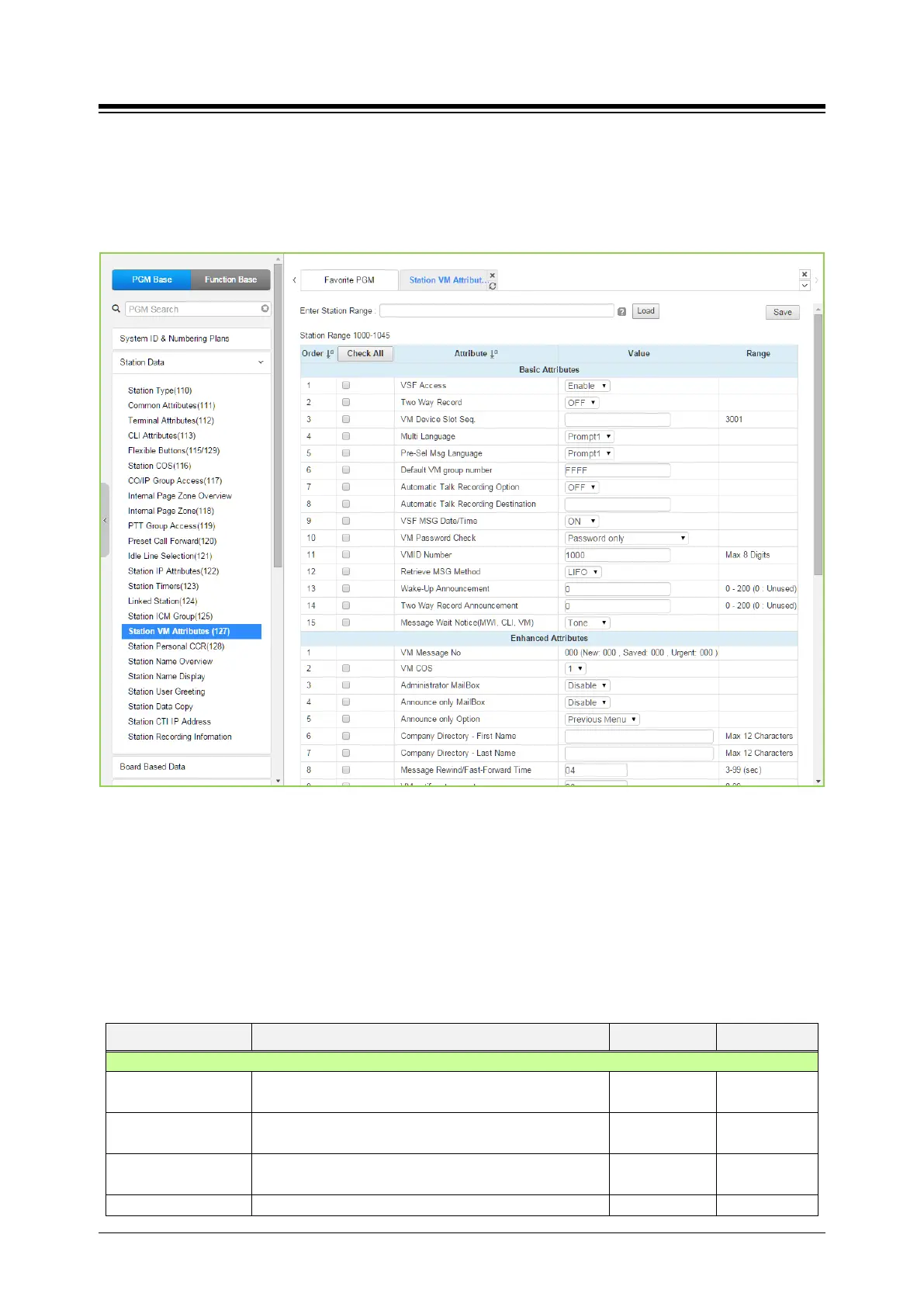
Selecting VM Attributes displays the Station Voice Mail Attributes input page. Enter a valid Station
range and click [Load] to enter the Station Voice Mail Attributes data. Use the check mark to
indicate which attributes to modify; data for checked attributes is stored by clicking [Save] button.
Figure 4.4.2.17-1 Station VM Attributes
The Station VM Attributes are divided into three sub-sections. The Basic Attributes assign general
characteristics of the Station’s Voice Mail and announcements. Enhanced Attributes assign
characteristics including VM COS, notification, cascading and Company Directory Names. The E-
Mail Notification section defines various SMTP server data such as the Station and System E-
mail account data.
Table 4.4.2.17-1 STATION VM ATTRIBUTES
ATTRIBUTE DESCRIPTION RANGE DEFAULT
VSF Access
The station must be permitted VSF access to access the
Disable
Enable
Two way Record
When allowed, the station can activate the Two-way
record feature to record a conversation.
OFF
OFF
VM Device Slot Seq.
The sequence number defines the VMIU or VMIB
where messages for the station are stored
Seq. No.
The selected language is employed for prompts played





 To Next Page