iPECS eMG80 & eMG800 & UCP
Administration and Programming Manual Issue 1.6
264
4.4.2.1 Station Type - PGM 110
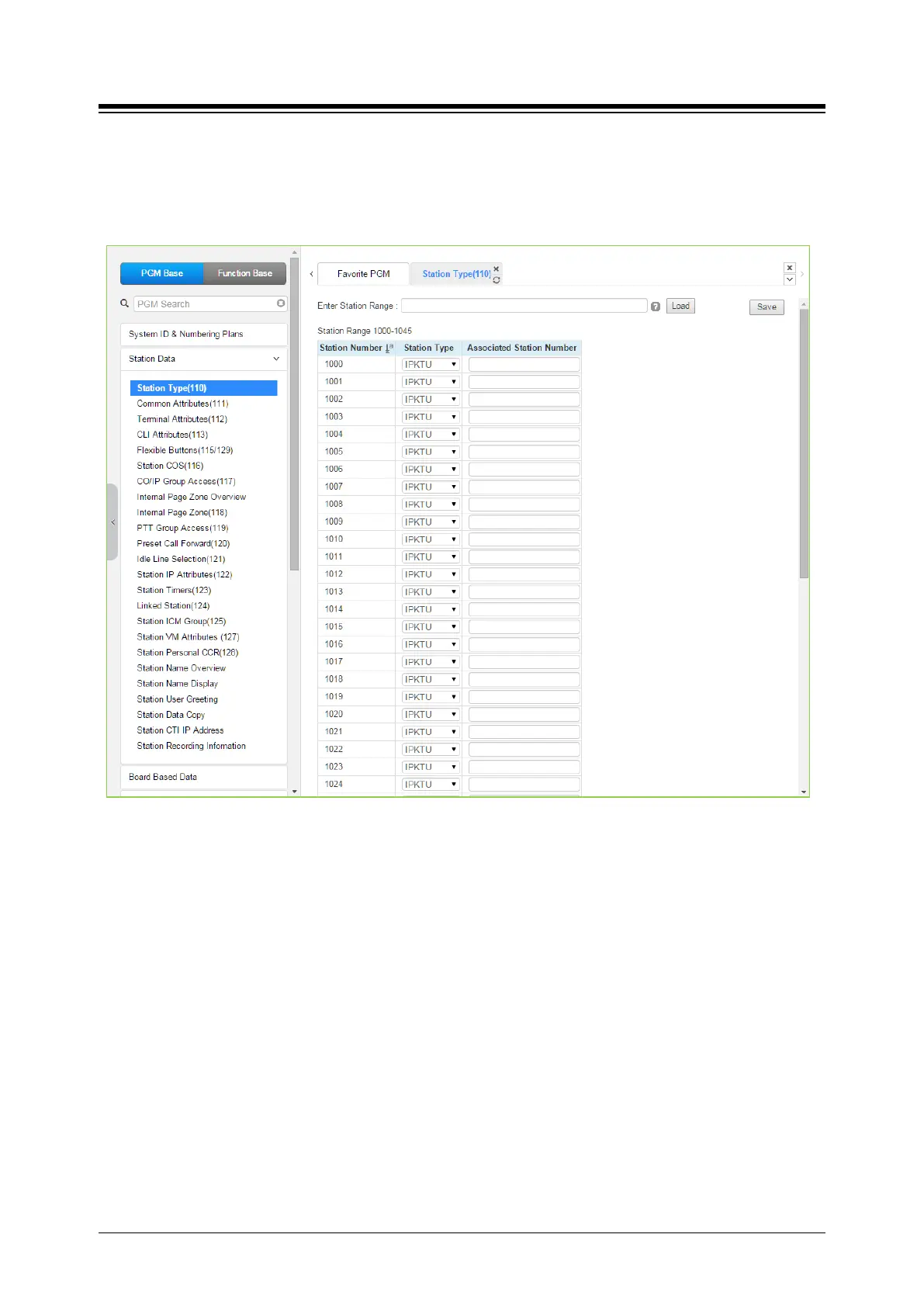
Selecting Station Type will display the Station Type data input entry page. Enter a valid station
range and click [Load] to modify the Station Type data. Click [Save] button after changing Value
to apply.
Figure 4.4.2.1-1 Station Type
Each station is assigned a type selected from the “Station Type” drop-down menu. The type is
used by the system to recognize the station‘s capability and set default Flex button configurations.
In addition, for standard iPECS DSS/BLF consoles, the ‘Associated Station Number’ is required
so the system will recognize the station that is used with the console. Note this is not used with
the Serial DSS/BLF Consoles.
In case of selecting SLT type, there are 6 types as below:
SLT (DTMF)
SLT (Pulse)
SLT (DTMF VOL-MW)
SLT (Pulse-MW)
SLT (DTMF FSK-MW)
SLT (DTMF POL-MW)





 To Next Page