iPECS eMG80 & eMG800 & UCP
Administration and Programming Manual Issue 1.6
279
4.4.2.5 Flexible Buttons - PGM 115/129
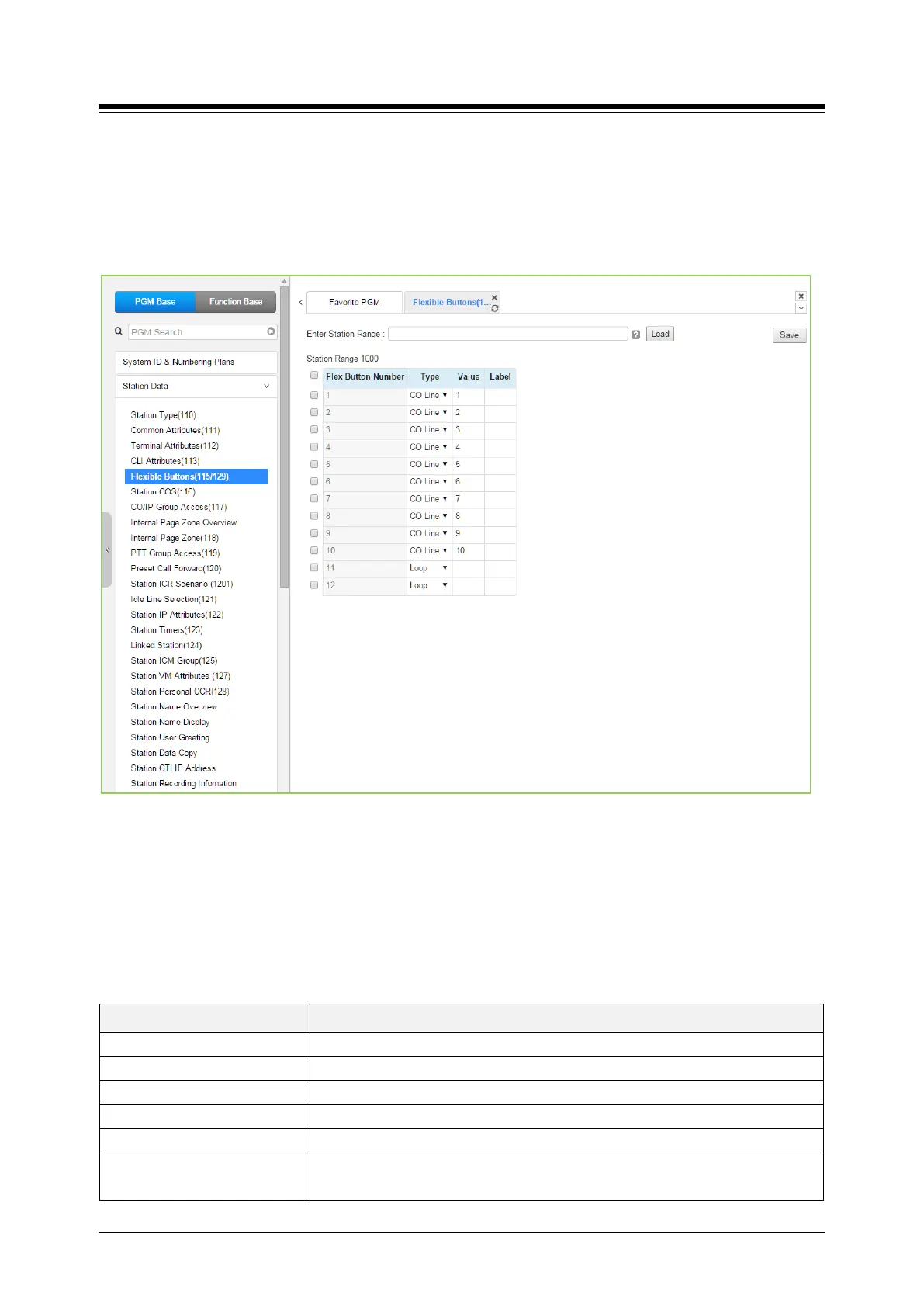
Selecting Flex Buttons will display the Flex buttons data input page. Enter a valid Station range
and click [Load] to enter Flex button data. For convenience, the copy, paste, and drag is
available to enter or modify data. Please click [Save] button after entering or modifying data to
apply.
Figure 4.4.2.5-1 Flex Buttons Assignment
Each Flex button for each iPECS IP and LDP Phone and DSS Console can be assigned a
function (TYPE) as below. After selecting the Type for a button, enter the value, if required. The
types available from the drop-down menu are shown are shown in Table below. In addition, for
the LIP Phone models 8040, 8050, 9070, 9071 and the LSS Console models, a label can be
assigned that is used as the designation for the button in the LCD of the phone.
Table 4.4.2.5-1 FLEX BUTTON TYPE & VALUE
TYPE REMARK
Empty (unassigned), may be defined by the user.
Assigns button to access a defined CO/IP line.
Assigns button to access a free line in the CO/IP Group.
Assigns button to access a loop line.
Assigns button as DSS/BLF for the assigned station number.
Programming (Numbering Plan)
Assigns button to dial a code from the Flexible Numbering Plan, see Appendix




 To Next Page