iPECS eMG80 & eMG800 & UCP
Administration and Programming Manual Issue 1.6
321
4.4.4.2 Analog Attributes - PGM 141
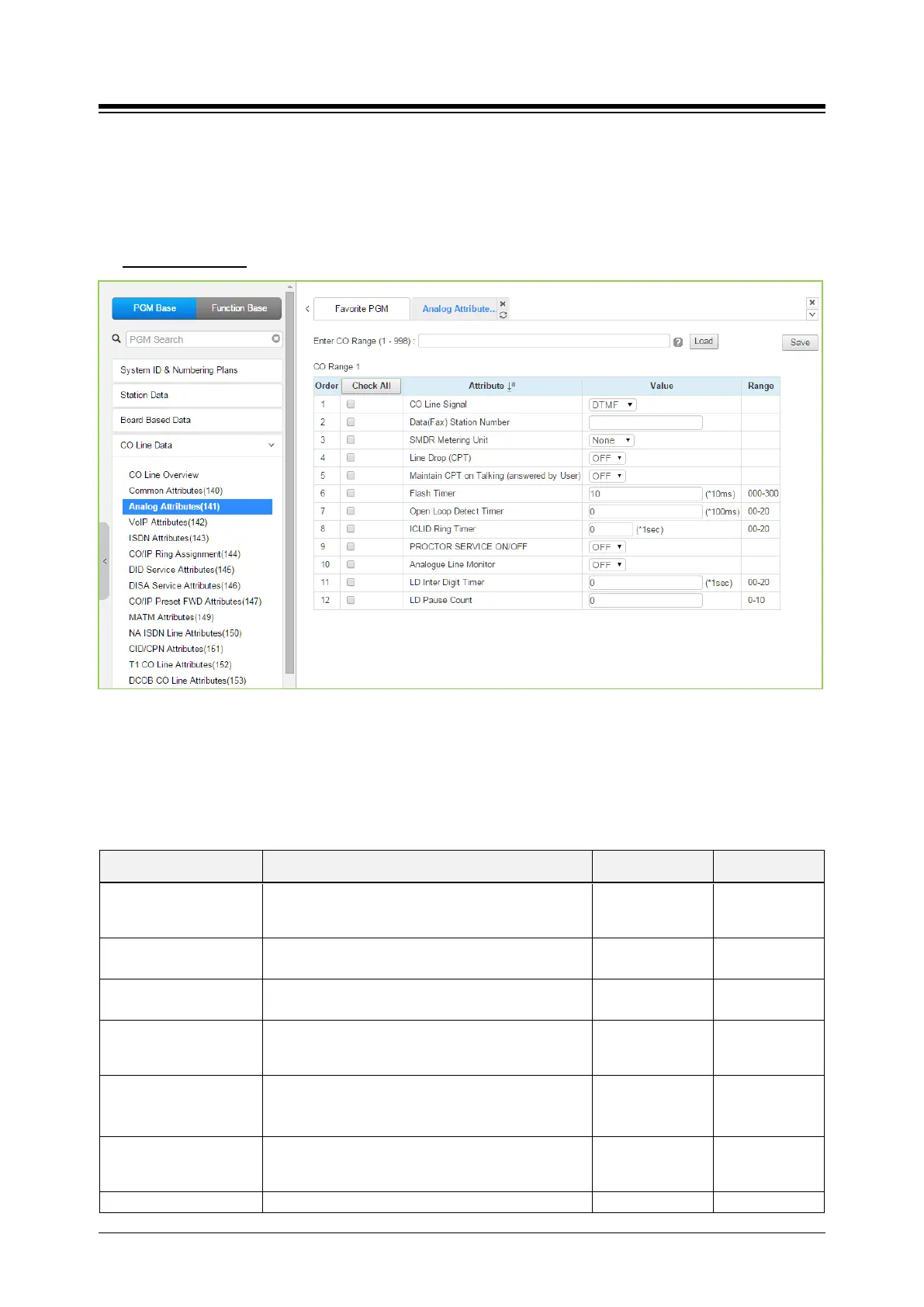
Selecting Analog Attributes will display the Analog Attributes data input page. Enter a valid CO
range and click [Load] to enter the Analog (PSTN) Attributes data. Use the check mark to
indicate which attributes to modify; data for checked attributes is stored by clicking [Save] button.
Enter CO Range
: eMG80: 1-74 / eMG800: 1-600 / UCP: 1-998
Figure 4.4.4.2-1 Analog Attributes
Analog Attributes define various characteristics of Analog CO Lines under control of the system.
Most characteristics require an On/Off setting; refer to the following table. Specific descriptions for
CO Line (SMDR) Call Metering tones are provided in Table 6.4.2-2.
Table 4.4.4.2-1 Analog ATTRIBUTES
ATTRIBUTE DESCRIPTION RANGE DEFAULT
CO Line Signal
Each analog CO Line can be assigned to send
either DTMF or Pulses for dialed digits to the PSTN.
DTMF
Pulse
DTMF
Data(Fax) Station
Each CO line can be assigned to recognize a FAX
call when a specified station answers.
Station Number
SMDR Metering Unit
This field selects the call-metering signal from the
PSTN to indicate call cost, refer to Table 4.4.4.1-2.
See
None
Line Drop (CPT)
Each CO Line can be programmed to disconnect if
error tone is detected.
OFF
ON
OFF
Maintain CPT on talking
(Answer by User)
The system can continuously monitor the CO Line
during a call and, if error tone is detected, drop the
call.
OFF
ON
OFF
Flash Timer This time sets the flash time.
000-300
(*10 msec)
50
This entry sets the duration of open loop that will be





 To Next Page