iPECS eMG80 & eMG800 & UCP
Administration and Programming Manual Issue 1.6
554
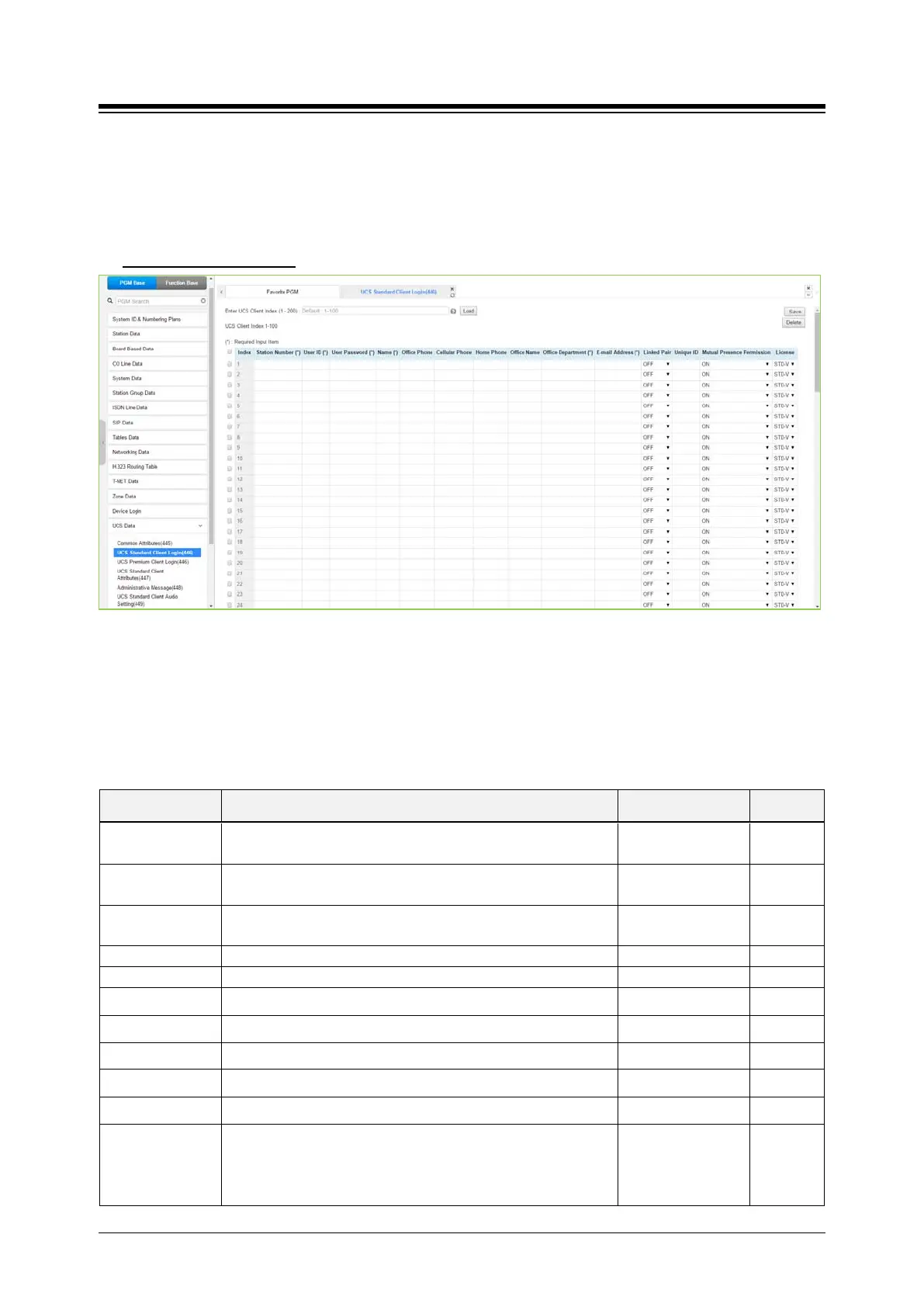
4.4.15.2 UCS Standard Client Login – PGM 446
Selecting UCS Standard Client Login will display the UCS standard client login input page. Enter
the Client index and click [Load] to modify the Client data. Use the check boxes to indicate the
attributes to modify. Click [Save] button after changing Value.
Enter UCS Client Index
: eMG80: 1-32 / eMG800: 1-200 / UCP: 1-200
Figure 4.4.15.2-1 UCS Standard Client Login
The UCS Client information is configured for each client prior to registration. When the UCS
Server is employed to provide Premium service, iPECS system will transfer the information to the
server after the client registers and, after registration, any changes to the client configuration are
accomplished in the UCS Server.
Table 4.4.15.2-1 UCS Standard Client Login
ATTRIBUTE DESCRIPTION RANGE DEFAULT
Station Number
The station number for the UCS Client can be assigned here
and will update PGM 103 and 443.
User ID
The UCS Client Id for the UCS Client can be assigned here
and will update PGM 103 and 443.
Min. 4 characters
User PWD
The UCS Client password, up to 32 characters must be
Max. 32 characters
The user’s name, up to 32 characters should be entered.
Cellular Phone Set Cellular phone number. Max. 32 characters
Home Phone Set Home phone number. Max. 32 characters
Office Name Set Office name. Max. 32 characters
Office Department Set Office Department. Max. 32 characters
Email address Set Email address. Max. 40 characters
Linked Pair
If the UCS Client is part of a Linked pair, it must be enabled
here. By entering the Station number of iPECS IP Phone as
the UCS Client Station Number, the stations will employ MAC
OFF
ON
OFF





 To Next Page