iPECS eMG80 & eMG800 & UCP
Administration and Programming Manual Issue 1.6
535
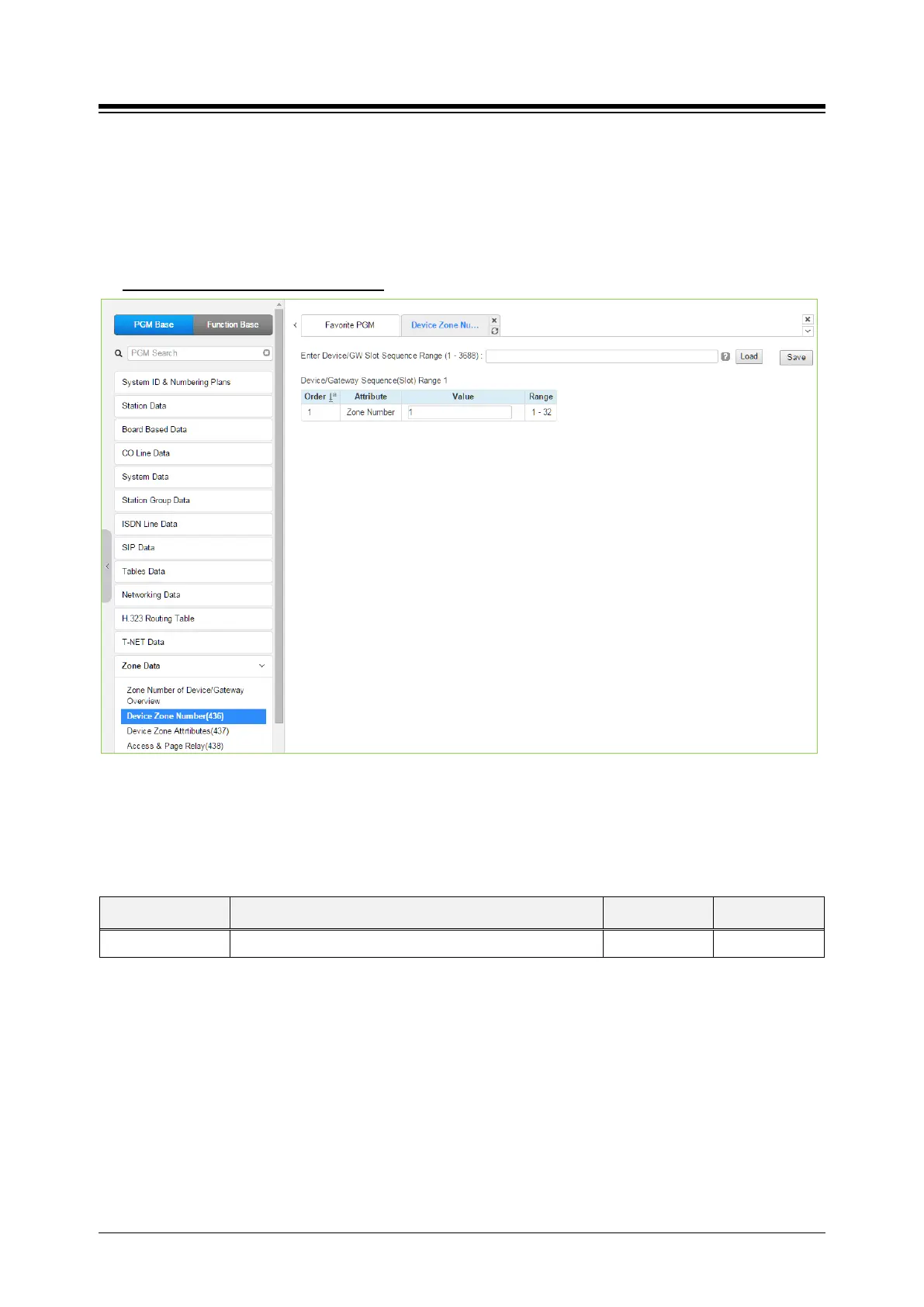
4.4.13.2 Device Zone Number – PGM 436
Selecting the Device Zone Number returns the Zone Number data input page. Enter the
Sequence number range (refer to section 4.4.1.4 System & Device IP Address Plan - PGM 102 &
103) and click [Load] to assign a Zone number for the device. Click [Save] button after changing
Value.
Enter Device/GW sequence Range
: eMG80: 1-300 / eMG800: 1-2890 / UCP: 1-3688
Figure 4.4.13.2-1 Device Zone Number
Device Zone Number assigns a device to one of up to 32 specific Zones.
Table 4.4.13.2-1 DEVICE ZONE ATTRIBUTES
ATTRIBUTE DESCRIPTION RANGE DEFAULT
Zone number Zone number can be assigned to Device or GW. 1-32 1





 To Next Page