iPECS eMG80 & eMG800 & UCP
Administration and Programming Manual Issue 1.6
223
4.3 Web Admin & Maintenance Main Page Overview
In the Web Admin Login screen (see section 4.2), enter the User ID and Password then click the
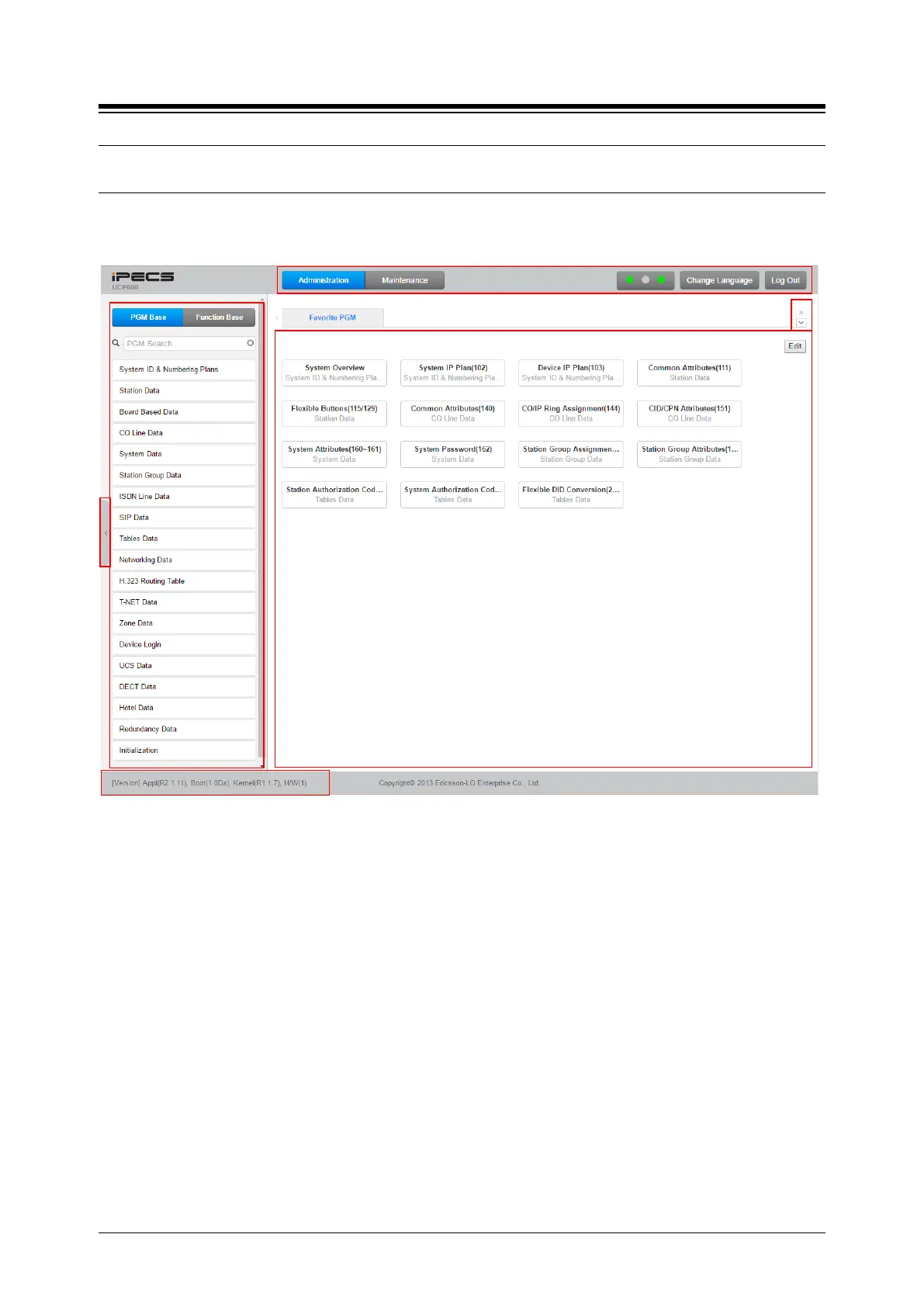
[Login] button to access the iPECS Admin & Maintenance Main Page as shown in Figure 4.3-1.
Figure 4.3-1 iPECS UCP Admin & Maintenance Main Page
The Admin & Maintenance Main Page has three sections,
Menu bar – Upper frame
Directory & Navigation section – Left frame
Favorite Programs and Entry section – Central frame
Items in the Menu bar are mouse-clickable for selections of:
Administration – accesses the system database.
Maintenance – SW upgrade, Database, Multi Language, SMDR, VSF, Voice Mail, Trace, etc.
Change Language – change the desired language.
Log out – log out the web server





 To Next Page