iPECS eMG80 & eMG800 & UCP
Administration and Programming Manual Issue 1.6
379
4.4.5.18 System Date & Time - PGM 178
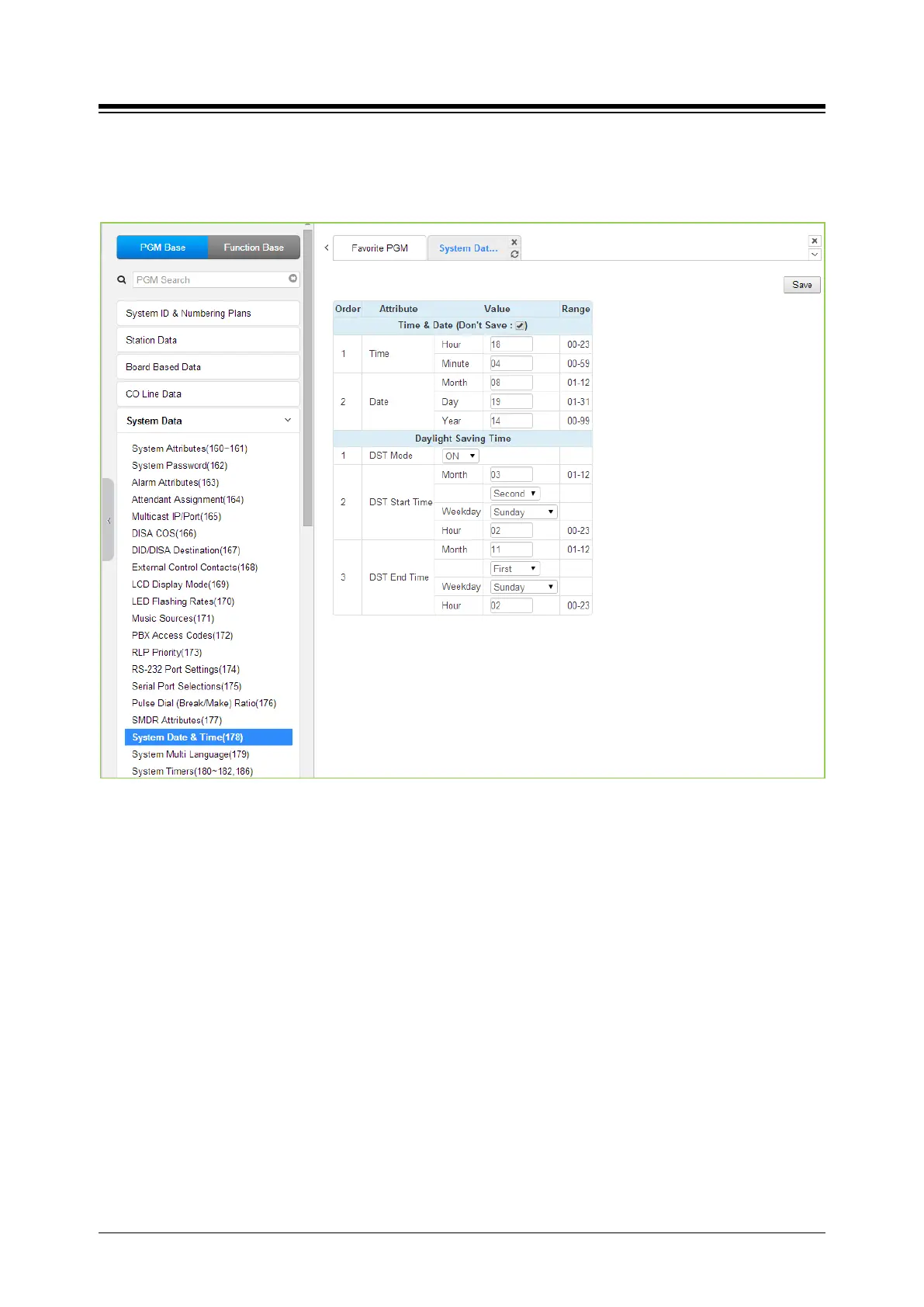
Selecting System Date & Time will display the System Date & Time and DST data entry page.
Click [Save] button after changing Value.
Figure 4.4.5.18-1 System Date & Time
The System Date and Time are established by the [Time & Date] menu. The date and time are
employed for several features and functions including; LCR, LCD displays, SMDR outputs, Auto
Ring mode Selection, Wake-up Alarm, etc.
If Daylight Savings Time is enabled the system time will be adjust one-hour forward and back at
the DST start and end times, respectively.





 To Next Page