iPECS eMG80 & eMG800 & UCP
Administration and Programming Manual Issue 1.6
249
The system supports changing port count of a device or deleting devices. In this window, the
Device ID, Mac address, IP address and port count of the device can be modified. Also checking
the [Device Delete] check box will delete the device.
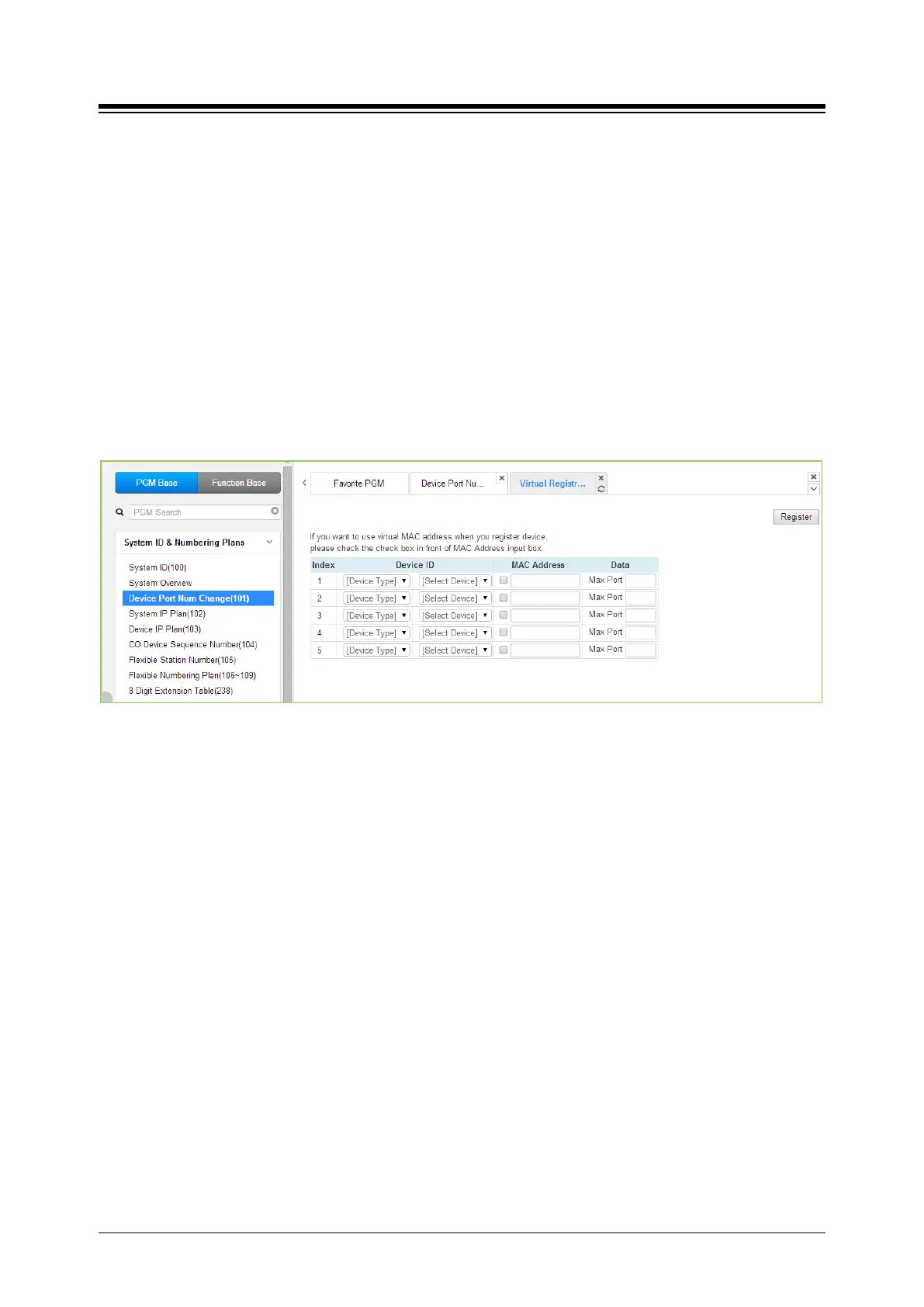
Devices may be registered through the Virtual Registration page by accessing to “Device Port
Number Change” page. Devices can be registered with or without a MAC address and the
number of ports associated with the device may be limited. This may be useful for example to
implement a “partial T1” gateway where only some of the T1 channels are available. Note to
virtually register a SIP trunk, use the Device Type of CO and device as VOIM, enter the desired
number of channels. If you want to use virtual MAC address when you register Device, please
check the check box in front of MAC address input field. Click [Register] button after finishing
the desired value.
Figure 4.4.1.3-2 Virtual Registration





 To Next Page