iPECS eMG80 & eMG800 & UCP
Administration and Programming Manual Issue 1.6
311
4.4.3.2 T1/E1/PRI Attributes - PGM 131
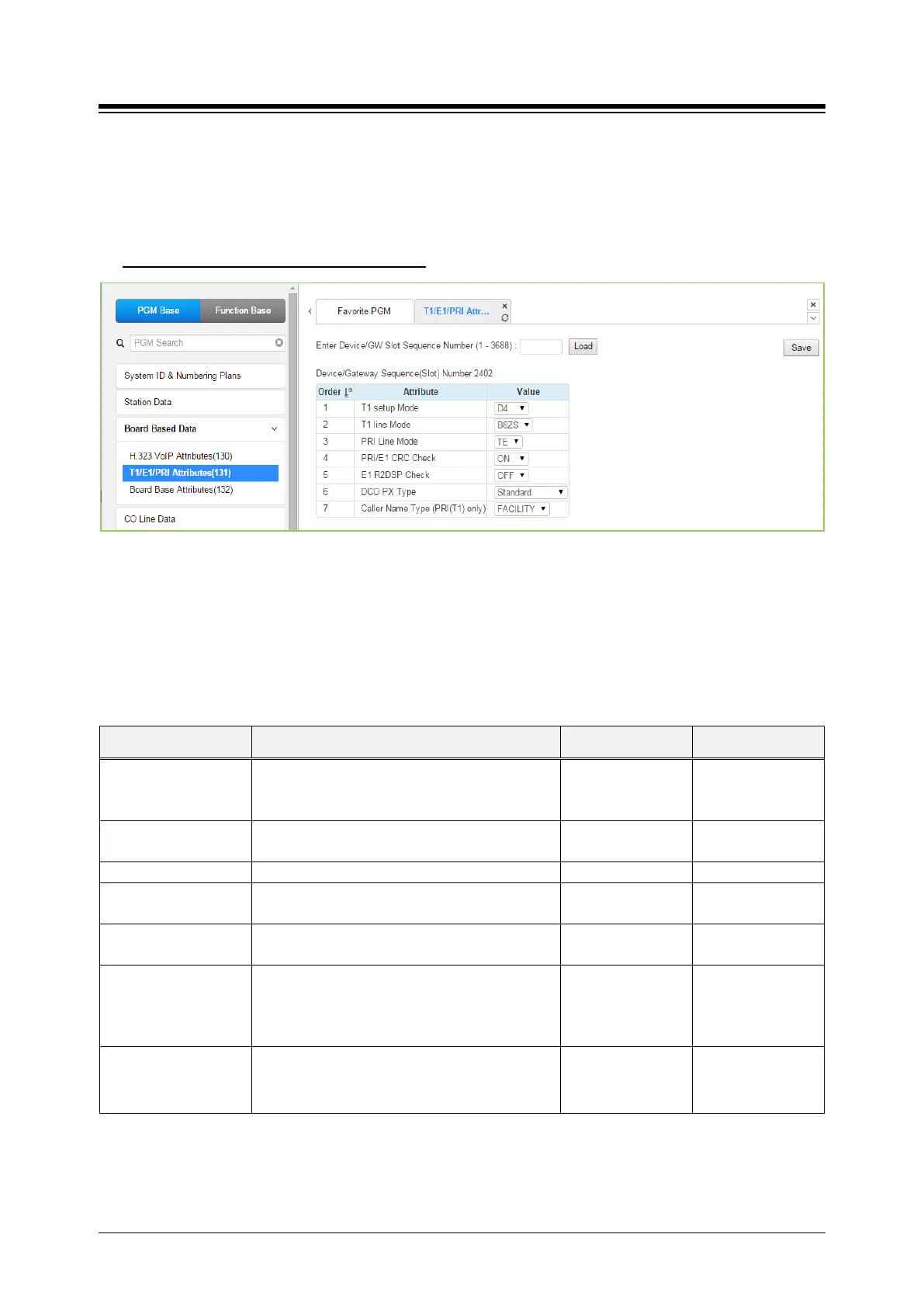
Selecting T1/E1/PRI Attributes returns the T1/E1/PRI Attributes data input page. Enter the Device
Sequence number (refer to ‘Device IP Plan’ if you want to find the sequence number) and click
[Load] to enter T1/E1/PRI data. Click [Save] button after changing Value.
Enter Device/GW slot sequence number
: eMG80: 1-300 / eMG800: 1-2890 / UCP: 1-3688
Figure 4.4.3.2-1 T1/E1/PRI Attributes
Each T1/E1/PRI module can be assigned for various attributes of the interface. The T1 interface
framing and line coding can be selected and, for the PRI, TE or NT operation can be selected.
Refer to the following table for a description of the features and the input required.
Table 4.4.3.2-1 T1/E1/PRI ATTRIBUTES
ATTRIBUTE DESCRIPTION RANGE DEFAULT
T1 Setup Mode
Select T1 Setup mode D4 frame: Using In-Band
Control Protocol.
ESF: Using Data link Message.
ESF/
D4
D4
T1 Line Mode Select T1 line coding (AMI/B8ZS).
AMI/
B8ZS
PRI /E1 CRC Check Enable CRC (Cyclical Redundancy Check).
OFF
OFF
E1 R2DSP check Used for R2-E1 Device or E1 Device.
OFF/
OFF
DCO PX Type Reserved for future usage for R2 E1 Device.
S1240/
TDX1B/
STANDARD/
STANDARD
Caller Name
Type(PRI(T1) only)
If the caller has a name, the Caller Name is sent
to the network according to the option
(FACILITY, DISPLAY). (USA only)
FACILITY,
DISPLAY
FACILITY





 To Next Page