iPECS eMG80 & eMG800 & UCP
Administration and Programming Manual Issue 1.6
220
4.1.3 Web Browser setting
Web browsers may store (cache) a copy of the iPECS Web pages in a cache memory. The Web
browser may use these copies to provide a “quick view”. If the Web page has been altered by
data entered in Station Admin or a file upgrade, the cached copy will be out-of-date and could
cause unexpected system operation. To assure proper page views and data entry, the browser
should be set to eliminate the use of the cached pages. For Explorer, in “Internet Options”, enable
refresh on “Every visit to the page”, for other browser, the procedure may be different.
4.1.4 Password Encryption
When enabled in PGM 162, iPECS system implements decryption of the password employing
RC-6 block encryption. iPECS system employs a Sun Java Virtual Machine applet to implement
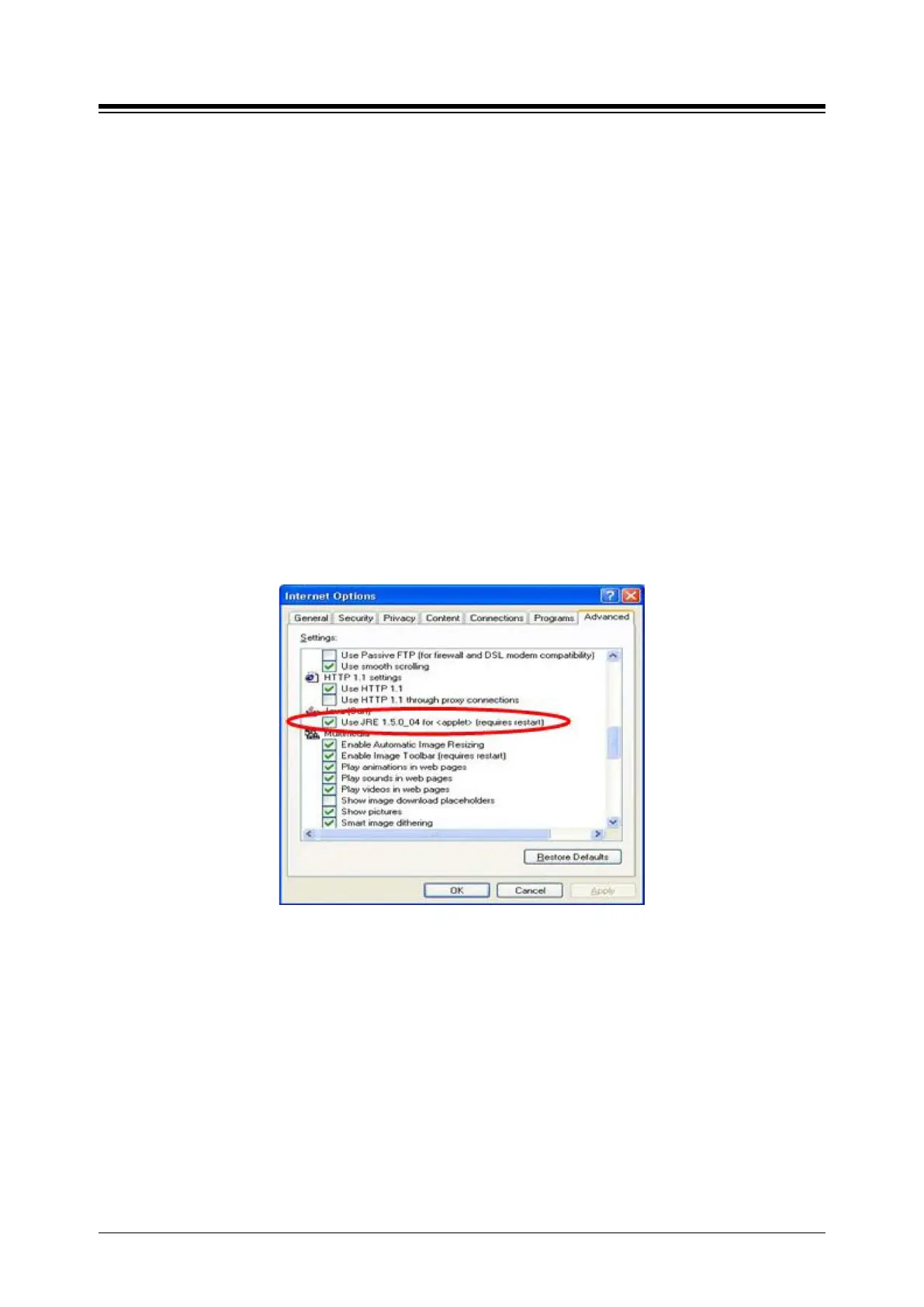
AES encryption. The PC entering the Password must have a JAVA Virtual Machine and the JRE
(Java Runtime Environment) Explorer option enabled to properly handle encrypted passwords.
The Sun JVM is downloaded from the Java home page (www.java.com). Once downloaded,
execute the downloaded file. To enable the Explorer JRE option,
1. From the Explorer menu select Internet Options-Advanced.
2. From the Advanced Internet Options check the [Use JRE….] Option.
3. After restarting the computer, access iPECS system Web Manager, section 4.2.
“Applet iPECSPwd started” will display in the bottom left corner to indicate password
encryption is active.





 To Next Page