iPECS eMG80 & eMG800 & UCP
Administration and Programming Manual Issue 1.6
462
4.4.8.6 SIP User ID Attributes – PGM 126
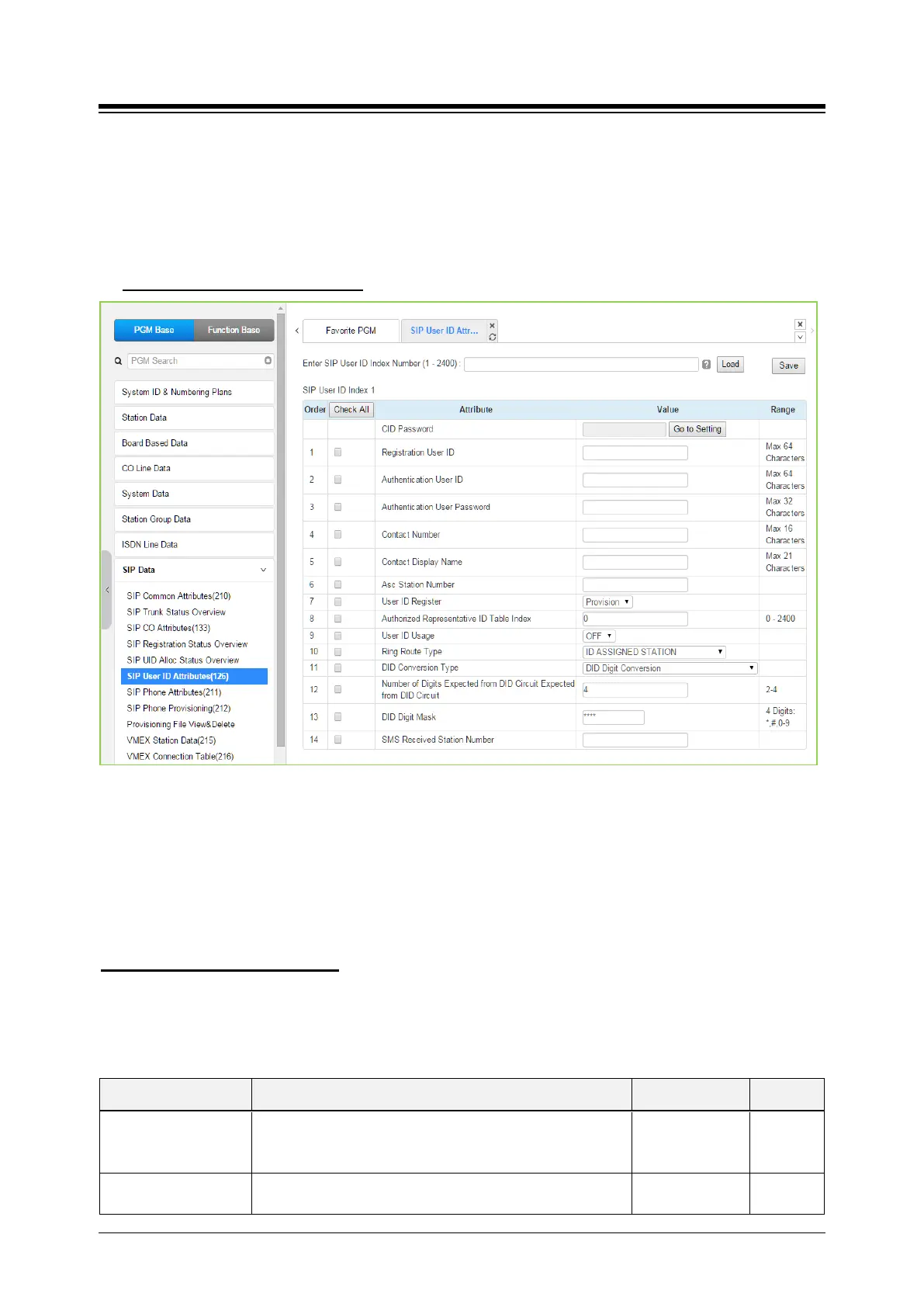
Selecting SIP User ID Attributes will display the SIP User ID input page. Enter a valid SIP User ID
Index Number range, see Station Data, and click [Load] to view the SIP User ID Attributes for the
first index in the range. Enter new data and click [Save] to modify the attributes for the index
range.
Enter SIP User ID Index number
: eMG80: 1-140 / eMG800: 1-1200 / UCP: 1-2400
Figure 4.4.8.6-1 SIP User ID Attributes
For each station, an index to the SIP User Id Attributes Table is defined in PGM 111 Station
Attributes. The SIP User Id Attributes Table defines SIP characteristics associated with the index
including User ID, Authentication name, etc. These characteristics are required for proper
operation of the system and registration of the iPECS IP and LDP phones when employed with
SIP trunk. See also, PGM 133. Note PGM 126 and PGM 133 are accessible only via Web Admin.
You can set the CID password to click “Go to Setting” button. After clicking it, you will move to the
following PGM 162 and set the CID password, and then save CID password to mark tick on the
save box and click the Save button.
Setting CID Password directly
Table 4.4.8.6-1 SIP User ID ATTRIBUTES
ATTRIBUTE DESCRIPTION RANGE DEFAULT
Registration User ID
This field defines the SIP User Id from by the SIP Service
provider. The User Id has the format User ID@Domain.
Note the domain is commonly the system IP address.
Max. 64
characters
Authentication User ID
The SIP Service Provider may require authentication of the
user for registration and at other times during call setup.
Max. 64





 To Next Page