iPECS eMG80 & eMG800 & UCP
Administration and Programming Manual Issue 1.6
587
4.5.5 File System
4.5.5.1 File View & Delete
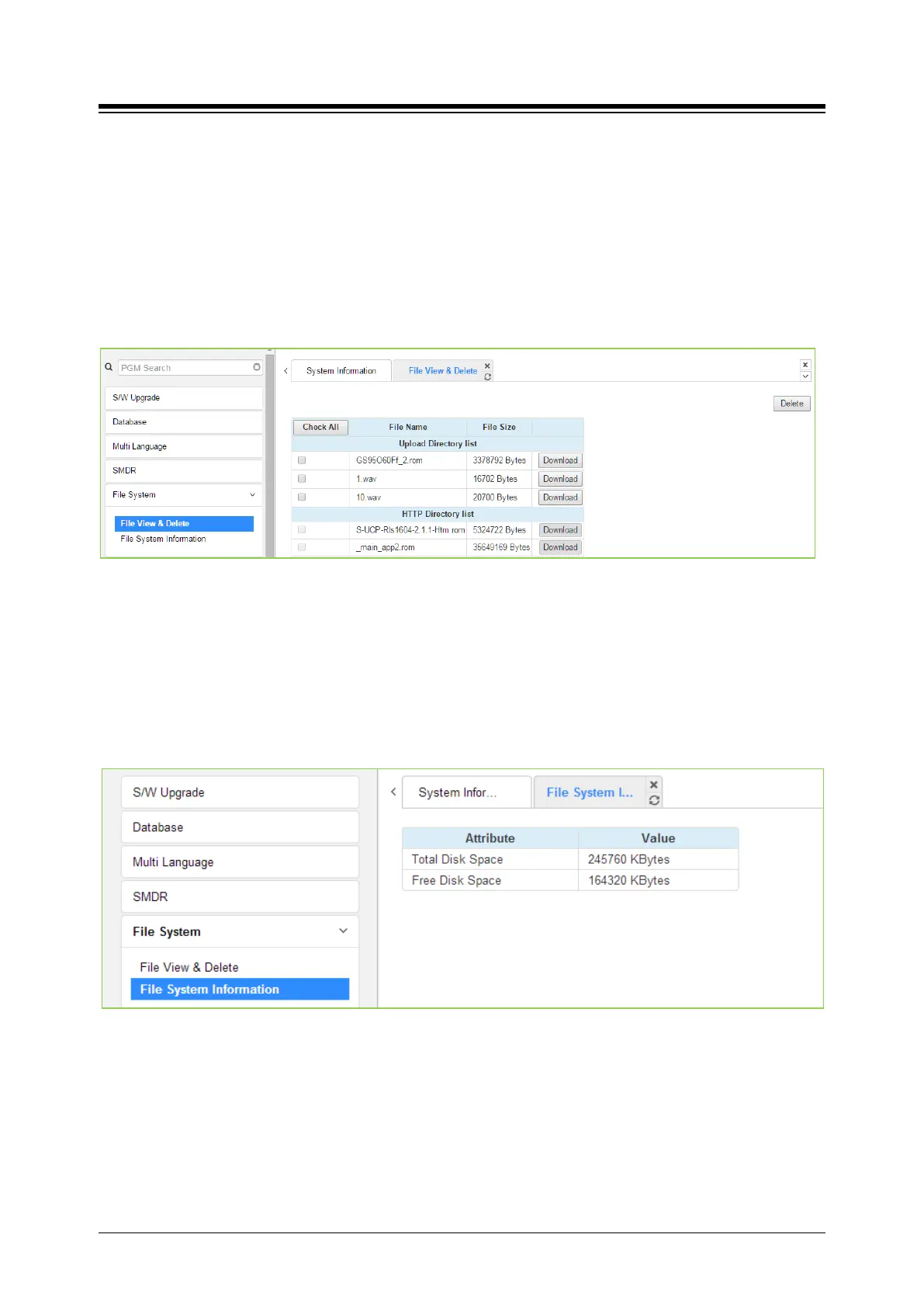
The File View & Delete page displays a list of the various files stored in the file system memory.
To delete a file, check the box for the file and click [Delete]. Files can also be downloaded to the
PC using the [Download] button to the right of the file name.
Note the system requires the files displayed in grey and the system will not allow deletion of these
files.
Figure 4.5.5.1-1 File View and Delete
4.5.5.2 File System Information
The File System Information page displays the disk status including the total and free disk space
as shown in figure. Use this page to determine if the free space on the disk is sufficient for
uploading Upgrade files, section 4.5.1.
Figure 4.5.5.2-1 File System Information





 To Next Page