iPECS eMG80 & eMG800 & UCP
Administration and Programming Manual Issue 1.6
352
4.4.5.2 System Password - PGM 162
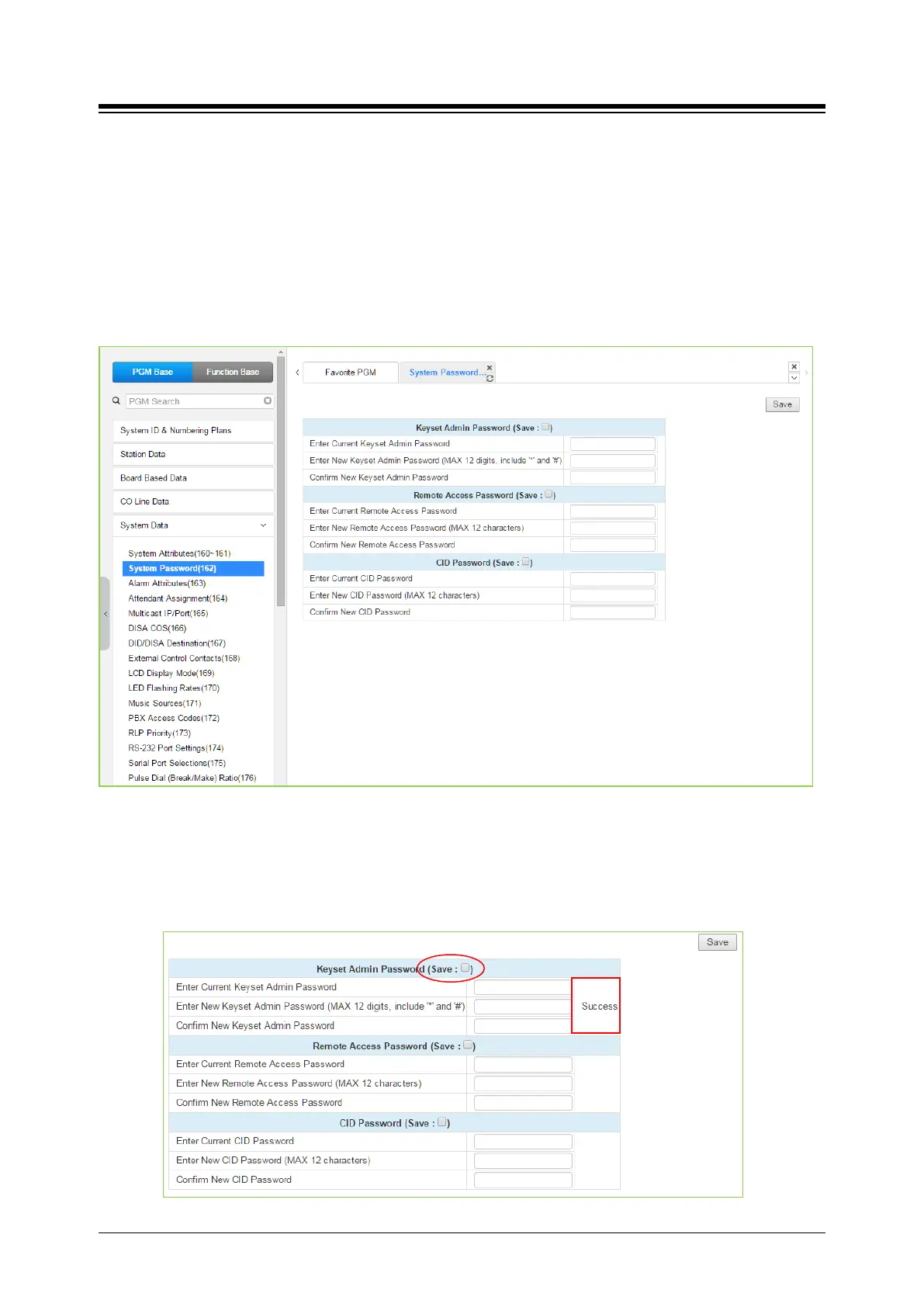
Selecting System Password will display the System Password data entry page. Use the check
boxes to indicate which attributes to modify; data for checked attributes is stored for the Keyset
Admin, Remote Access Password, or CID password when saved. Click [Save] button after
changing Value.
It is important to use strong password for lowering overall risks of a security breach. The
best way to choose good password are designed to make passwords less easily
discovered by intelligent guessing.
Figure 4.4.5.2-1 System Password
Access to the system database and maintenance functions can be protected by passwords up to
twelve (12) digits. Three passwords can be defined, Keyset Admin, Remote Access and CID.
Check the save box and enter the password and click the save button.
The following success message is displayed if the password is correct and saved successfully.





 To Next Page