iPECS eMG80 & eMG800 & UCP
Administration and Programming Manual Issue 1.6
569
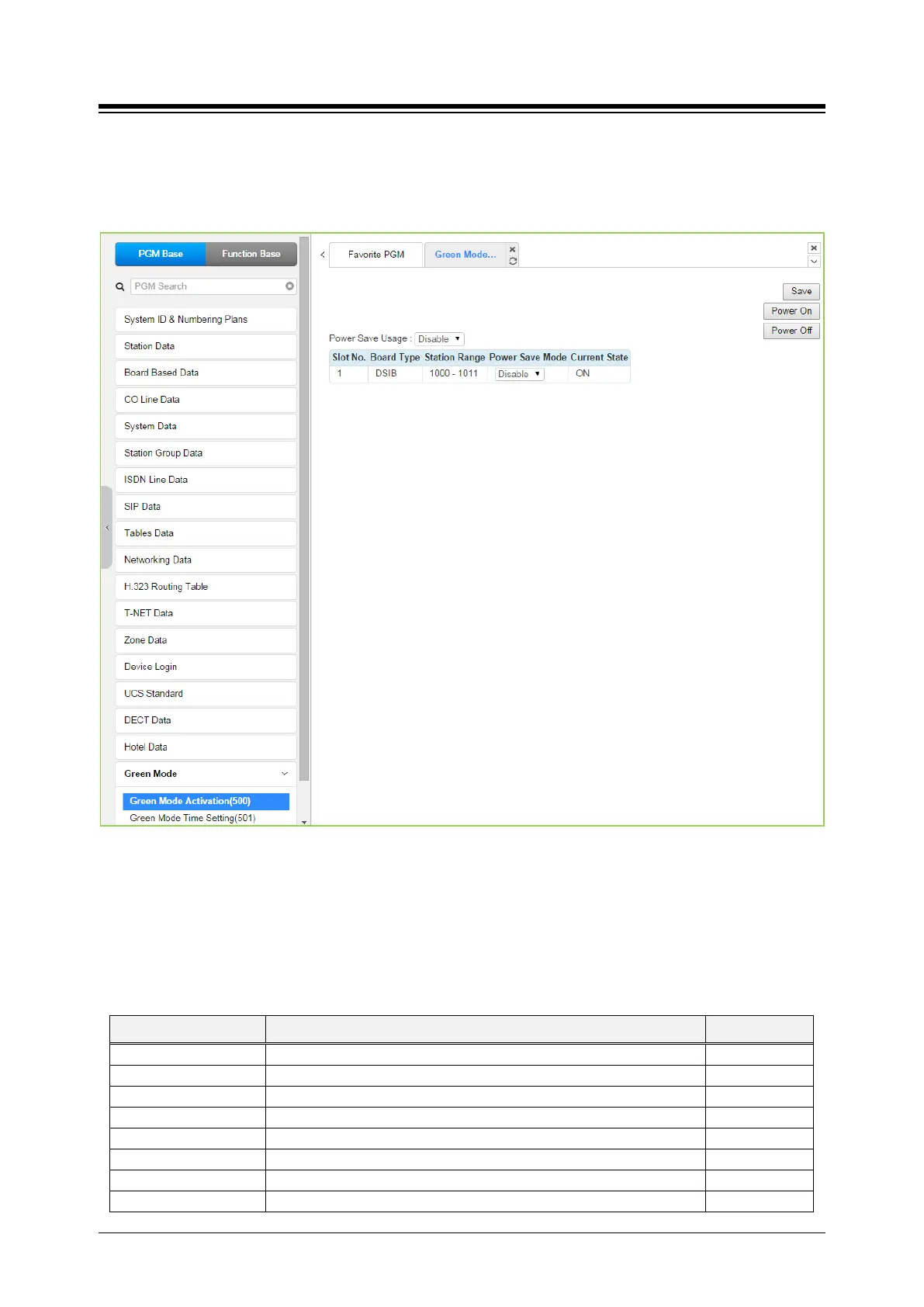
4.4.18.1 Green mode activation
Selecting Green Mode Activation returns the page shown. Click [Save] button after changing
Value.
Figure 4.4.18.1-1 Green Mode Activation
The system can disable the power of a Digital Phone or Single Line Telephone (SLT) installed in
the HYIB/SLIB/DSIB to save power during night or holiday mode. The power ON/OFF can be
controlled by Web admin manually or automatically by assigning power ON/OFF time.
Table 4.4.18.1-1 Green Mode Activation Attributes
ATTRIBUTE DESCRIPTION DEFAULT
Enables or Disables Power Save usage.
The Slot Number of board supporting power control.
Station Number Range of board supporting power control.
Enables or Disables Power Save Usage Mode of each board.
Displays the current status of board power ON/OFF.
Power ON manually all of stations in Power Save used board.
Power OFF manually all of stations in Power Save used board.





 To Next Page