iPECS eMG80 & eMG800 & UCP
Administration and Programming Manual Issue 1.6
575
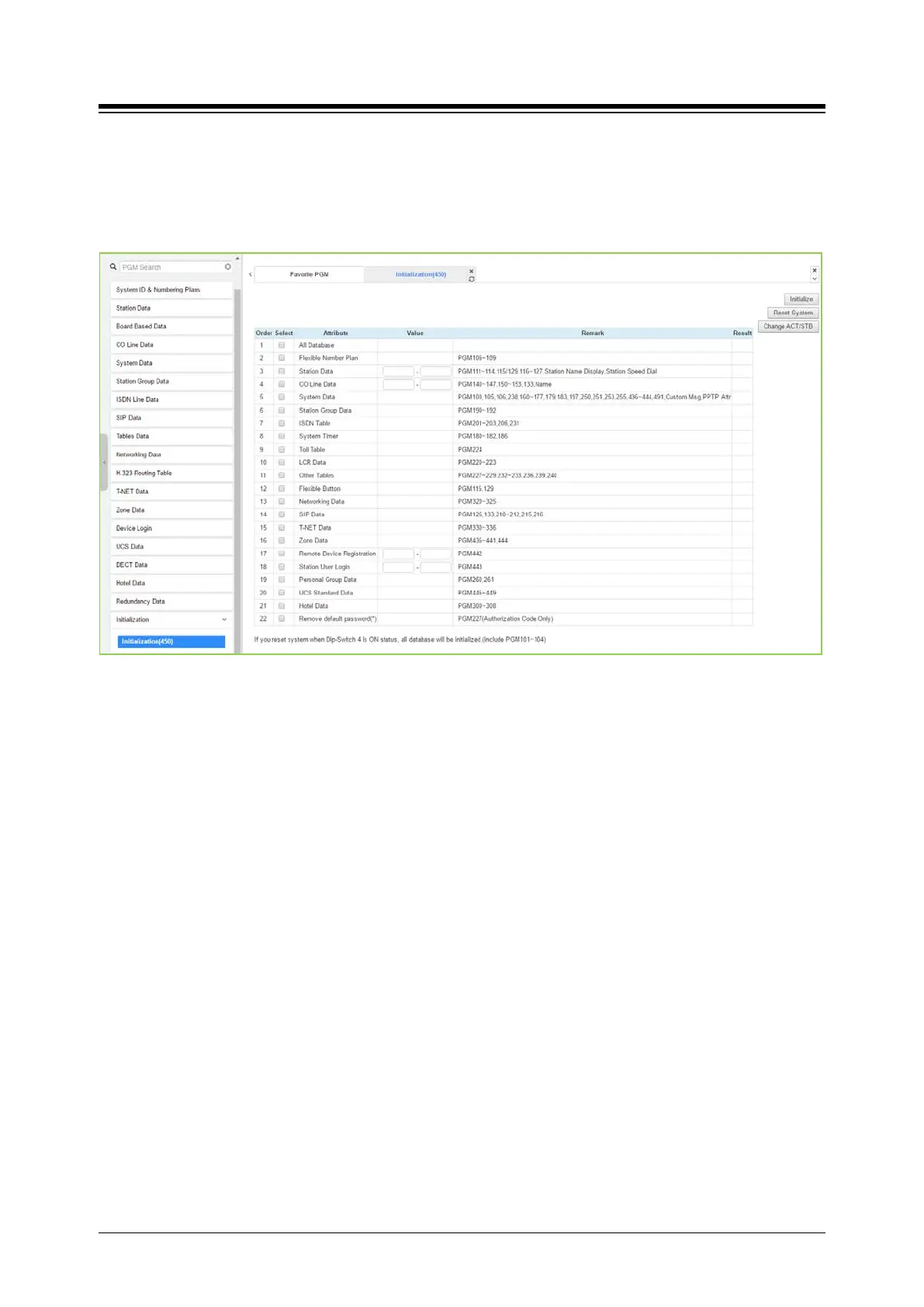
4.4.20.1 Initialization Table - PGM 450
Selecting Initialization will display the Initialization Table data entry page. Use the check mark to
indicate which attributes to modify; data for checked attributes is initialized by clicking [Initialize]
button or reset system by clicking [Reset system] button.
Figure 4.4.20.1-1 Initialization Menu
The system has been pre-programmed with certain features using the default data. The default
data are loaded into memory when the system is initialized. The system should always be
initialized when first installed or the database appears corrupted.
In addition, the UCP system can be restarted from this page and, if redundant processors are
equipped, the active and standby UCP modules can be modified.
The system can be initialized manually during installation.
Note
1) If you reset eMG system when Dip switch 2 is On, all database will be initialized including
PGM 101-104.
2) If you reset UCP system when Dip switch 4 is On, all database will be initialized including
PGM 101-104.





 To Next Page