iPECS eMG80 & eMG800 & UCP
Administration and Programming Manual Issue 1.6
341
4.4.5.1 System Attributes - PGM 160 & 161
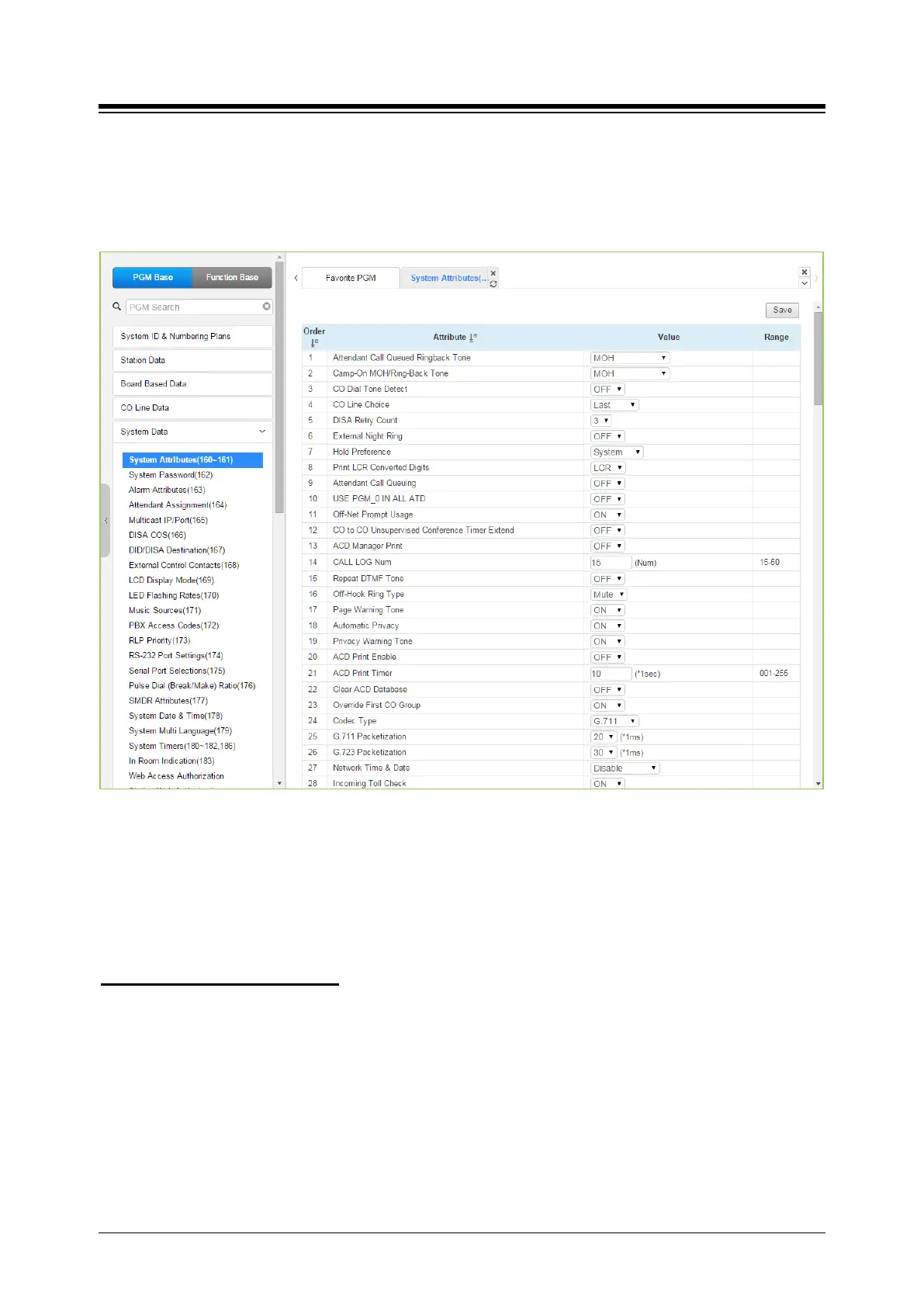
Selecting System Attributes will display the System Attributes data entry page. Selecting the blue
colored text in the Table header will sort the table based on the selected column. Click [Save]
button after changing Value.
Figure 4.4.5.1-1 System Attributes
System Attributes define settings that affect system wide features and functions. Generally, the
entry will turn the feature ON (enable) or OFF (disable). Refer to Table 4.4.5.1-1 for a description
of the Attributes and the data entries required.
You can set the CID password to click “Go to Setting” button. After clicking it, you will move to the
following PGM 162 and set the CID password, and then save CID password to mark tick on the
save box and click the Save button.
Setting CID Password directly





 To Next Page