iPECS eMG80 & eMG800 & UCP
Administration and Programming Manual Issue 1.6
548
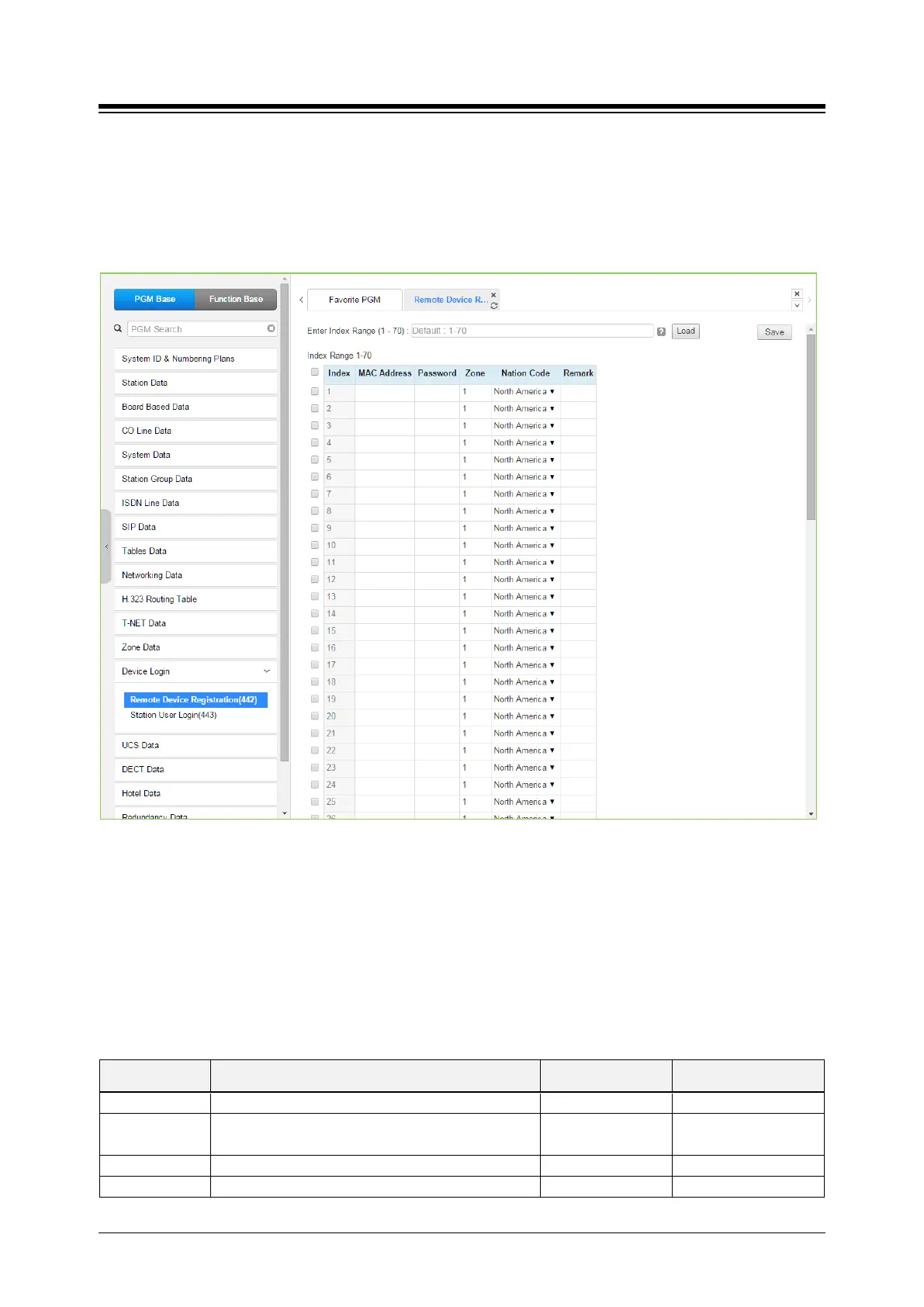
4.4.14.1 Remote Device Registration – PGM 442
Selecting the Remote Device Registration will display the Remote Registration Table data input
page. Enter a Table index range and select [Load] to enter MAC address information. For
convenience, the copy, paste, and drag is available to enter or modify data. Click [Save] button
after changing Value.
Figure 4.4.14.1-1 Remote Device Registration
When a device attempts to register with the controlling iPECS, the system will check the device
MAC address and password against the Registration table. If a match is found, the device is
registered regardless of Dip-switch 2 position of eMG and Dip Switch position 3 of UCP. The
system database is updated and the device receives device specific configuration data from the
MPB/UCP.
Table 4.4.14.1-1 REMOTE DEVICE REGISTRATION
ATTRIBUTE DESCRIPTION RANGE DEFAULT
Mac address of remote device
Password
Password, if any, assigned in the devices database
Up to 12 digits
The Zone to be assigned to the device.
Nation or country location of the device.





 To Next Page