iPECS eMG80 & eMG800 & UCP
Administration and Programming Manual Issue 1.6
330
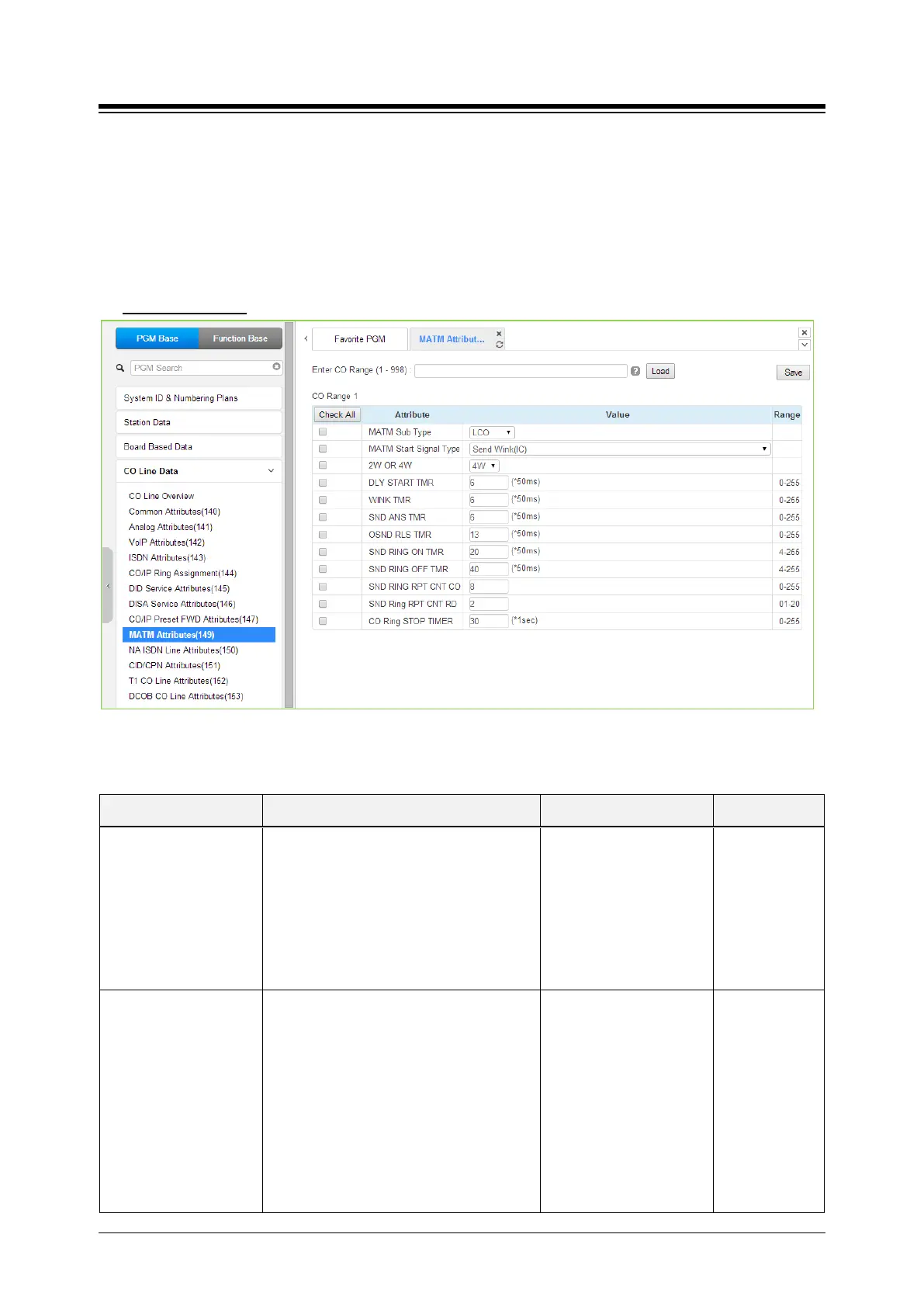
4.4.4.9 MATM Attributes - PGM 149
Selecting MATM Attributes will display the MATM Attributes data input page. Enter a valid CO
range and click [Load] to enter the MATM Attributes data. Use the check boxes to indicate which
attributes to modify; data for checked attributes is stored for the entire range of CO/IP Lines when
saved. Use the check mark to indicate which attributes to modify; data for checked attributes is
stored by clicking [Save] button. These attributes are available for Country code 82.
Enter CO Range
: eMG80: 1-74 / eMG800: 1-600 / UCP: 1-998
Figure 4.4.4.9-1 MATM Attributes
Table 4.4.9-1 MATM ATTRIBUTES
ATTRIBUTE DESCRIPTION RANGE DEFAULT
MATM Sub Type
This is the analog trunk type for the MATM
option board.
COIU : LCO
RDIU : RD (ring down, only for national
army)
LDIU : LD (loop dial, only for national army)
EMC = E&M continuous,
LCO,
RD,
LD,
EMC,
EMD,
Unused
LCO
MATM Start Signal Type
This is the signal type for the analog trunk.
This should be set with alternate trunk type.
These can be set by testing with available
values.
Send Wink (IC),
Wait Seize Ack(OG),
Send Wink (IC) and
Wait Seize Ack(OG),
Send Sub Answer (IC)
and Wait Sub
Answer(OG),
Send Wink and Send Sub
Answer(IC),
Wait Ack and Wait Sub
Send Wink (IC)





 To Next Page