iPECS eMG80 & eMG800 & UCP
Administration and Programming Manual Issue 1.6
427
4.4.6.5 Pick Up Group - PGM 192
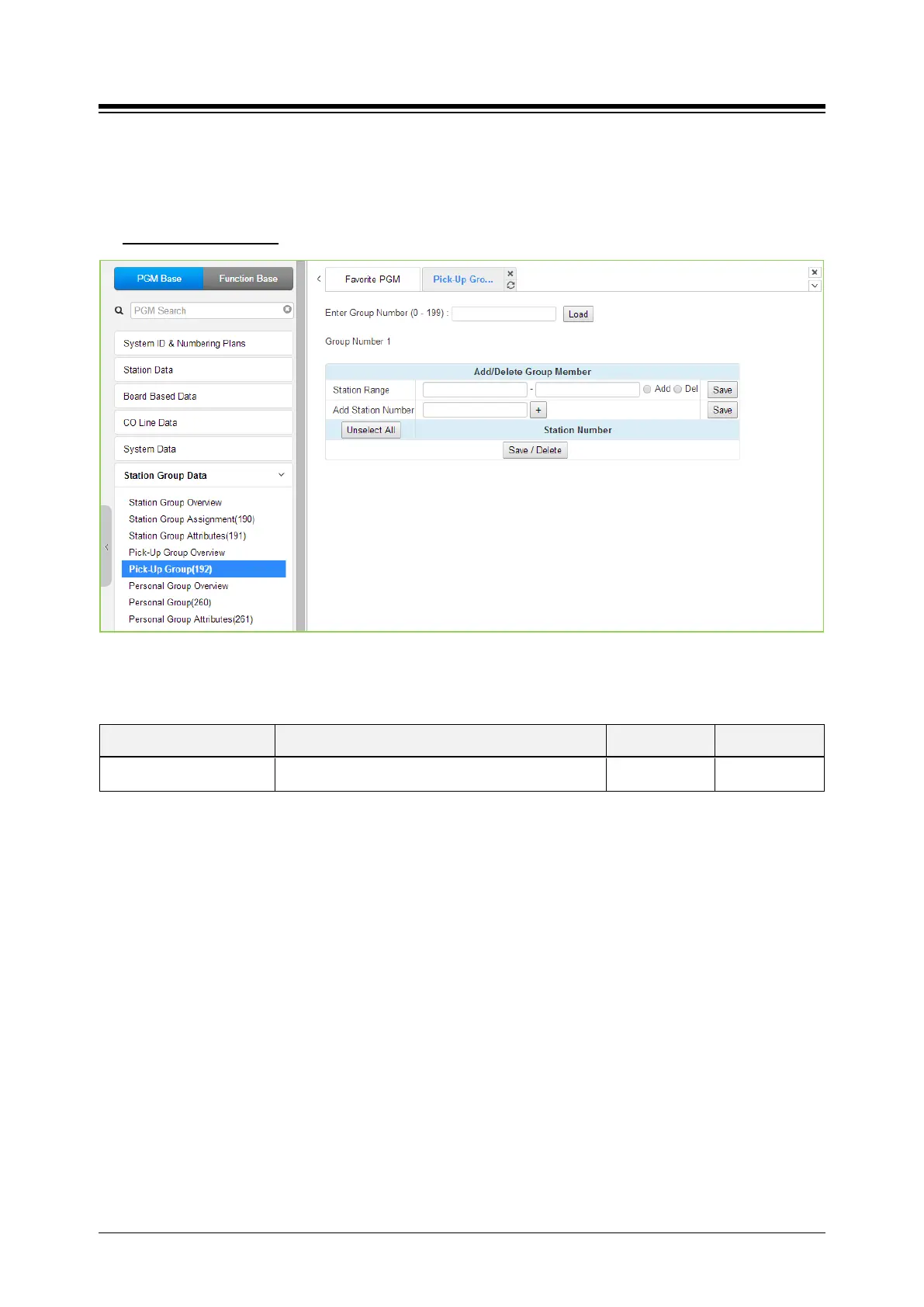
Selecting Pick Up Group will display the Pick Up Group entry page. Enter the desired Pick Up
Group number and click [Load] to display the group member Assignment.
Enter Group Number
: eMG80: 0-49 / eMG800: 0-199 / UCP: 0-199
Figure 4.4.6.5-1 Pick Up Group
Table 4.4.6.5-1 PICK UP GROUP ASSIGNMENT
ATTRIBUTE DESCRIPTION RANGE DEFAULT
Member Assign stations as members of the Pick-Up group.





 To Next Page