iPECS eMG80 & eMG800 & UCP
Administration and Programming Manual Issue 1.6
610
Operation
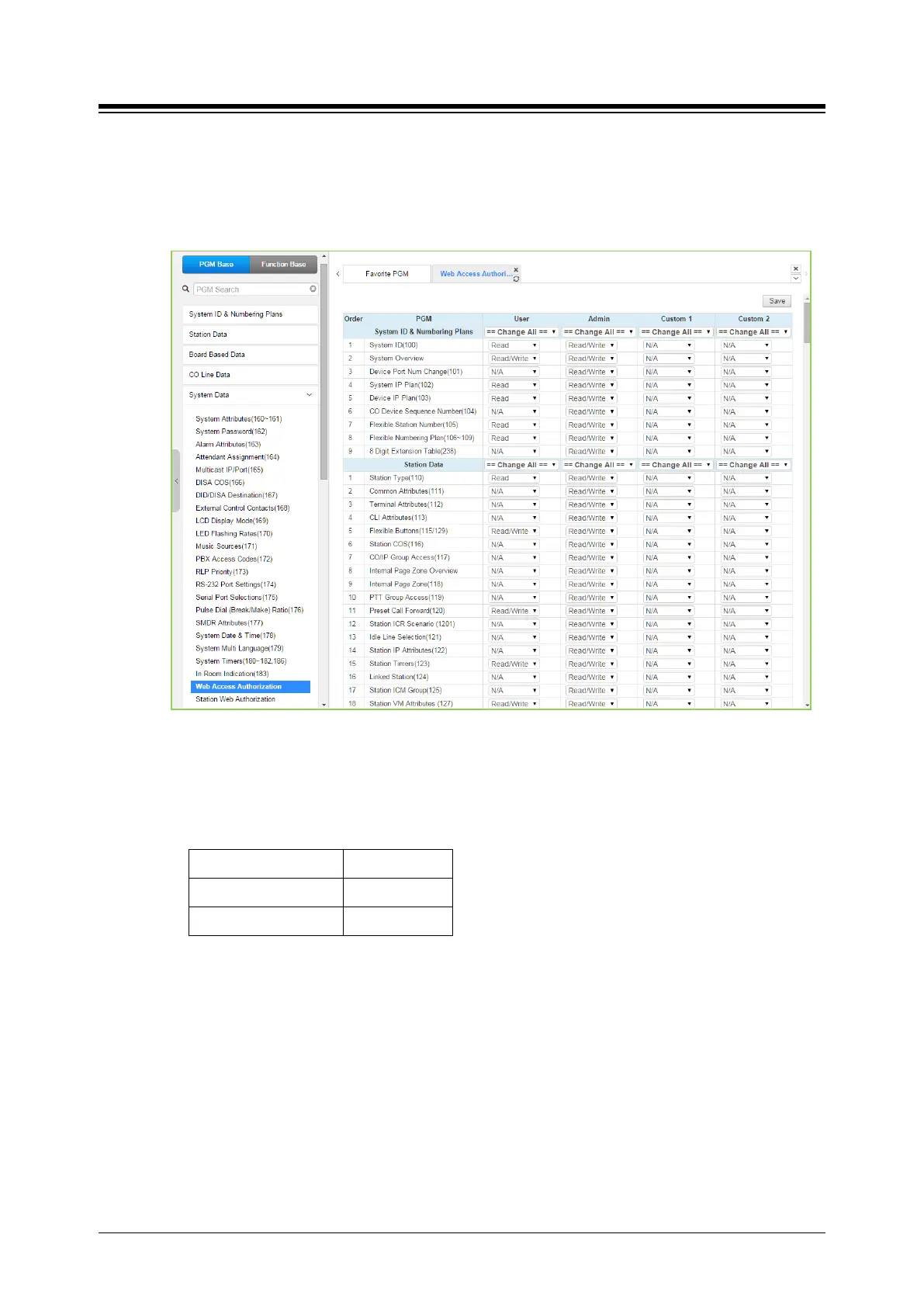
1. Web Access Authorization
> Program Custom#1 and #2 privilege columns by selecting N/A, Read, Read/Write for
Tenant group administrator.
2. User Management: add User account for Tenant group administrator.
1) Enter ID and Password.
2) Select Custom 1 or Custom 2.
3) Enter the desired Tenant group number.
eMG800 32 groups
Note
- Maximum 50 users (including Maintenance, Admin and User privilege).
- The main administrator can’t add Tenant group administrator account for all tenant
group because the number of tenant group of UCP is 100.
4) Click [Save] button to create Account.
5) Log in with the account.
6) The available PGM menu will be displayed by assigning ‘Web Access Authorization’.





 To Next Page