iPECS eMG80 & eMG800 & UCP
Administration and Programming Manual Issue 1.6
159
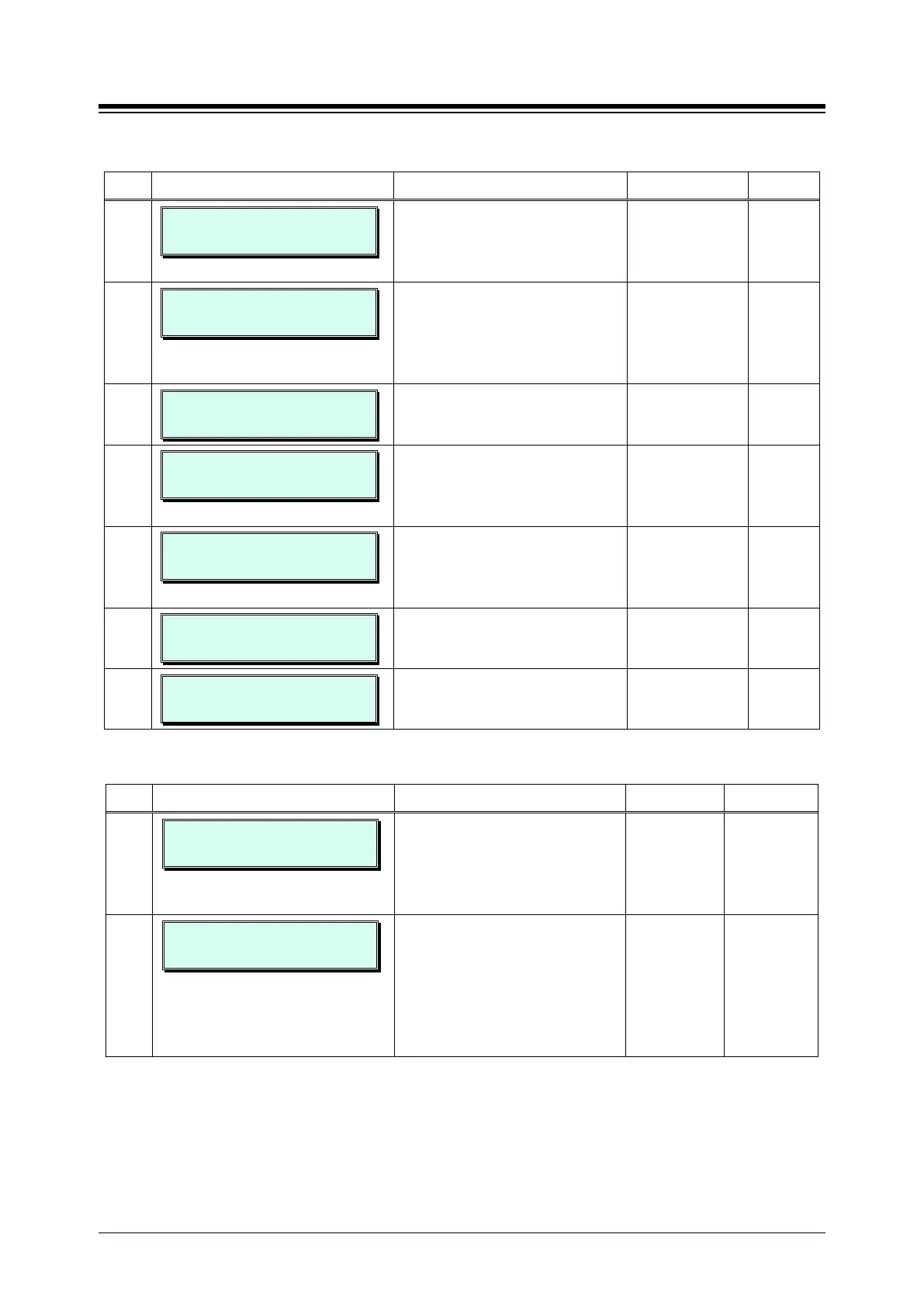
Table 3.3.7.2-4 STATION GROUP ATTRIBUTES — EXTERNAL VM GROUPS (PGM 191)
BTN ATTRIBUTE/DISPLAY DESCRIPTION RANGE DEFAULT
7
FORCED FWD DEST USAGE
(1:ON/0:OFF): OFF
When a call is delivered to the group
the system can redirect the call to
the Forced destination if enabled
0: OFF
1: ON
OFF
8
VM 407 FORCED DEST
S/H/V/SPD (DIAL 1-4)
Enables the system to redirect
group calls to the Forced destination
defined under button 7 above.
1-4
(1:Station
2:Station group
3:VSF Announce
-
9
GROUP NAME
……………………………….
A hunt group name can be
designated.
20 character ….
10
VM 407 SERVER TYPE
(0:IPCR/1:3RD) : 3RD
Server Type can set 3
or IPCR.
0: IPCR
1: 3RD
3RD
11
VM 407 SERVER NUMBER
(01-10) : . .
Sever Number can set 01 ~ 10 for
237 table.
01-10 ..
12
VM 407 MEMBER TYPE
(0:SIP/1:SLT) : SLT
Server Member can set SIP or SLT. 0: SIP
1: SLT
SLT
13
VM 407 SERVER CAPACITY
(001-140) : 000
Maximum number of channels of
SIP VM (UMS).
eMG80:00~140,
eMG800:0~1200
0
Table 3.3.7.2-5 STATION GROUP ATTRIBUTES — PICK-UP GROUPS (PGM 191)
BTN ATTRIBUTE/DISPLAY DESCRIPTION RANGE DEFAULT
1
PICK UP 408 AUTO PICKUP
(1 : ON/ 0: OFF) : OFF
If a Pick-Up Group member is
ringing, another member of the
Pick-Up Group can Pick-Up a call
ringing at another member by
0: OFF
1: ON
OFF
2
PICK UP 408 ALL RING
(1 : ON/ 0: OFF) : OFF
When a call is offered to a member
of the Pick-Up Group in the Tone
Ring mode, all members will ring.
NOTE
Auto Pickup, Button 1 must be
0: OFF
1: ON
OFF





 To Next Page