3.3 Basic Operation
3-12
3.3 Basic Operation
Calling a Screen
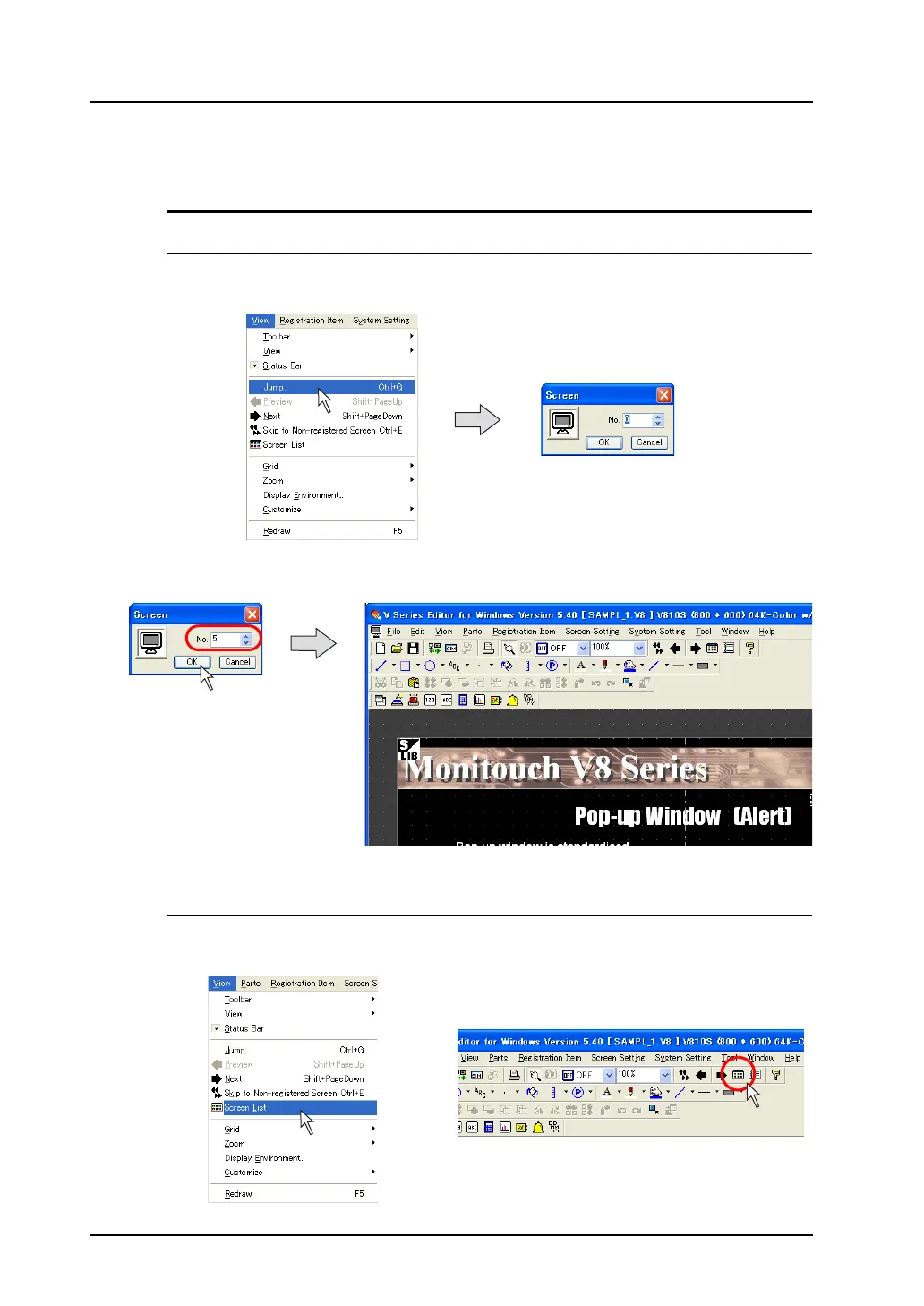
From the [View] Menu
1. Click [Jump] from the [View] menu.
The dialog to specify the screen number is displayed.
2. Specify the desired number and click [OK].
The corresponding screen appears.
* In this case, the newly called screen appears instead of the screen previously opened.
From the Screen List
1. Bring up the screen list.
Click [Screen List] from the [View] menu or click the [Screen Display] icon on the toolbar.
OR



 To Next Page