128-color Type
A2-19
A2
3D Parts
Setting Procedure
This section explains the procedure for setting a 3D part, taking a switch for example.
The same procedure applies to 3D lamp part settings.
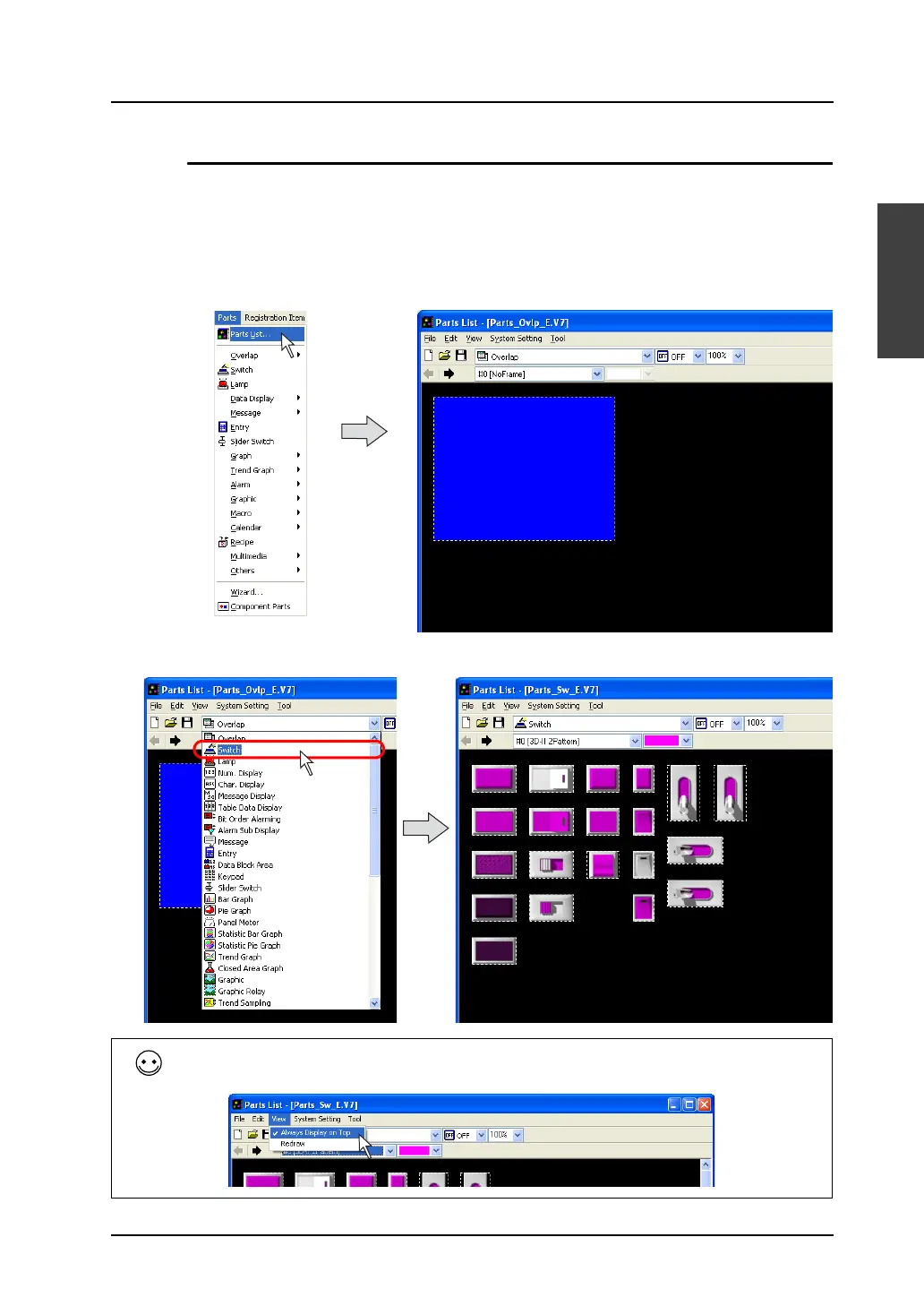
Selection from [Parts List] (new placement)
1. Click [Parts] → [Parts List].
The [Parts List] window opens.
2. Select [Switch] from the pull-down menu. (When it has already been selected, go to step 3.)
To hide the parts list behind the editing window, uncheck the [Always Display on Top] in the [View]
menu of the [Parts List] window.



 To Next Page