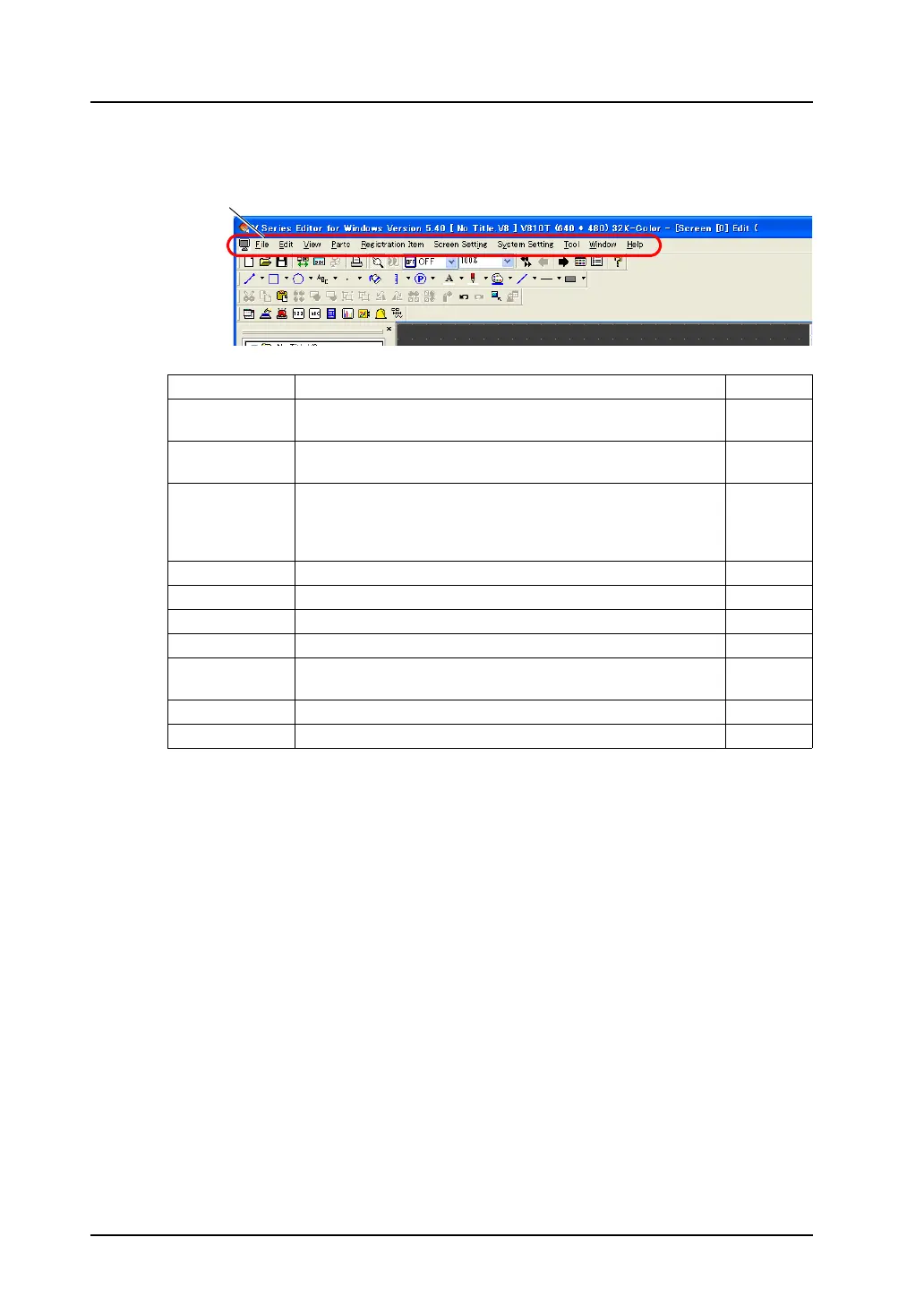
2.2 Menu Bar
2-2
2.2 Menu Bar
* For more information, refer to “Chapter 1 System Setting” in the V8 Series Reference Manual.
Menu bar
Title Content Refer to:
File Creates a new file, opens an existing file, transfers data, prints out
screen data, sets the properties or starts the CF card manager.
page 2-3
Edit Tools for copying, cutting, pasting, grouping, placing, arranging,
and other functions are available.
page 3-95
View Sets the drawing environment, such as displaying/hiding a toolbar
or list-view window displaying the screen list, changing screens,
setting the display environment, displaying grids, or changing the
zoom.
page 2-7
Parts Selects parts or items to be placed. page 3-51
Registration Item Edits each library. page 5-1
Screen Setting Selects the background color of the screen or defines macros. page 2-8
System Setting Sets the edit model, devices to be connected, fonts, etc. *
Tool Contains useful functions for screen editing, performs error check
or checks memory in use.
page 8-63
Window Shows windows currently edited. page 2-9
Help Refers to the version information or manuals. page 2-10



 To Next Page