8.1 Simulator
8-16
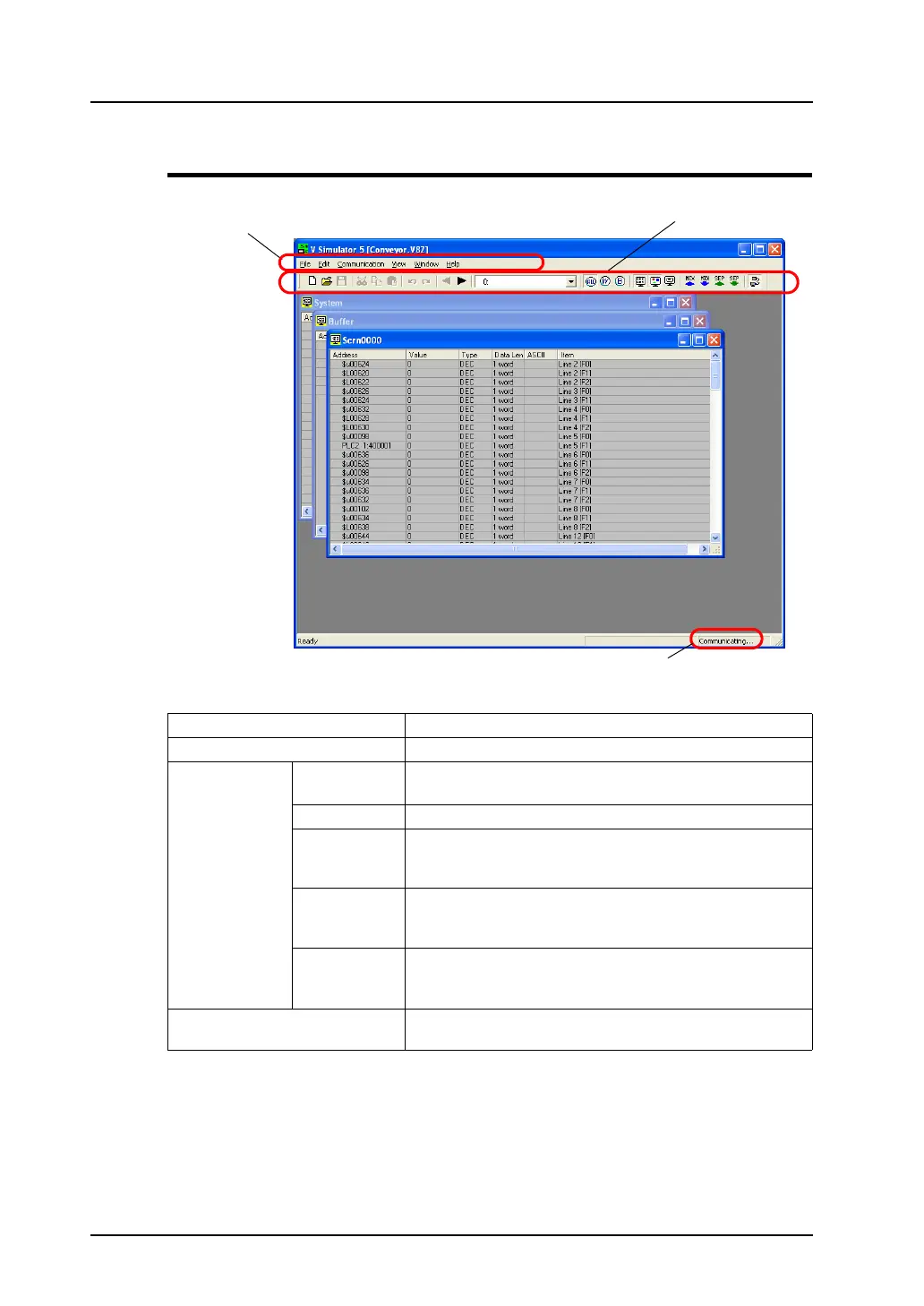
Structure of the [Simulator] Window
Menu bar For more information, refer to page 8-17.
Icon menu For more information, refer to page 8-20.
Sheets [System] Displays a list of addresses used for system settings of the
screen data file.
[Scrn xxxx] Displays a list of addresses used on each screen.
[Buffer] Displays addresses assigned to the buffers.
Those addresses are displayed only when memory is
designated in the buffering area.
[Mlib xxxx] Displays addresses assigned to the overlap libraries.
Those addresses are displayed when a multi-overlap or a
call-overlap is displayed during screen data simulation.
[Untitled] Displays addresses newly registered.
For more information on registering a new address, refer to
page 8-23.
Status display Displays the current Simulator status (communicating or
interrupted).
Menu bar
Status display
Icon menu



 To Next Page