2.6 Screen Composition
2-33
2
Editor
What Is an ID?
• “ID” is a number given to each invisible sheet.
Every part that functions on the screen is placed on the sheet. To identify its sheet number, an ID
number is assigned to each part.
Whether one sheet can contain multiple parts or only one part depends on the types of parts.
(For more information on the limit on the number of parts, refer to page 3-45.)
• The editor automatically performs ID number allocations. Normally, you do not need to worry
about the allocation of ID numbers.
A part that executes its function singly, such as a switch, lamp, numerical data display, or bar
graph, has no limit on the number of parts per ID (page 3-45).
It is not necessary to worry about ID numbers when placing these types of parts.
For the part that can be placed only one per sheet, see the description below.
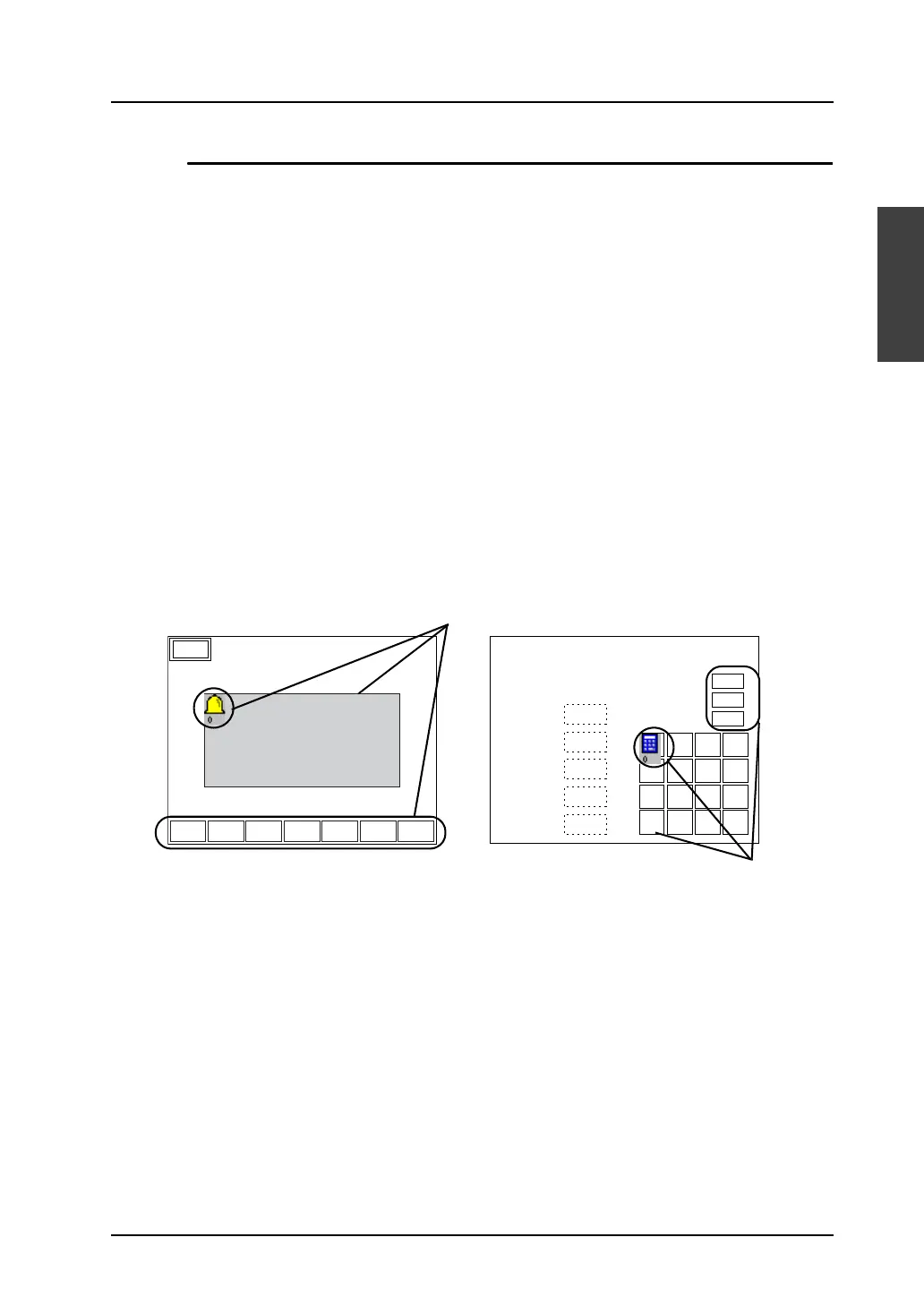
Combination of parts
Different parts may be combined to execute a single function. Such parts must share the same ID
number.
• Error message display (= alarm display)
• Numerical data entry on the V8 series (= entry mode)
If the parts are given different ID numbers, they will not work correctly.
Check the ID numbers and set them correctly.
Menu
DWUP
-+
DELRET RESET
16:15:43 16:21:12
16:15:51 16:21:54
16:15:52 16:21:55
17:05:02 18:08:01
17:06:31 18:08:01
19:21:30 21:09:44
19:22:45 21:10:22
1234
1234
1234
1234
12.34
12.34
ABCD
0 . +/-
CR
1 2 3
CL
4 5 6
DW
7 8 9
UP
1234
Allocate the same ID number to the
display area and the scroll switches.
#2 Roller error
#1 Sensor error
#1 Roller error
#2 Sensor error
#3 Sensor error
#5 Roller error
#4 Sensor error
Alarm Tracking
Set the same ID.
Entry Screen
Value 1
Value 2
Value 3
Value 4
Text 1
Max.
Min.
Key-in



 To Next Page