8.3 Useful Tools for Creating a Manual
8-43
8
Useful Functions
Emulator
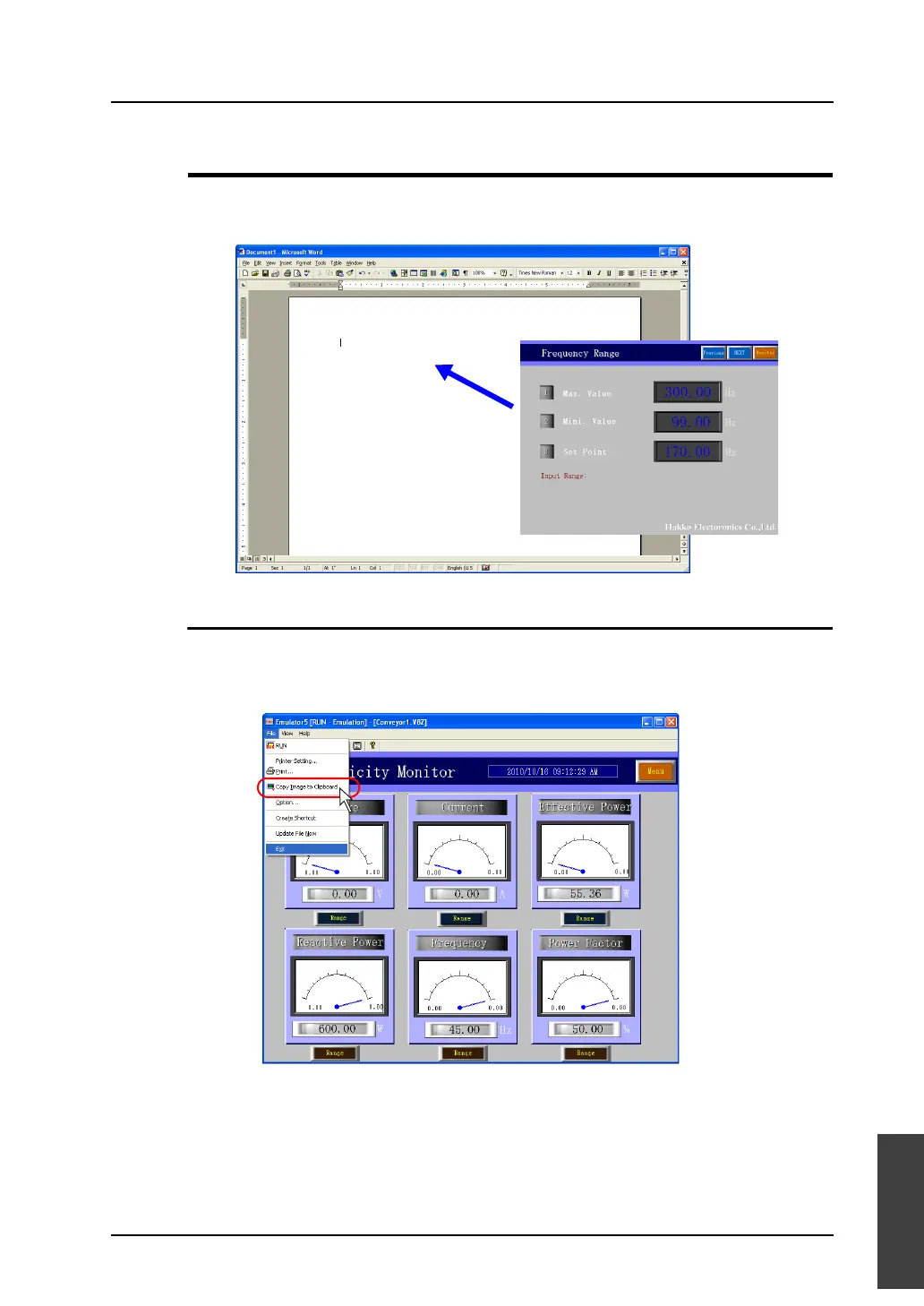
Emulator enables you to easily paste screens used for machine operation to documents in a manual
you are creating.
Copying an Image Displayed on Emulator
1. Open the desired screen on Emulator.
2. Click [File] → [Copy Image to Clipboard] on Emulator.
The screen image has been copied to the clipboard.
The screen image on
Emulator can be copied
to the clipboard.



 To Next Page