7.1 Overview
7-2
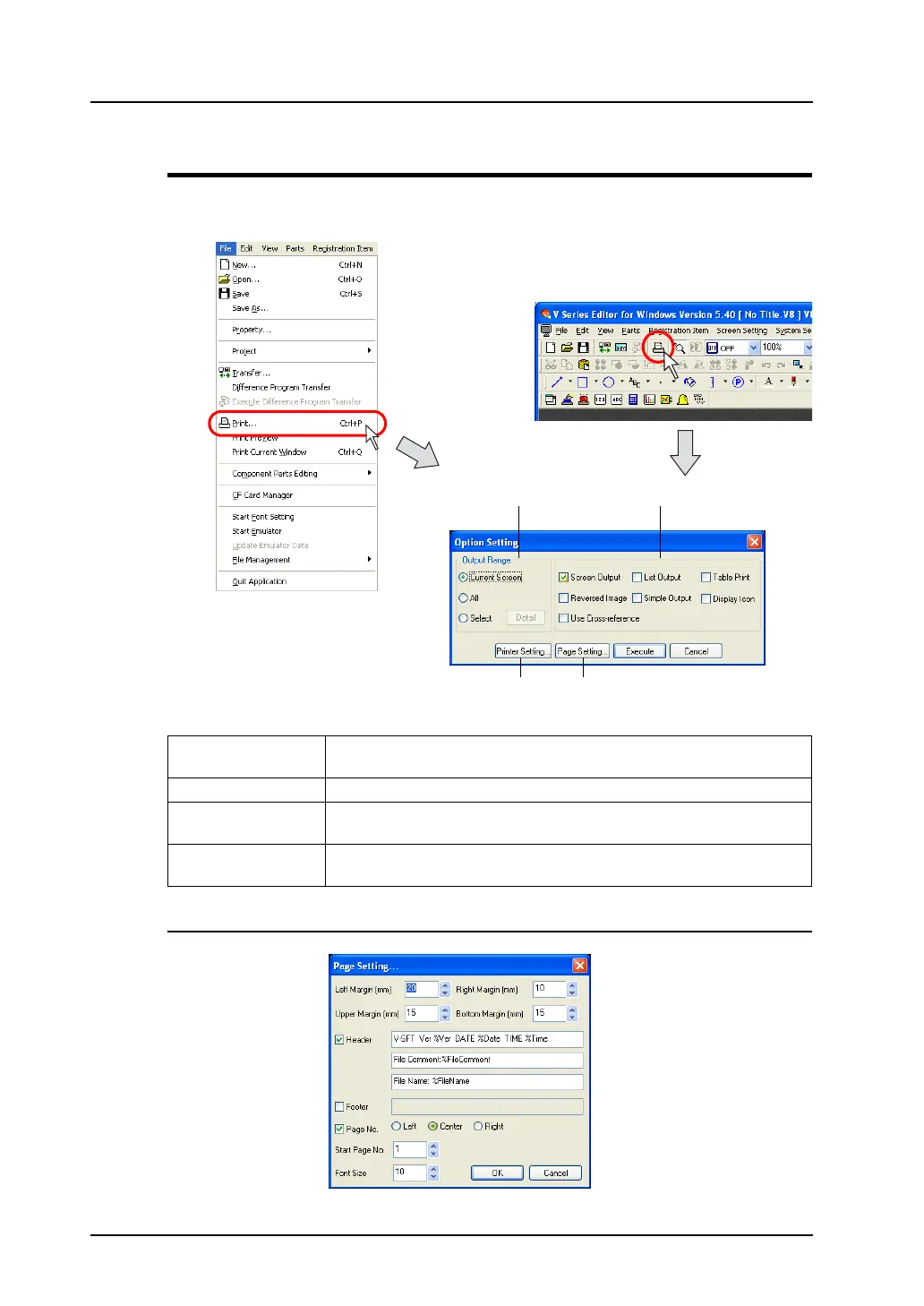
[Option Setting] Dialog
Click [Print] from the [File] menu or click the [Print] icon on the toolbar.
The [Option Setting] dialog is displayed.
[Page Setting] Dialog
1. Printer Setting Makes the printer setting as same as the one on Windows, such as the
printer model, paper size, and so on.
2. Page Setting Sets the print format. For more information, refer to page 7-3.
3. Output Range Allows you to select the range to be printed out. For more information,
refer to page 7-3.
4. Print Format Allows you to set the output format for printing. For more information, refer
to page 7-5.
OR
1. 2.
3. 4.



 To Next Page