1.3 Starting
1-16
Saving the File
Save
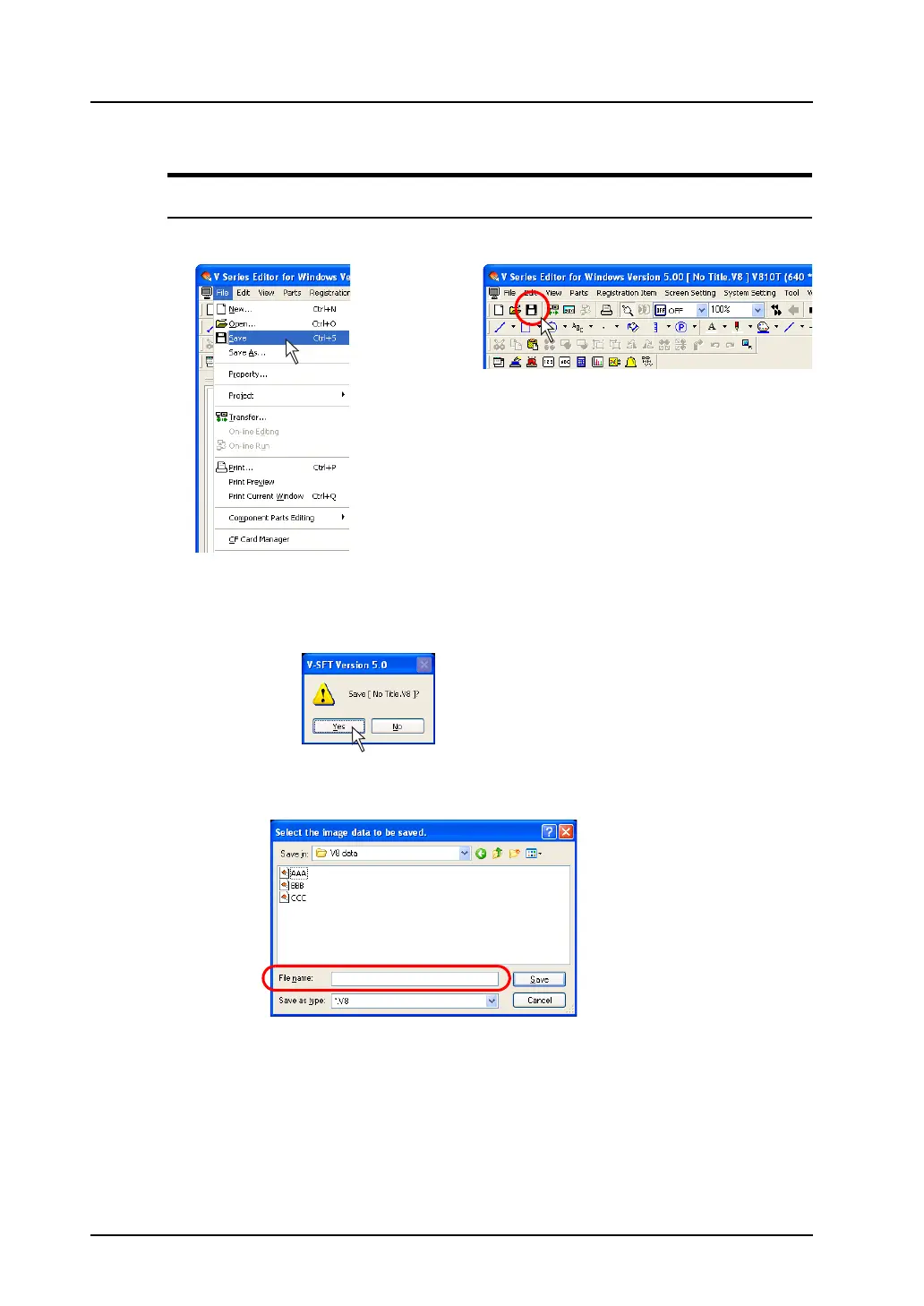
1. Click [Save] from the [File] menu or click the [Save] icon on the toolbar.
2. When an existing file is opened, it is overwritten at this time.
In the case of a new file, the confirmation dialog shown below is displayed.
Click [Yes].
3. The [Select the image data to be saved.] dialog is displayed.
Give a name to the file and click [Save].
The screen data file has been saved.
OR



 To Next Page