8.8 File Management
8-82
How to Copy after Comparison
After comparison has been made, the data item existing in the data source to be compared (copy
source) can be copied to the data in the target (copy target). There are three methods to copy the
item.
Checking the box:
The same number is assigned to the copy source and the copy target.
(Target: All)
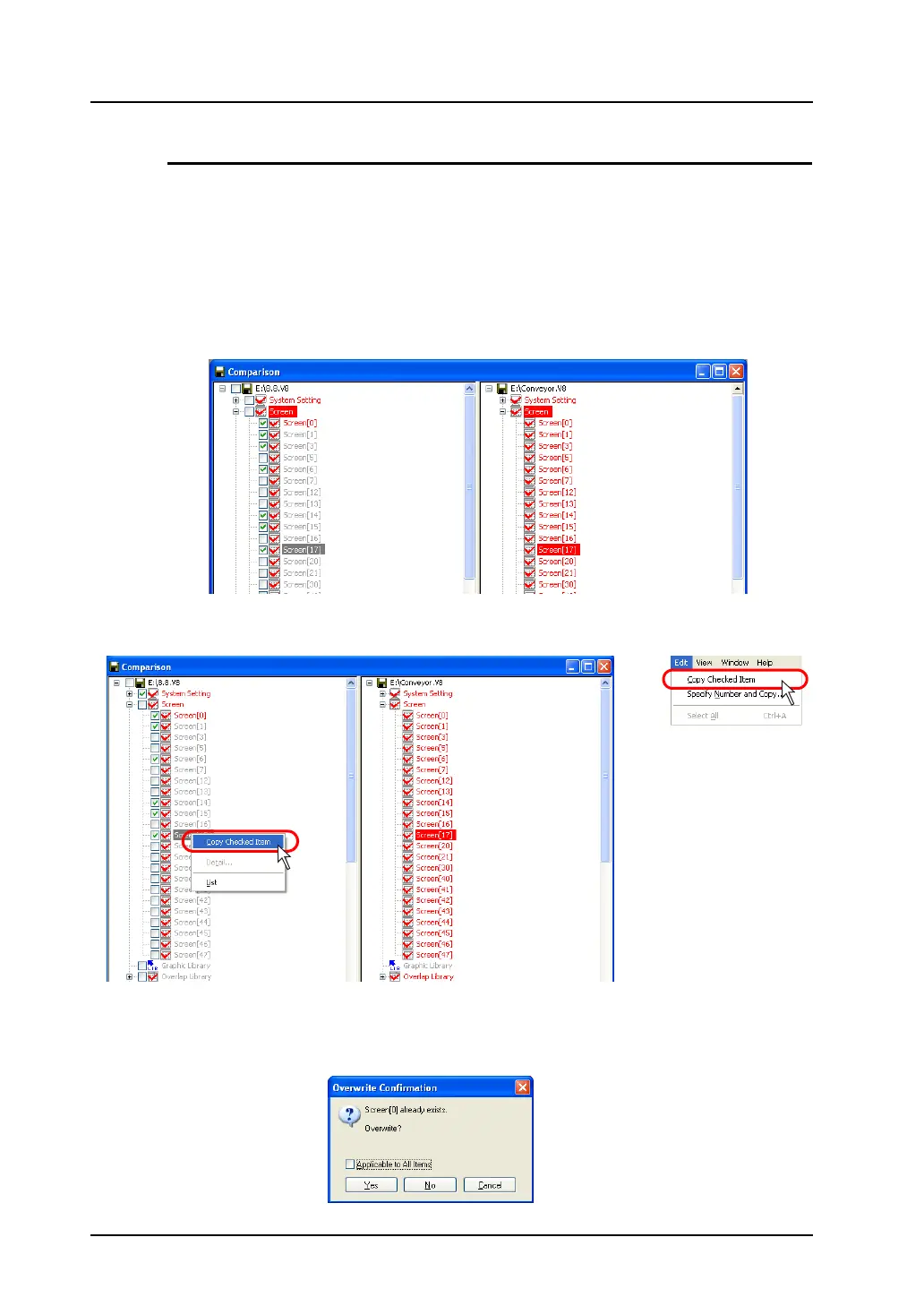
1. In the copy source window, check the box of the item of which you want to copy.
2. Right-click on the checked item, or select the checked item and click the [Edit] menu.
Then, click [Copy Checked Item].
3. The checked item is copied to the copy target.
If the item already exists in the copy target file, the following [Overwrite Confirmation] dialog
appears.
The data item is overwritten by clicking [Yes].
OR



 To Next Page