6.4 Transfer Procedure (Using a Communication Cable)
6-29
6
Transfer with V8
USB
System Configuration
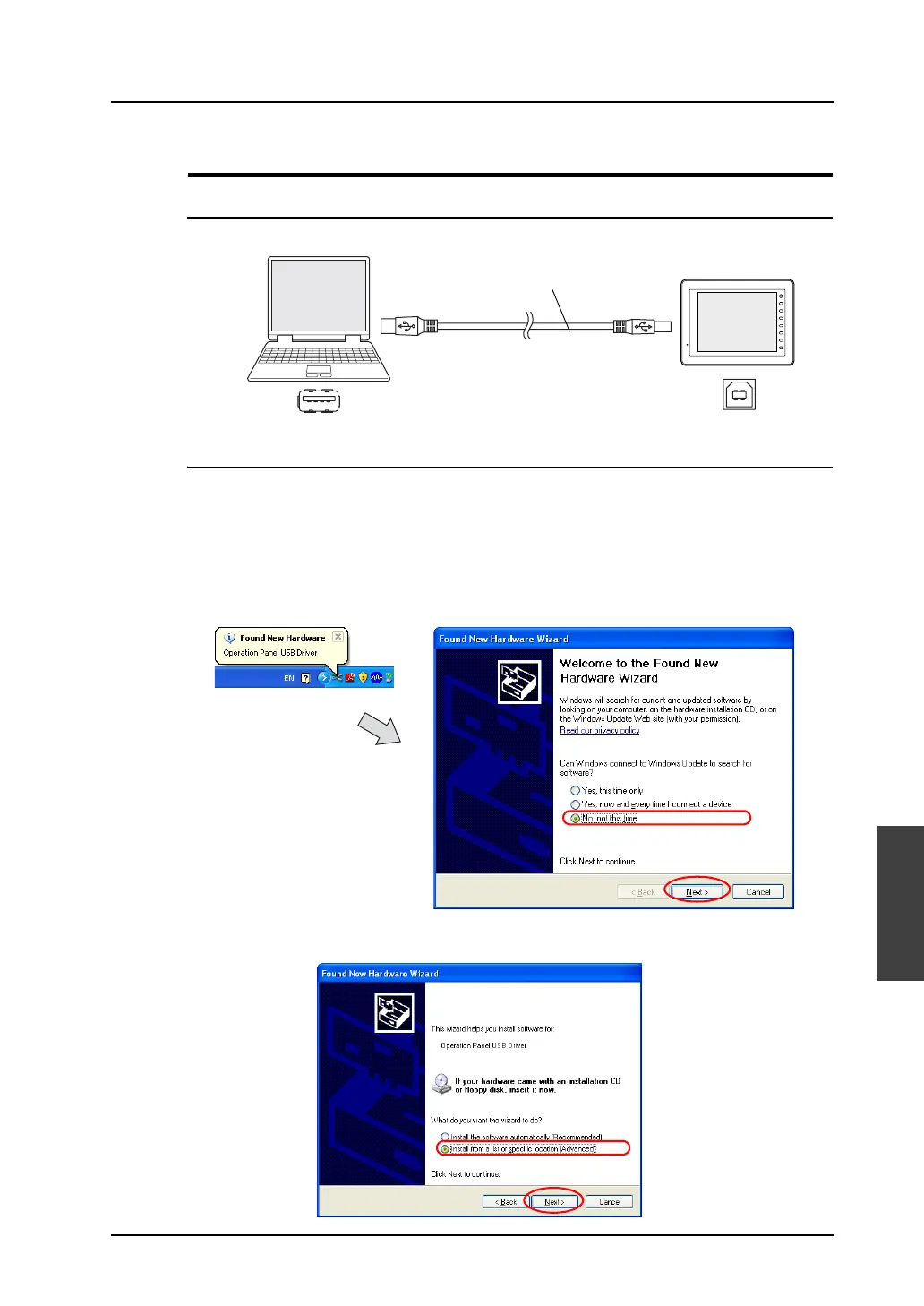
The data is transferred in the following system configuration via USB.
Before Transfer via USB
Installing the USB driver
As an example, the installation procedure on Windows XP is described below.
* When using USB on Windows 98, use Windows 98 Second Edition or later version.
1. Connect the USB-B port of MONITOUCH (with the power on) to the computer (with the power on)
using a USB cable.
2. The message “Found New Hardware” and then the driver installation wizard appear on the
computer. Select [No, not this time] and click the [Next] button.
3. The following dialog is displayed. Select [Install from a list or specific location (Advanced)] and
click [Next].
F 1
F 2
F 3
F 4
F 5
F 6
F 7
SYSTEM
USB-A USB-B
V8 series
Computer
USB cable



 To Next Page