5.8 Screen Library
5-32
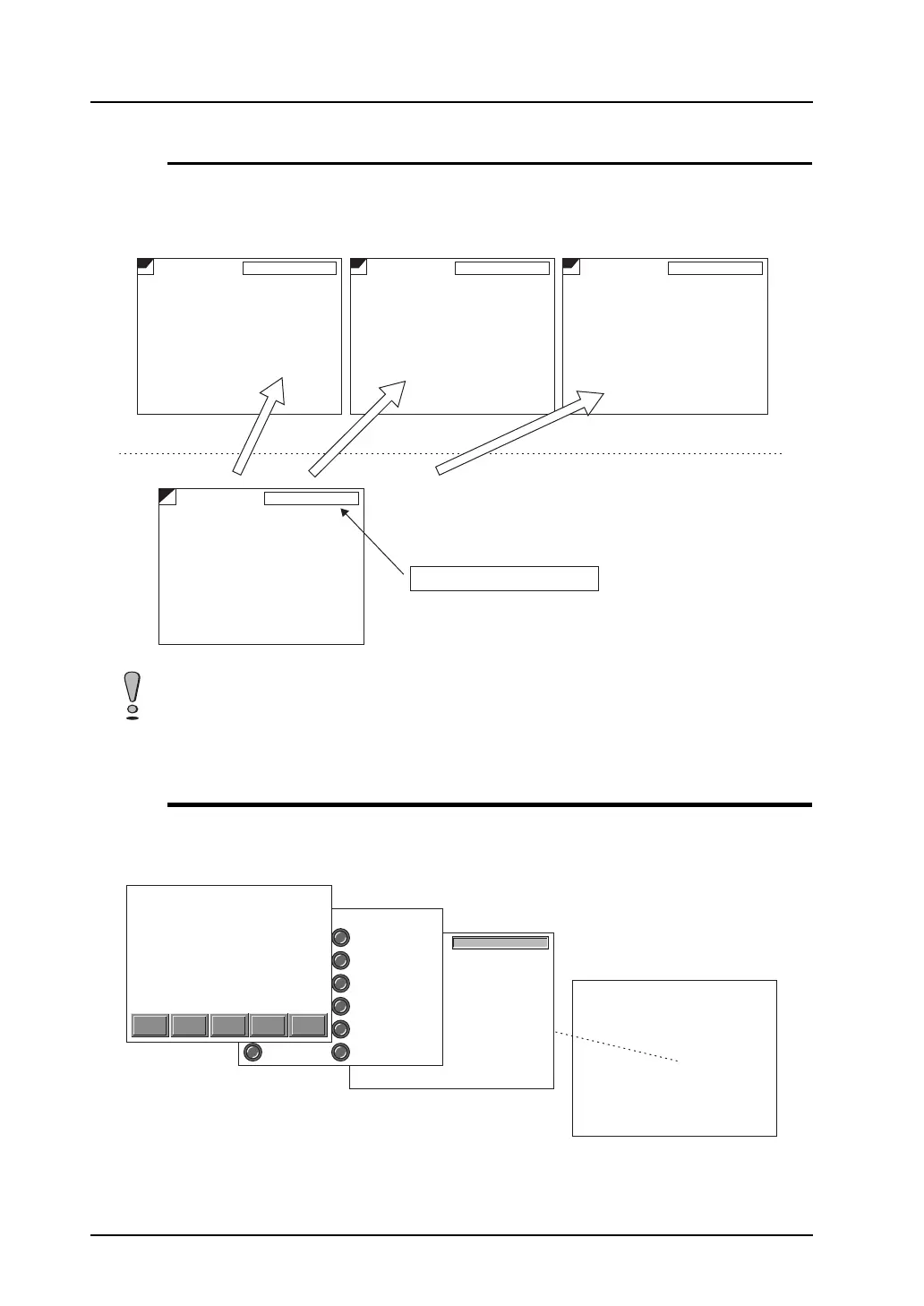
Screen Parts Management Through Screen Library
Should a part registered in a screen library be replaced after it has been placed on screens, replace it
in the screen library only. The parts on the screens are also replaced simultaneously.
When the calendar part in screen library No. 0 has been replaced, the parts on screen Nos. 0 to 2 are
also replaced.
Screen Library Structure
A maximum of 1,024 screen libraries can be registered.
The maximum permissible memory for one screen library is 256 kB.
02-01-01 12 : 15 : 15 TUE 02-01-01 12 : 15 : 15 TUE02-01-01 12 : 15 : 15 TUE
02-01-01 12 : 15 : 15 TUE
OFF
SLIB SLIB SLIB
02-01-01 12 : 15 : 15 TUE
Screen No. 0 Screen No. 1 Screen No. 2
Screen library No. 0
Replace the calendar part in the screen library.
Screen library is available for management of parts on screens.
02-01-01 12 : 15 : 15 TUE
No. 0
No. 1
No. 2
No. 1023
creen library
A maximum of 1,024 screen libraries
can be registered.



 To Next Page