8.10 Component Parts
8-95
8
Useful Functions
8.10 Component Parts
Overview
V-SFT version 5 provides component parts that are available as I/O monitor screens associated with
connections to PLCs of different manufacturers and also screens associated with connections to
inverters or temperature controllers.
Component parts should help you create screens because these parts can be placed on screens.
Component Parts Placement
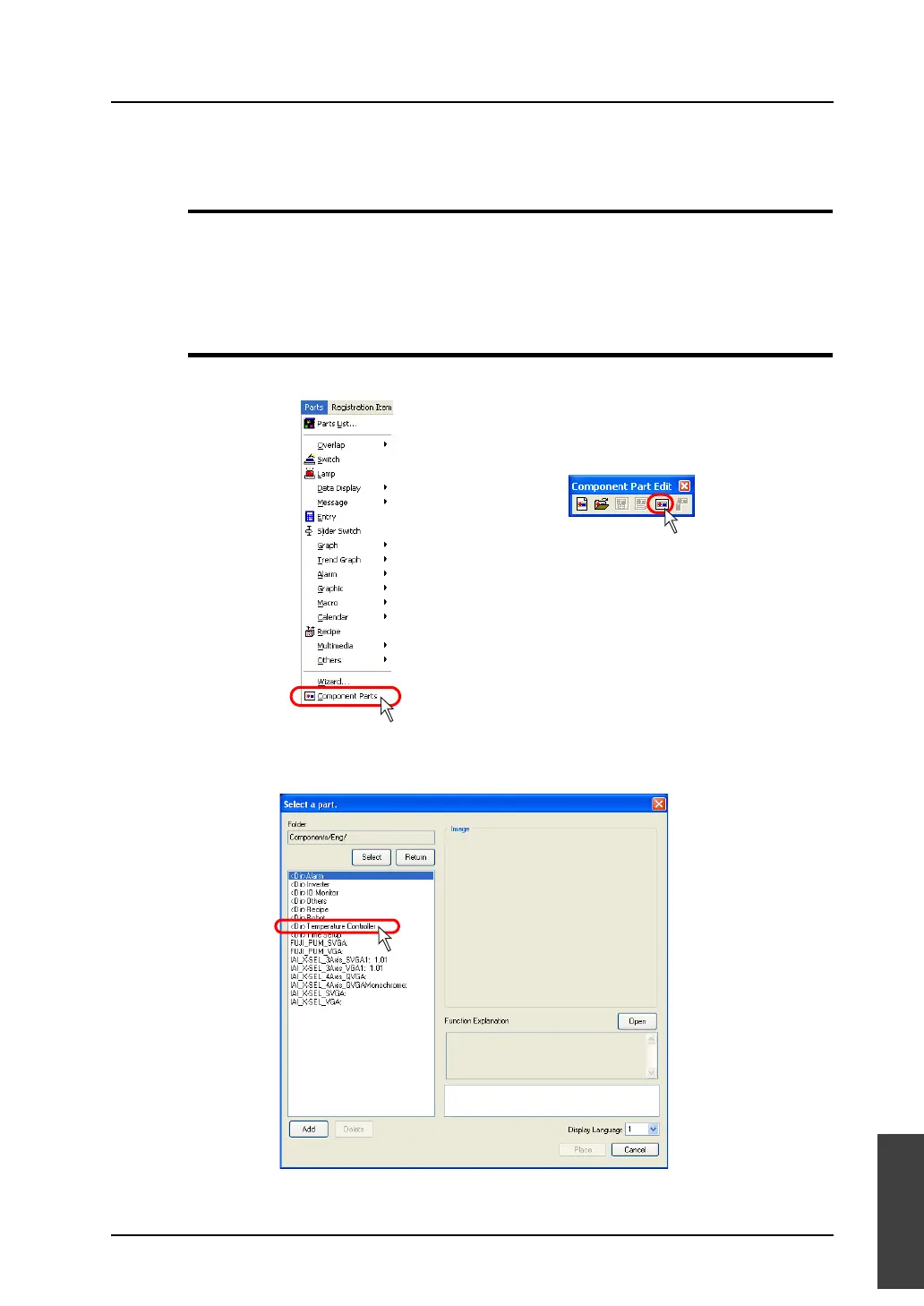
1. Click [Parts] → [Component Parts], or click [Component Parts] icon.
2. The [Select a part.] dialog including the component parts selection menu is displayed.
Double-click the desired part.
OR



 To Next Page