3.2 Setting Up Editing Environment
3-2
3.2 Setting Up Editing Environment
Background Color Setting
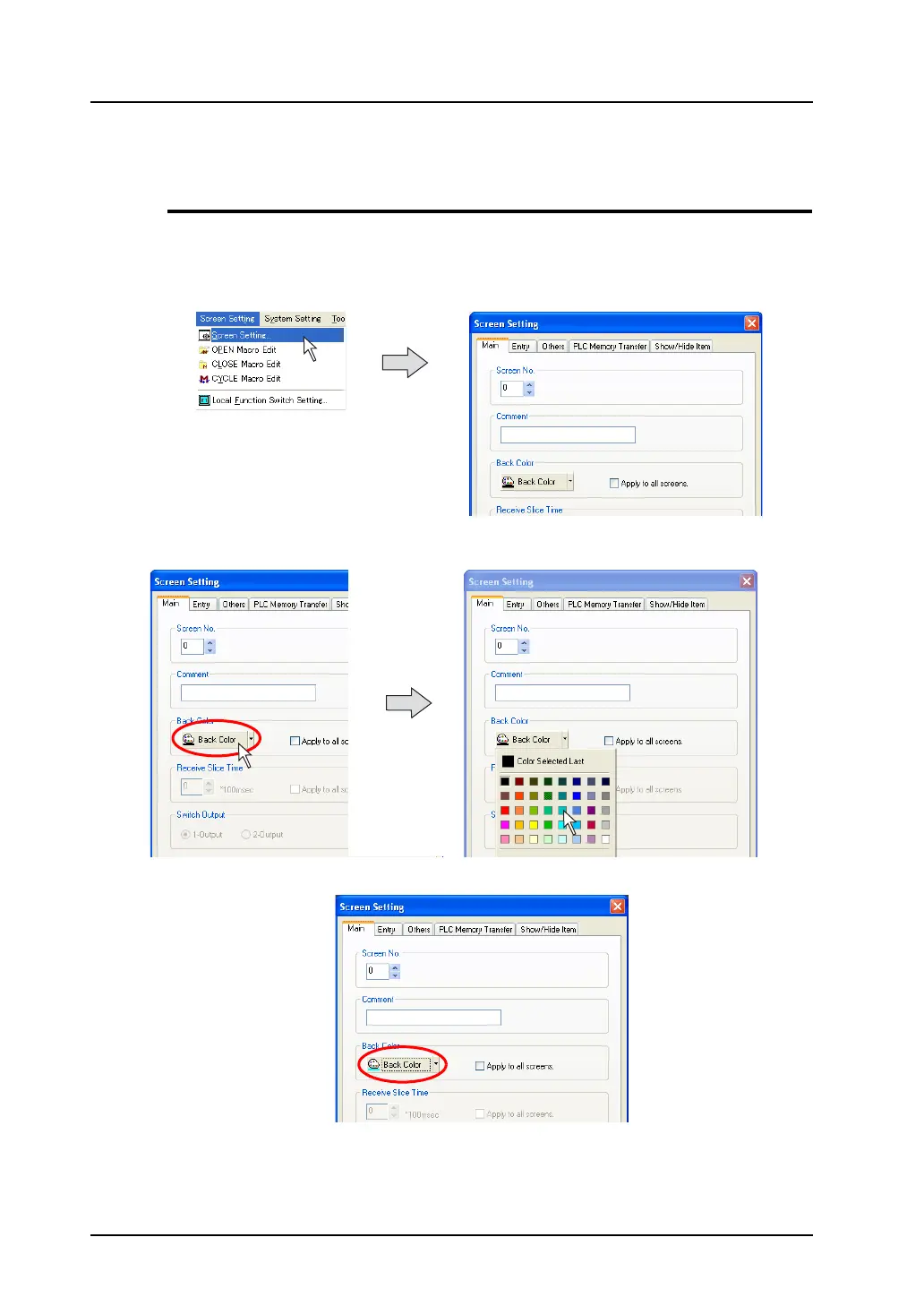
Follow the procedure shown below to change the screen background color during screen editing.
1. Click [Screen Setting] from the [Screen Setting] menu.
The [Screen Setting] dialog is displayed.
2. Click the [Back Color] button. The pull-down menu for selecting a color is displayed.
Select a background color as desired.
3. The selected color is displayed on the icon.



 To Next Page