8.4 Item List
8-51
8
Useful Functions
Coordinate Change
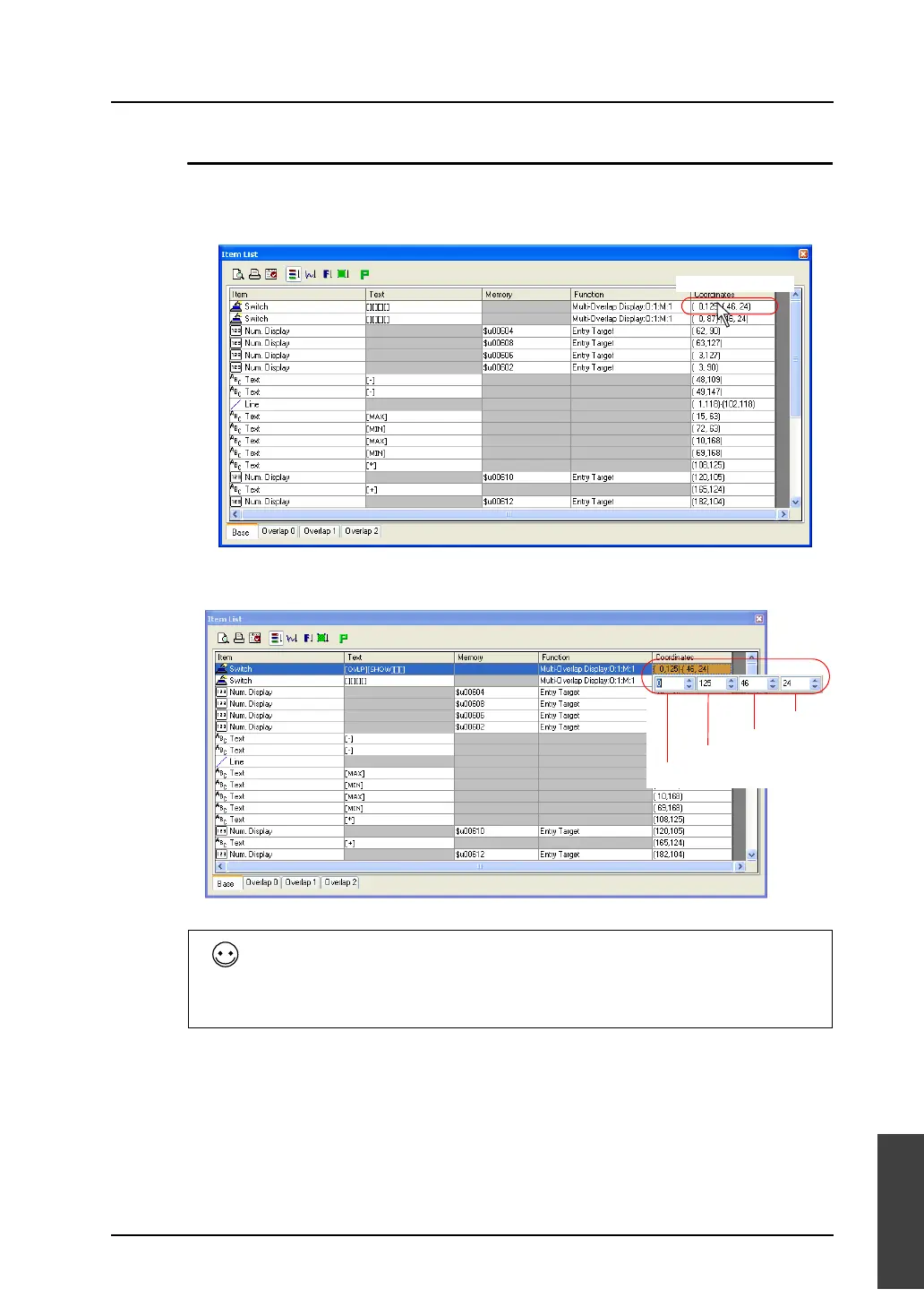
Coordinates specified for an item can be changed in the [Coordinates] column on the item list.
1. Double-click the [Coordinates] cell of the target item.
2. The coordinate setting fields are displayed. Change the current coordinates to the desired values.
The contents of the coordinate setting fields vary with the kinds of items.
Example:
Switch and lamp: start point X, start point Y, width, and height
Numerical data display: start point X and start point Y
Line: start point X, start point Y, end point X, and end point Y
Double-click.
Start point X
Height
Start point Y
Width



 To Next Page