6.6 Transfer Procedure (Using a Modem)
6-52
Setting on the V Series
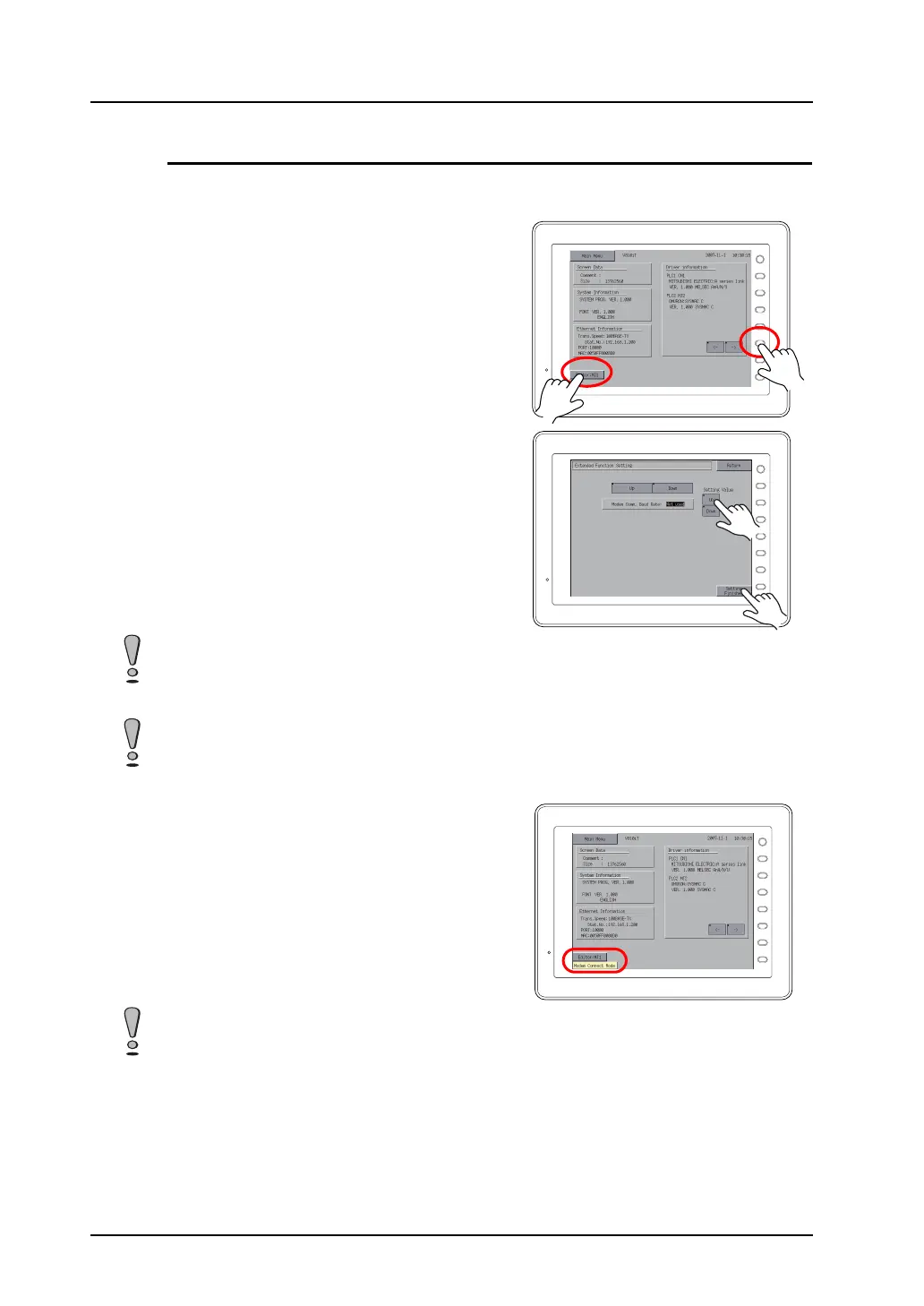
Set a baud rate used between the V series and the modem.
1. Press the [Editor: MJ1] switch and the [F5]
switch at the same time on the Main Menu
screen of the V series. The Extended Function
Setting screen is displayed.
2. Select the baud rate for [Modem Comm. Baud
Rate] using the arrow switch [↑]/[↓]. Press the
[Setting Finished] switch to finish the selection.
(Selectable options: 4800, 9600, 19200, 38400,
57600, 115200)
3. The Main Menu screen is redisplayed
automatically.
[Modem Connect Mode] automatically appears
under [Editor: MJ1].
F 1
F 2
F 3
F 4
F 5
F 6
F 7
SYSTEM
F 1
F 2
F 3
F 4
F 5
F 6
F 7
SYSTEM
After the [Setting Finished] switch is pressed, the switches and function switches on the Main Menu
screen will not work for 15 seconds.
Pressing the [Setting Finished] switch sends AT commands to the modem automatically and sets the
baud rate used between the V series and the modem.
F 1
F 2
F 3
F 4
F 5
F 6
F 7
SYSTEM
When transferring screen data from the computer to MONITOUCH connected via V-CP without
modems, [Not used] is specified for [Modem Comm. Baud Rate].



 To Next Page